
Free Keyword Research Tools – the Ultimate Guide. CSS Font. Installing Joomla! Joomla tutorial videos - free training by Build a Joomla Website. Facebook Guide Book - How To, Tips and Instructions by Mashable. The Art of the Facebook Page Design. Everyday more and more businesses around the world are creating presences on Facebook.
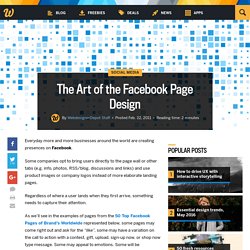
Some companies opt to bring users directly to the page wall or other tabs (e.g. info, photos, RSS/blog, discussions and links) and use product images or company logos instead of more elaborate landing pages. Regardless of where a user lands when they first arrive, something needs to capture their attention. As we’ll see in the examples of pages from the 50 Top Facebook Pages of Brand’s Worldwide represented below, some pages may come right out and ask for the “like”, some may have a variation on the call to action with a contest, gift, upload, sign-up now, or shop now type message. Some may appeal to emotions. Some will be memorable. In truth, Facebook is about more than the ongoing interaction between businesses and users via status updates.
Coca-Cola Total Fans 22, 113, 350 | Food and Drink | United States Starbucks Total Fans 19, 386, 229 | Restaurant | United States Oreo Red Bull Skittles Converse All Star. Enabling Search Engine Friendly (SEF) URLs. Search engine friendly (SEF), human-readable or clean URLs are URLs that make sense to both humans and search engines because they explain the path to the particular page they point to.
Since version 1.5, Joomla! Is capable of creating and parsing URLs in any format, including SEF URLs. This does not depend on URL rewriting executed by the web server, so it works even if Joomla! Runs a server other than Apache with the mod_rewrite module. The SEF URLs follow a certain fixed pattern, but the user can define a short descriptive text (alias) for each segment of the URL. Internally, the local part of a SEF URL (the part after the domain name) is called a route. The procedure for enabling Search Engine Friendly URLs differs depending on the web server you are using. Apache These are step-by-step instructions. If you have a server running IIS 7 and PHP, you can take advantage of IIS's own internal URL rewriting by using a web.config file similar to the one listed below.
Ignore case ON. How Can I Make Something Like This In My Website? - Discuss Anything. No, the favicon has a fixed size of 16x16, which means the width and height have both 16 as its value.

Do not know if you acually created and tested your favicon, but i must say that the code must be inserted in the head section or head tag, i am sure you know that, if not, see the html structure with all tags normally: If you inserted the favicon on the root folder, which has the extension of name.ico, you only need to change the "yourdomainname" text to your actual domain name, if you insert in a sub folder, with a name like "images", then you must insert that folder/directory in the url like this: Notice that the code is inside the head tag (the code), anyway, this is html, the most baisc of it, but if you plan to work u on a website, you must learn the html, so read a ebook like html for dummies or some other good ebook, google will help you not to spend money.
Build Web Pages Using Notepad++ and Zen Coding Plugin ~ RADIUM-V Interactive. Zen Coding is a technique you can use to speed up html page building.
Using free programs, you can exceed the quality offered by WYSIWYG editors like Dreamweaver or Kompozer. Here’s a step-by-step tutorial to get you set up. 1. Download and Install Notepad++ You can download Notepad++ from their website ( The version I’m using is 5.8.1. 2. There are various plugins for many different text editors if you choose to use one other than Notepad++, here ( To install, extract the contents of the zip into your Notepad++ plugins folder, usually located at C:\Program Files\Notepad++\plugins. 3. Use the Language menu to choose H > HTML for a style configuration. 4. If you see the “Zen Coding” menu item, take a look at it.
Html:xs then press Ctrl+E. You can string commands together using Zen. Ul>li*5>a.menu-item then press Ctrl+E.