CSS Beautifier. Cascading Style Sheets. CSS Menu Maker. Specificity Calculator. Comparing PIE to Other CSS3 Products – CSS3 PIE: CSS3 decorations for IE. PIE is not the first product by far to provide some level of CSS3 support in IE. It can be difficult to tell what the differences are between all the products out there, so I'm going to attempt to cover several of the major ones here, and clarify their similarities and differences with PIE. An aside: some of these comparisons are based on fairly cursory evaluations of the projects. As a result there may be some inaccuracies. I welcome any corrections, as I want to give each product a fair description.
Dean Edwards's IE7.js (and IE8.js, IE9.js) This is the granddaddy of all IE shims, and probably the first major attempt at implementing CSS3 features in IE. It is implemented as a series of drop-in .js scripts, the main focus of which is working around IE layout bugs and implementing advanced selectors. Conversely, PIE doesn't attempt to implement any CSS3 selectors. The big downside with IE7.js as I understand it is performance. Keith Clark's Selectivizr Aaron Gustafson's eCSStender. LESS « The Dynamic Stylesheet language. Css2Less. Sass - Syntactically Awesome Stylesheets. CSS: Responsive Navigation Menu. Previously I wrote a tutorial on how to make a mobile navigation for responsive design, now I've discovered a new technique to produce a responsive menu without having to use Javascript.
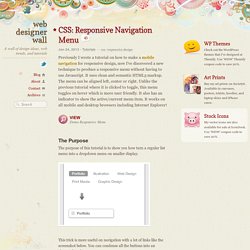
It uses clean and semantic HTML5 markup. The menu can be aligned left, center or right. Unlike the previous tutorial where it is clicked to toggle, this menu toggles on hover which is more user friendly. It also has an indicator to show the active/current menu item. It works on all mobile and desktop browsers including Internet Explorer! View Demo Responsive Menu The Purpose The purpose of this tutorial is to show you how turn a regular list menu into a dropdown menu on smaller display.
This trick is more useful on navigation with a lot of links like the screenshot below. Nav HTML Markup Here is the markup for the navigation. The CSS for the navigation (desktop view) is pretty straight forward, so I'm not going to get into the details. Center and Right Alignment Internet Explorer Support Responsive. The CSS3 Test. Can I use... Support tables for HTML5, CSS3, etc.
Internet Explorer UA Style Sheets.