
Creating a PHP and CSS3 Powered About Page. Martin Angelov In this tutorial, we will be creating a simple about page that is powered by PHP, HTML5 and CSS3.

Resizing an iframe based on content. How to Create Diagonal Lines with CSS. A few days ago, I received my invite to Google Music.

While browsing the app, I noticed a tiny, but neat trick they use to create tabs and diagonal borders with plain-old CSS. I'll show you how to do the same in your projects today! Prefer a Video Tutorial? Choose 720p for the best clarity. Subscribe to our YouTube and Blip.tv channels to watch more screencasts. Step 1: The Markup. Html5slides - A Google HTML5 slide template. The 2012 version is mobile friendly, touch enabled, and has shiny new features.
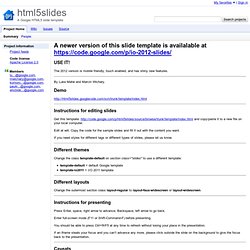
By Luke Mahé and Marcin Wichary. Demo Instructions for editing slides Get this template: and copy/paste it to a new file on your local computer. Edit at will. What are the most interesting HTML/JS/DOM/CSS hacks that most web developers don't know about. jQuery Plugins for Styling Checkbox & Radio Buttons. The Checkbox and radio button versions of input elements used in forms on the web are amongst the most difficult to style according to your overall web design.
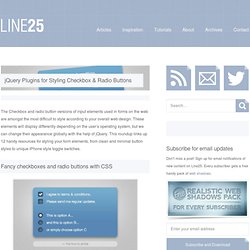
These elements will display differently depending on the user’s operating system, but we can change their appearance globally with the help of jQuery. This roundup links up 12 handy resources for styling your form elements, from clean and minimal button styles to unique iPhone style toggle switches. Visit the plugin homepage Visit the plugin homepage Visit the plugin homepage Visit the plugin homepage Visit the plugin homepage. YUI DataTable. "Daniel Barreiro (Satyam)" width="160" height="206" align= "right">About the Author: Daniel Barreiro (screen name Satyam) has been around for quite some time.

The ENIAC was turned off the day before he was born, so he missed that but he hasn’t missed much since. He’s had a chance to punch cards, program 6502 chips (remember the Apple II?) , own a TRS-80 and see some fantastic pieces of operating equipment in his native Argentina which might have been in museums elsewhere. When globalization opened the doors to the world, his then barely usable English (plus an Electrical Engineering degree) put him on the career path which ended in a 5-year job in the Bay Area back in the days of NCSA Mosaic. Totally intrigued by the funny squiggles a friend of his wrote in his plain text editor, full of <’s and >’s, he ended up learning quite a lot about the world of frontend engineering.
Tutorial: How to Build an HTML5 Video Player. UPDATE: This tutorial has been rolled into an open source html5 video player.

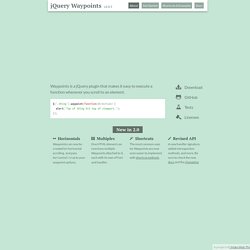
This is a tutorial on building an HTML5 video player in Javascript. It’s meant to give you a basic understanding of the different options you have with the new video tag in HTML5, and the javascript needed to create some of the typical video controls you’d find in other players. It’s library agnostic, meaning you don’t need a library like jQuery to create it, however once you understand how everything works it can definitely be simplified/improved on. I’m always open for feedback if you have suggestions. View the final result. Setup. jQuery Waypoints. .waypoint([callback], [options]) callback type function, optional options type object, optional Calling the waypoint function on a set of elements registers them as waypoints.
You can pass in a callback function… $('.thing').waypoint(function(direction) { // do stuff }); …an options object… Processing.js. Incremental Delaunay Triangulationby Jeonggyu Lee An interactive implementation of incremental Delaunay Triangulation algorithm.

My Life Aquaticby David Leibovic, Sunah Suh A shared aquarium Source code. Online XML Parser. HTML5 Compendium. Let's face it, it's difficult to keep up with all of the new coding languages.
Despite that difficulty, and the fact that some of these standards aren't even finalized, there's still a lot of pressure for designers to start using HTML5. The purpose of this compendium is to make it easier for everyone by providing an up-to-date reference on the new features and uses of HTML5. The W3C specs for HTML5 and CSS3 are also incredibly long and practically unreadable, not to mention unfinished - so it’s easy to see why a lot of designers choose to hold off on taking the effort to learn the new languages, however it’s really not that hard to start using both languages today, there doesn’t need to be a lot of pressure either because the beauty of adopting early is that you can work your way into it slowly and the only thing you actually need to know if you’re already using XHTML/HTML4 and CSS2 is what’s new and how can it benefit you. Tag Reference Browser Compatibility in Depth.
HAUS. CSS Compressor Use this tool to compress your CSS code, with three levels of compression to choose from!

Image to Color Palette Generator Get the primary colors of any image in hex format with this online tool! Image Optimizer. CSS INFO: CSS reference guide, and blog. 1Love. CSS Compressor Use this tool to compress your CSS code, with three levels of compression to choose from! Image to Color Palette Generator Get the primary colors of any image in hex format with this online tool! Image Optimizer. The CSS Box Model. At the risk of over-repeating myself: every element in web design is a rectangular box.
This was my ah-ha moment that helped me really start to understand CSS-based web design and accomplish the layouts I wanted to accomplish. We've talked about the positioning of these boxes a bit, and about their behavior. What we haven't talked about much is the box itself. How is the size of the box calculated exactly? Edit this Fiddle - jsFiddle - Online Editor for the Web (JavaScript, MooTools, jQuery, Prototype, YUI, Glow and Dojo, HTML, CSS) Top 10 Best Sites That Will Turn You Into Better Web Designer.
Website Deign is not a very easy task for web designer. Every web designer in the world has to keep up with the latest trends coming up in the web designing business. Web designers have to gain a lot of knowledge about various technologies and languages like HTML, CSS, jQuery, Javascript etc. And if you are web designer, you already know that any language will not long forever such as HTML5 comes from HTML, CSS3 from CSS, etc. All big-shot web designers always say that HTML, CSS and JavaScript are building blocks of any successful web design page. 31 CSS Code Snippets To Make You A Better Coder. JavaScript Reference (beta) CSS Tutorial. 40 Free and Essential Web Design and Development Books from Google : Speckyboy Design Magazine.
Google Books is perhaps one of the most untapped design and development resources…time to change all that. In this post there are over 40 web design and development books freely available from Google, they range from CSS, HTML, XHTML, DHTML, Actioscript, Javascript, Ajax, Perl, Ruby, MooTools, jQuery, Firefox and evem iPhone development. Not all books are complete, but offer plenty of information to help with your development. CSS Cookbook CSS Cookbook » By Christopher Schmitt The CSS Cookbook provides more than quick code solutions to pressing problems. The explanation that accompanies each recipe enables readers to customize the formatting for their specific purposes, and shows why the solution works, so you can adapt these techniques to other situations.
12 Principles For Keeping Your Code Clean. Advertisement Beautiful HTML is the foundation of a beautiful website. The Complete CSS tutorial. Redirect Visitors To a New Page or Site - HTML Tips and Tricks. CSS and JS - so now you know. HTML Tutorial. CSS Reference. HTML Reference. CSS tips & tricks. HTML Cheat Sheet. Tutoriels XHTML, CSS, Accessibilité, JavaScript - Alsacréations.
HTML and CSS Tutorials, References, and Articles. W3Fools – A W3Schools Intervention. Centrer les éléments ou un site web en CSS - Alsacréations. Il existe plusieurs méthodes d'alignement et de centrage en CSS, qui dépendent de la structure des balises (bloc, en-ligne) et le type (vertical, horizontal). Le centrage horizontal des éléments de type en-ligne Vous voulez centrer horizontalement un élément de type "en-ligne" au sein d'un bloc.
La propriété CSS text-align est prévue pour s'appliquer sur un élément bloc (conteneur) et contrôlera l'alignement (gauche, droite, centré, justifié) de tous les élements de type "en-ligne" contenus dans ce bloc conteneur. C'est exactement ce qu'il nous faut ! Mozilla Developer Network. The open Web presents incredible opportunities for developers. PHP: Hypertext Preprocessor. CSS 101: Topics. ASCII Code - The extended ASCII table. Future Media Standards & Guidelines - Cascading Style Sheets (CSS) Standard v1.3. A Comprehensive Guide to CSS Resets.