
Ejemplos con la transparencia CSS. Como hacer que una imagen desaparezca y aparezca mi web? Aplicando más estilos css a los enlaces del menú. Para que se note que controlamos esto un montón, vamos a aplicar un par de propiedades más a los enlaces del menú.
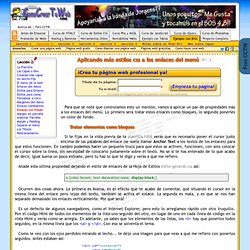
Lo primero será tratar estos enlaces como bloques, lo segundo ponerles un color de fondo. Tratar elementos como bloques Si te fijas en la vista previa de la plantilla.html verás que es necesario poner el cursor justo encima de las palabras del enlace (se suele llamar Anchor Text a los textos de los enlaces) para que estos funcionen. En cambio podemos hacer un pequeño truco para que estos se activen, funcionen, con solo colocar el cursor sobre la línea, sin necesidad de colocarlo justamente sobre el texto. No se si te has enterado de lo que acabo de decir, igual suena un poco extraño, pero tu haz lo que te digo y verás a qué me refiero. Añade esta última propiedad dejando el estilo de enlaces de la Hoja de Estilos estilo-general.css así: Ocurren dos cosas ahora.
Tutorials - HTML Table Add Row - innerHTML vs. DOM vs. cloneNode - mredkj.com. Overview The purpose of this page is to provide some simple examples of adding rows to an existing table.
All the examples do the same basic thing, but in different ways. When deciding which technique to use, you may want to refer to some discussion others have had on the topic of how to dynamically manipulate a web page. In March 2006, Chris Heilmann wrote From DHTML to DOM scripting, which examines many aspects of old DHTML techniques versus DOM scripting.
This led to a lot of chatter around the web, especially on the topic of innerHTML vs. In general you'll find that innerHTML will perform better. You can tell at a glance which techniques have the most concise code. Example 1: innerHTML DOM table methods using innerHTML to fill in cells JavaScript source Example 2: DOM DOM table methods using DOM to fill in cells. W3C DOM. As we've discussed previously, DOM (Document Object Model) is the way to access things on the screen.
And, as we've examined, there are numerous browser-inconsistancies from accessing layers with document.layers to document.all to document.getElementById. To standardize the DOM, W3C created a future more standard Document Object Model, which is in place in some current browsers, at least partly, and will be in place (it should be) in future browsers. Currently, IE 5 supports most of the features we'll review, and NS 6 should support all of them, but both can present some problems. The Consortium's goal, of course, is to have one standard. We've discussed accessing and manipulating layers, but with the W3C DOM, you can control almost every element on the page, create elements out of thin air, never use document.write() again, alter a page instantaneously, and much more.
The key to the DOM is its hierarchical structure and "family tree-like" structure. You document.getElementById("You") Beginner's Guide to XML. XQuery Live Demo. XQuery Live Demo. Overview RDF is a standard model for data interchange on the Web.

RDF has features that facilitate data merging even if the underlying schemas differ, and it specifically supports the evolution of schemas over time without requiring all the data consumers to be changed. RDF extends the linking structure of the Web to use URIs to name the relationship between things as well as the two ends of the link (this is usually referred to as a “triple”). Using this simple model, it allows structured and semi-structured data to be mixed, exposed, and shared across different applications. This linking structure forms a directed, labeled graph, where the edges represent the named link between two resources, represented by the graph nodes. Recommended Reading The RDF 1.1 specification consists of a suite of W3C Recommendations and Working Group Notes, published in 2014. A number of textbooks have been published on RDF and on Semantic Web in general.
Discussions on a possible next version of RDF. TALLER DE SINDICACIÓN DE CONTENIDOS.