Photoshop
< Art
< autumnwinters
Want to learn how everything works in Photoshop? We'll help you make your photos better, draw vector graphics, and design a web site. Learn the Basics of Photoshop in Under 25 Minutes - To get started with Photoshop, you need to know what everything does. Here's a look at practically every tool in Photoshop in less than 25 minutes. Basics of Photoshop: Color Correction, Touch Ups, and Enhancements - Now that you know the tools Photoshop has to offer, we can take a look at using them to correct and alter color, retouch blemishes and other unwanted parts of your photos, and enhance portraits to make the subject look especially good. Basics of Photoshop: Basic Drawing with the Pen Tool - Photoshop isn't just for photos.
<A HREF="http://ws.amazon.com/widgets/q?ServiceVersion=20070822&MarketPlace=US&ID=V20070822%2FUS%2Fthebesarteved-20%2F8009%2F366a6c26-c1da-4d64-ace9-d08999440993&Operation=NoScript">Amazon.com Widgets</A> Collected by Photoshoproadmap Click on each image to read the tutorial
01 Quickly change measuring units When you open a new document in Photoshop you can set the measuring units to match your needs, but sometimes you’ll need to switch between different units. The normal way to change is to go to Photoshop>Preferences>Units & Rulers. But there is a quicker way: simply Ctrl/right-click on a ruler (hit Cmd/Ctrl+R to see your rulers if they’re not already visible) and choose the new measuring unit that you need. 02 Drag layer styles
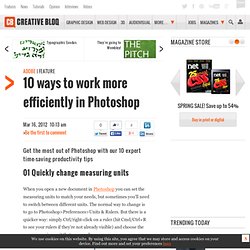
Published in Design , Photoshop Tutorials Photoshop allows designers with unlimited possibilities when it comes to creative effects, including lighting effects. There are plenty of different ways to create lighting effects in Photoshop, and there are equally as many different possible uses for them. If you’re interested in learning more about how to create awesome lighting effects in your own work, here are 25 tutorials that can help.