
ByteScout. Instant screencasts: Just click record. Jing, screenshot and screencast software from TechSmith. Comparing 12 Free Screencasting Tools. Combing through the basic functions and features of a list of tools I’ve become aware of, to select some for further testing.

Over the course of the week, the list of Screencasting tools that have been recommended to me, or that I’ve otherwise learned of, has grown to a dozen. I have a goal of trying identify a free tool or set of tools to use to create stand alone tutorials by combining screen images and screen motion with audio. I would also like to have some editing capabilities, so I could combine multiple captures and rearrange the order of these pieces if needed, and to be able to re-record audio annotation if possible.
I would also like to have screen annotation capabilities, at least for the screen captures. Given this set of desired functions and features, and the long list of tools, it’s only logical that I briefly review each application to see what they can do. Five Great Free Screen Capture Tools for Teachers and Students. I have recently received some emails from teachers asking me about some free screen capturing and annotating tools.
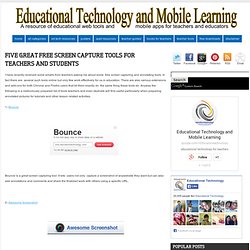
In fact there are several such tools online but only few work effectively for us in education. There are also various extensions and add-ons for both Chrome and Firefox users that let them exactly do the same thing these tools do. Anyway the following is a meticulously prepared list of tools teachers and even studnets will find useful particularly when preparing annotated pictures for tutorials and other lesson related activities.