
UNDER AN ALIAS. Beautiful Motion Graphics Created With Programming: Showcase, Tools and Tutorials. Advertisement When you hear the word “creative”, what type of profession comes to mind? Maybe a graphic designer, painter, sculptor, illustrator, or writer? It’s unlikely that you would consider a “programmer” when thinking of creative fields of work.
But programmers have the potential to be creative and come up with ideas or concepts that will impact others in positive ways. We often turn to programmers to solve mathematical-related problems, but the concept of mathematics in programming is what powers programmers to innovate. Beautiful Motion Graphics Created with Programming First we’ll look at some examples of beautiful and inspiring motion graphics created by programmers. Metamorphosis by Glenn Marshall Swan Lake – Zeno Music Visualiser by Glenn Marshall Black Hole by 360angles Flightpattern by Gwen Vanhee These beautiful motion graphics were created using ActionScript. Disco Maths 1 by Stefan Goodchild Magnetic Sphere by flight404 Air Doom by Rui Madeira Music Is Math by Glenn Marshall.
Cityscape_2095. RYOJI IKEDA : THE TRANSFINITE. Video Projection Mapping. By battleROYAL.berlin battleROYAL created a major production in celebration of the 125th anniversary of MADSACK Mediengruppe.
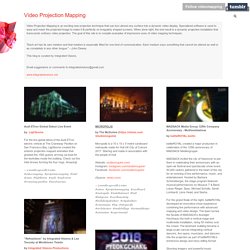
MADSACK invited the city of Hannover to join them in celebrating their anniversary with an open-air festival and spectacular show event. 50,000 visitors gathered in the heart of the city for an evening of live performance, music, and entertainment. Hosted by Barbara Schöneberger, the stage program featured musical performances by Mousse T & Band, Lukas Rieger, Spax, Michael Schulte, Sarah Lombardi, Lions Head, and Sasha.
For the grand finale of the night, battleROYAL developed an innovative show experience combining live performance with advanced mapping and video design. The team turned the facade of MADSACK’s Anzeiger Hochhaus into both a vertical stage and multimedia installation, rising 50 metres over the crowd. Stunning imagery and powerful music combined with historical facts from MADSACK Mediengruppe wow’d the audience. VPT 6.0 « Conversations with spaces. VPT 8 by HC Gilje, released may 2018. Video Projection Tool (VPT) is a free multipurpose realtime projection software tool for Mac and Windows.
VPT 7 was downloaded over 100000 times, so in spite of a lot of other options available VPT still is popular. Among other things it can be used for projecting mapping on complex forms, adapt a projection to a particular space/surface, combine recorded and live footage, for multiscreen HD playback, for interactive installations using arduino sensors or camera tracking ++. VPT is very flexible in terms of control, with presets and a built in cue list, as well as control over almost every single parameter using OSC, midi, serial communication, built in LFOs and ArtNet. It also supports syphon (mac) and spout (windows) for sharing video streams between applications. VPT 8 is recommended for mac OS 10.12 or later and Windows 7 and 10 (although VPT 7 works great on Windows 7). and yes, it is still FREE! VPT 8 has a lot of under-the-hood changes. Extras: After Effects + MadMapper tutorial « 1024 Architecture Blog / MadMapper, Video Mapping, Quartz Composer plugins, whatever … Hi, in this tutorial, we’ll use After Effects to produce a QuickTime movie that we will remap on a building.
We’ll also need Photoshop to adjust our initial pictures. The effect we’re after is a Glowing-Scan of the building. The technique is rather simple, but it illustrates the process to achieve a photo-based architectural mapping. This tutorial assumes that you know the basics of Adobe Photoshop + After Effects and MadMapper.
You can download a demo version of MadMapper at MadMapper’website We’ll go from the initial photo on the left to the final mapping on the right: STEP#1: Select a building to map and make a few pictures of it. Here’s the first picture we’ll use, loaded into Photoshop: STEP#2 Now we’ll need to correct the perspective of this photo, in order to have a flat view of the building. STEP#3 Create some guides on the straight parts of the building. STEP#4 Now press Command-T to transform this layer. STEP#7 Mark the features of the building.
STEP#9 Load After Effects. www.ksi.edu/seke/Proceedings/dms11/DMS/26_Amir_Soltani.pdf.