
How To Set Up A Network Domain. Welcome to the wonderful world of domains and active directory.
I recently wrote a post about pushing out Internet Explorer parental control settings, using group policy. Group policy is great but when combined with Active Directory it becomes so much better! Active Directory is centralized network management at it’s best. There are lots of reasons to set up a network domain and they include security, ease of administration and the ability to automate a lot of features that are cumbersome to roll out manually. Think about being able to manage all your user and computer accounts from one console.
We will walk you through how to set up a Windows 2003 Active Directory Domain. When you start up your Windows 2003 Server you will see this screen: To begin we will need to click the green arrow pointing to the right that says add or remove a role. I would set your IP address to be static at this point if you have not already. Once it completes you will see the following screen: How do I setup my own home network? Setting up a home network allow users to share files, share printers, share broadband Internet access, play network games and much more.
Before setting up your own network, the network as well as what you want for the network to accomplish must be established. Below are links to different computer networks you can run at your home. Peer-to-Peer networkBasic Ethernet network with file sharingBasic network with file and modem Internet sharingBasic network with file and broadband Internet sharing Peer-to-Peer network Advantages and Capabilities: Connect two commuters.Able to share files, play network games. Disadvantages:Limited to two computers can connected to the network. Estimated setup time:10-15 Minutes. 10 Essential Tips for Improving Your Wi-Fi Network. Speedtest.net - The Global Broadband Speed Test.
Network Setup for Small Office. Hulu / Netflix. NetGear WNDR3700. How to Build a Wireless Home Network - Installing and Configuring Equipment. To maximize benefit from the directions below, have your answers ready for the following questions: do you want to extend your wired home network with a WLAN, or are you building a completely new network?
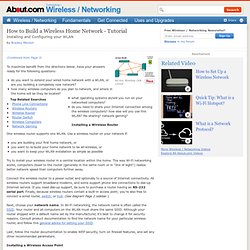
How many wireless computers do you plan to network, and where in the home will be they be located? What operating systems do/will you run on your networked computers? Do you need to share your Internet connection among the wireless computers? How else will you use this WLAN? File sharing? Installing a Wireless Router One wireless router supports one WLAN. Connect the wireless router to a power outlet and optionally to a source of Internet connectivity. Next, choose your network name. Last, follow the router documentation to enable WEP security, turn on firewall features, and set any other recommended parameters. Installing a Wireless Access Point One wireless access point supports one WLAN.
Configuring the Wireless Adapters Configuring an Ad-Hoc Home WLAN Next > WLAN Tips and Tricks. Home Networking Guide - Set up a Home Network. Setting up a home network. How to Set Up a Home Network" How to Set Up Your Home Network. (Looking for instructions on how to share files and printers between Windows 7, Vista, XP, and even a Mac?
Read our new How To Set Up Your Home Network, Windows 7 Edition.) If you have more than one computer in your home, you quickly discover what a hassle it is to be shoved aside when someone else needs the printer--which happens to be attached to your PC. You're also probably tired of running up and down the stairs to transfer files using floppy disks. And no one likes fighting over the only computer with Internet access. No wonder you're interested in home networking. But aside from family unity, there's also the little matter of comfort. There was a time when this flexibility was a luxury reserved for the brave souls who threaded cables behind their walls to set up an ethernet network--and had mastered the arcane secrets of networking kung fu.
For shopping advice, product info, and details about how each technology works, read "How to Buy Home Networking Products. " Be Prepared. Properly setup your network how to - Google Search.