

Gagner du temps avec Wordpress Multisite | Jguiss Webmaster Vous gérez au moins 2 blogs sous WordPress et vous n’avez jamais activé WordPress Multisite ? Pas bien ! Gagnez un temps fou en gestion de sites sous WordPress avec WordPress Multisite. Auparavant pour gérer un nombre illimité de blogs WordPress il y avait WordPress MU (également connu sous le nom WordPress multi-utilisateur et WPMU) mais WordPress Multisite et WordPress ont fusionné depuis la version 3 de WordPress. L’activation du multisite permet la gestion de plusieurs sites avec une seule administration / installation de WordPress. Nouveau tableau de bord « Admin du réseau » L’espace « Admin du réseau » est une zone du tableau de bord pour tous les administrateurs d’une installation WordPress multisite, c’est là que vous accédez à votre espace Super Admin. Administration de WordPress Multisite Les avantages d’utiliser WordPress Multisite L’activation de WordPress multisite vous permet de gérer un réseau de sites illimités sur une seule installation WordPress.
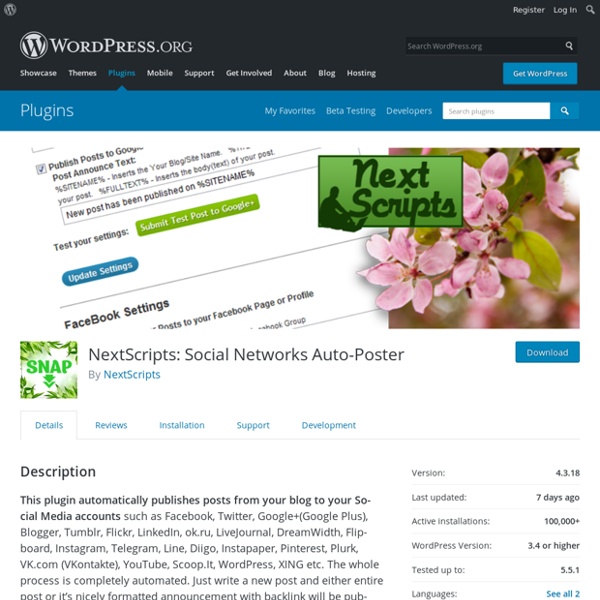
SNAP Review Social Networks Auto-Poster for WordPress If I were to ask you “What do you think is the most profound marketing rule for the digital age?”, a strong contender for your answer would probably be the 80-20 rule. It essentially states that 20% of your marketing efforts should be used for creating epic content. The remaining 80% should be devoted to promoting said content. On Social Automation In a world that is producing tons of new content every second, social automation is essential for any brand to gain online visibility. However, many small and medium sized businesses (SMBs) may not have the bandwidth or resources to afford the entire range of services housed under Social Media Automation. Automation Challenges for SMBs This problem is particularly challenging for new online businesses. Posting your content in your website it fine – and starts yielding results when you already have a steady stream of visitors in your site. Social promotion is a mostly a paid business and relies on the marketing budget. Social Network Support 1.
NextScripts: Unique API/Automation Software for Social Networks Google+, Pinterest, Facebook, Twitter, Etc..NextScripts WP Instant Feeds – WordPress plugin Embedding your feed from your Instagram easily with WP Instant Feeds. What’s hot? No Access tokens needed! How cool!You can set number of items rowAbility to Preload/Reload cache This is a better version of wp-instagram-widget. How to use? 1. You can place above shortcode into your posts/pages or widget (make sure shortcode is enabled in widget) username – Your Instagram username.limit – Number of images.layout – Items per row. default, 2, 3, 4, 5, 6, 8, 10.size – thumbnail, ‘small’, large, original.target – items link target. for example: [wp_my_instagram username="wordpress" limit="12" layout="3" size="large" link=""] Using widget in Appearance -> Widget and look for **WP Instant Feeds widget Hell naw!!! You can place these PHP functions any where you want: if( function_exists( 'wp_my_instagram') ) wp_my_instagram( array( 'username' => 'my_username', 'limit' => 12, layout => '3' ) ); or shortcode: echo do_shortcode( '[wp_my_instagram username="my_username" limit="12" layout="3"]'); とても使いやすいです。
Sécuriser Wordpress en 11 étapes 32 Partages32 Partages × Depuis quelques temps mes différents sites sont régulièrement victimes d’attaques afin de prendre le contrôle de mes comptes admin. Pour l’instant je croise les doigts je n’ai pas subi de préjudices trop graves, mais autant partager avec vous quelques astuces pour sécuriser vous aussi votre blog. Je ne suis clairement pas un expert du sujet, donc n’hésitez pas à compléter cet article via les commentaires ! Mettez à jour votre installation et vos plug-ins On ne vous le dira jamais assez, mettez tout à jour dès qu’une nouvelle version de WordPress ou de vos plug-ins est disponible. Masquez votre compte administrateur Lors de l’installation de votre site ne choisissez ni admin comme nom de compte ni votre prénom ou votre nom de famille. créer un nouvel utilisateur adminsupprimer votre premier compte adminet transférer vos articles sur ce nouveau compte Rassurez-vous ces options sont très bien expliquées lors de la suppression d’un compte. Pourquoi faire cela ? Et vous ?
Flow-Flow Social Stream – WordPress plugin WordPress Social Stream lets you aggregate and stream social feeds in a beautiful responsive social media walls on your WordPress website. Make any combinations of social feeds with Flow-Flow! Display social media posts from multiple sources on any page of your WordPress website. For example, you can have 5 Facebook feeds, 7 Twitter feeds and 3 Instagram feeds in the same grid. Visitors to your website will be able to observe all of your latest posts from Facebook, Twitter, Instagram and Pinterest in one social flow! Features All extensions are compatible and work with Lite edition of Flow-Flow. Looking for other sources like other social networks, WordPress posts and RSS? PRO version features More sources to stream. Upgrade to PRO! Performance and Security Smart caching with server task allows to deliver content blazingly fast without long page loading. How it works You create streams in Flow-Flow WordPress Social Stream admin and copy generated shortcodes. Looking for even more? Updating
Astuce: comment intégrer un javascript à un article Wordpress Dans la vie, rien n’est simple, mais la plupart du temps on arrive à surmonter nos problèmes à force de ténacité. Tiens, par exemple, quand j’ai dû intégrer un javascript à mon précédent article, j’ai bien dû chercher comment faire. J’ai trouvé et je vous fournis la réponse. Q uelque soit le problème (web) que j’ai, un autre internaute a probablement rencontré le même et trouvé la solution. En réalité, vous pouvez intégrer certains javascripts directement via l’éditeur de WordPress , en passant en mode HTML et en collant votre script. Pour un truc qui fonctionne à tous les coups, le mieux est de télécharger le plugin nommé Custom Fields Shortcode (au singulier, attention, car une autre extension existe avec un s à la fin). Rendez-vous sur votre article Créez un Custom Field avec le nom que vous souhaitez ( javastuce par exemple). Tout est dans l’image Il suffit ensuite de placer dans votre article le nom du Custom Field créé, entouré du shortcode cf Et voilà le travail!
Complete Open Graph – WordPress plugin There’s no shortage of plugins that promise to be THE all-in-one solution for all things SEO. Unfortunately, this often means lack of flexibility, confusing implementation, or just a big, bloated plugin that carries way too many features for your needs. This plugin is built on an alternative philosophy: do one thing and one thing well. Complete Open Graph provides automatic, comprehensive, just-makes-sense Open Graph management, whether it’s for a simple blog or a complex site with diverse sets of content. Out of the box, Complete Open Graph generates all the basic tags your site should have, making it ready for social sharing on platforms including Twitter, Facebook, LinkedIn and Google+, and gives you full programmatic access to filter this data as you need. TL;DR: This plugin does Open Graph. Using the Plugin Upon activation, Complete Open Graph is ready to generate Open Graph meta tags, with an intuitive set of fallbacks in place. Available Fields Default Settings Filters Feedback
Tutoriel : améliorer le “lire la suite” de WordPress | Jeremy Herve En commentaire de mon article précédent , Guillaume m’a posé quelques questions à propos du lien “Read More” qui est présent en page d’accueil de la plupart des thèmes WordPress, pour faire le lien avec les pages d’articles. Essayons donc dans cet article d’améliorer ce lien, pour pouvoir y apporter le style que vous souhaitez, ou bien y ajouter des élements. Un nouveau filtre a fait son apparition avec la sortie de WordPress 2.7.1, permettant de modifier facilement le lien “read more”, qui vient s’ajouter lorsque vous insérez la balise “More” dans un article. Ce filtre, c’est the_content_more_link . Nous allons voir plus bas comment nous en servir. Modifier le texte du lien “Read More” Si vous souhaitez simplement modifer le texte de ce lien, deux solutions sont possibles: L’ajout de votre texte article par article à l’intérieur même de la balise more. Et voilà : votre texte est modifié. Le texte de votre lien “Read More” sera maintenant modifié pour tous vos articles. Source: Codex
Facebook Pixel by PixelYourSite - Standard Events & WooCommerce — WordPress Plugins Manage the New Facebook Pixel With Just a Few Clicks As you probably know, Facebook will retire the old Facebook Conversion Pixel in 2016. They recommend us to use the New Facebook Pixel for conversion tracking, optimization and remarketing. PixelYourSite will help you insert the pixel code on every page with just one click and set up Custom or Standard Events. You’ll find a Learning Section on our website, with helpful articles that answer to our users common (and sometimes uncommon) questions, together with top notch “how to”pages. Find more info about how to use the FB pixel plugin - Click here Not ready to install yet? PixelYourSite Key Features: You can insert the pixel on every page of your website with just ONE click. How to create powerful Custom Audiences with PixelyourSite You can use the General Event option to create powerful Custom Audiences based on events (Custom Combination). Superb WooCommerce Integration What's next Pixel Helper Errors
Un intranet sous Wordpress: quelques plug-ins utiles Étiquettes : intranet, principes fonctionnels, Web 2.0, wordpress Un intranet sous WordPress, pourquoi pas. Le logiciel n’est pas dédié au blog uniquement. Quelques plugins, en vrac, à utiliser pour monter un intranet sous WordPress CollabPress Le plugin CollabPress permet de gérer des projets, des utilisateurs, des listes de taches, des taches, et des commentaires. All-in-One Event Calendar L’extension Event Calendar remplace avantageusement le calendrier d’origine fourni avec WordPress et ajoutant de nombreuses fonctionnalités utiles pour garder une trace de tous vos événements. V-Cita Le plugin V-Cita vous permet de fixer des rendez-vous, de synchroniser vos calendriers, de créer des video meeting, d’analyser vos statitistiques, de manager vos utilisateurs et d’établir des campagnes d’e-mailing. BuddyPress Le célèbre plugin BuddyPress permet d’étendre les fonctionnalités de WordPress sous forme d’outils de “réseaux sociaux”, sur toute installation nouvelle ou existante. FAQ-Tastic Lite
Simple Social Share As the name says, Simple Social Share is a very simple to use social media sharing plugin for your WordPress blog. No registration, no ID's required. It's absolutely free. Just install and get going. Features Five different types of styles: small buttons with / without share count and the usual 32 x 32 icons with square / rounded-border / circular icons.A very easy to configure admin panelSelect from the available list which social icons you want to display.Select where you want the buttons to appear: before content and/or after content.Show/Hide buttons on Archive's page and/or Post and/or Pages Shortcode for developers.
Enlever les codes initules dans l'entête de Wordpress WordPress ajoute beaucoup de choses à travers wp_head () qui est inclus dans la plupart des thèmes. La majorité des lignes de codes est considérée inutile. Peut être vous allez dire qu’il n’y a pas de mal avec quelques lignes de code supplémentaire dans l’en-tête de la page de Wordpress et que cela ne ralentira le site au complet. À mon avis, le contraire est vrai. De plus, je tiens à garder le site wordpress aussi propre et efficace que possible. Dans cet article, je vous montrerai comment faire pour empêcher l’inclusion des codes mentionnés plus bas à travers le wp_head hook. Le lien de Really Simple Discovery (RSD)Le lien de : Windows Live WriterWordPress generator noticePost relational links Poursuivez la lecture pour la description de chacune d'elles pour voir si vous en avez besoin ou non, et comment les supprimer. Really Simple Discovery C'est le code qui affiche le code suivant dans votre entête: C'est le mécanisme utilisé par les clients découvrent le XML-RPC. Windows Live Writer