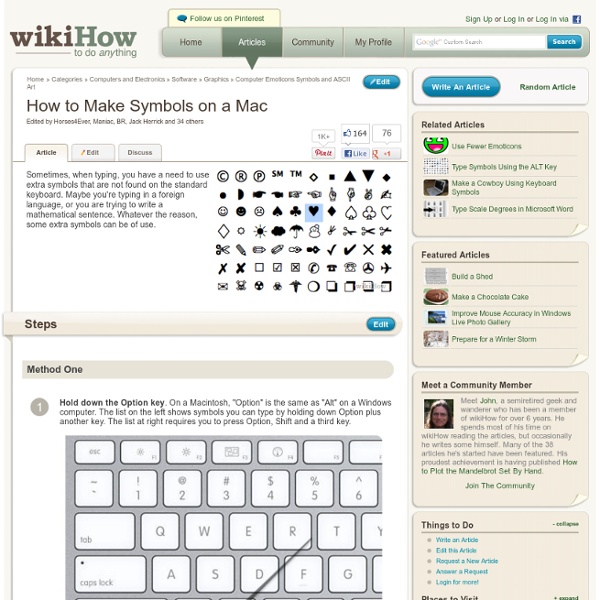
How to Make Symbols on a Mac
Steps Method 1 of 5: Using the Option Key Codes 1Hold down the ⌥ Option key. On a Macintosh, ⌥ Option is the same as ⎇ Alt on a Windows computer. The list on the left shows symbols you can type by holding down ⌥ Option plus another key. Method 2 of 5: Using System Preferences 1Go to System Preferences. 2Select International. 11Close the Character Palette. 1Click "Edit" in the Menu Bar2Click "Special Characters..." at the bottom of the Edit menu. 3A new Character Palette will appear on screen. 4Select a category from the menu on the left. 5From the list on the right, click on a symbol. 6Close the Character Palette. 1Click "Edit" in the Menu Bar2Click "Special Characters..." at the bottom of the Edit menu. 3A new Character Palette will appear on screen near the cursor in your application. Method 5 of 5: The Maverick Update Tips Ad
Tuning Mac OS X Performance
This FAQ provides recommendations for optimizing Mac® OS X performance. Additionally, it provides advice and links to advice for troubleshooting certain Mac OS X performance problems. Comprehensive advice on this topic can be found in the "Performance" chapter of our book Troubleshooting Mac OS X. Optimizing Mac OS X performance RAM, RAM, and more RAM Mac OS X loves RAM. Maintain ample free space on your startup disk Mac OS X makes extensive use of Virtual Memory (VM), which requires free disk space on your startup disk, aka your boot volume. See our "Problems from insufficient RAM and free hard disk space" FAQ to determine if you have sufficient RAM and free disk space to get the best performance from Mac OS X. Turn off the eye candy While I imagine everyone is impressed the first time they see a window minimized to the Dock with the Genie effect, this entertainment has a performance cost. Make the Dock less entertaining Open System Preferences > Dock. Disable or remove unnecessary fonts
David Alison's Blog: Switching to Mac
On February 2, 2008 I was a Windows software developer. I had a house full of Windows based machines and was working on building up my next software company using some of them. I am what you might call a heavy duty computer user; I use my machines to communicate with folks (e-mail, forums, etc), develop software, manage my digital photos, edit home videos, play high end games, etc. Something however was missing. Every 6-9 months I would have to reinstall Windows and my core applications and suddenly my performance would return. It was at this point in my life that many of my friends started getting Macs. Still, more and more people, including some highly technical software developers I knew, were getting Macs and raving about them. Invasion of the MacsWhat started out as an addition to my collection of computers turned into a full scale replacement of my Windows machines with Macs. So here it is a full year later and nearly every member of my family is running a Mac. "It just works"
Change Mac admin password without the disk [Solved]
You can try this: But, it will create a new account and your old files will still not be accessible. Creating a new Admin on Mac Os X: Here's how to reset your OS X password without an OS X CD. the Working solution for me was to create a new admin you can create new admin like this by deleting a specific file. You need to enter terminal and create a new admin account: 1. mount -uw / rm /var/db/.AppleSetupDone shutdown -h now 4. Apple stores wont reset it for you.
15 Must-Have Free Apps For Your Mac & Giveaway
The very first Mac article ever published by MakeUseOf was about Things. That was about 2 years ago. Since then we’ve continued to serve the Mac community well, publishing over 300 articles. While reviewing apps, part of the job description is testing them out. After we’re done, we ask ourselves the golden question, “Is this app a keeper?” Dropbox Everyone knows Dropbox for their amazing file-sharing service. Sign up for a free account and you automatically get 2GB to share with your friends. Need mobile access to your files? AppFresh Surely you must know how it feels to load an app, just to have it inform you that it’s outdated and there’s a newer version available? AppFresh is what you want. Adium Adium is probably the most widely-used multi-protocol chat app on Macs. Adium supports a wide range of chat protocols from MSN to Facebook to ICQ to Gadu Gadu. Adding to its list of features, Adium is also hugely customisable in both its theme and functionality. The Unarchiver Transmission Skitch
Related:
Related: