

Learning to Teach Online - UNSW Australia (The University of New South Wales) About the Course Are you an educator? Have you ever wanted to understand more about how to design your course to make better use of educational technology – whether fully online or in blended contexts? Would you like to learn from those who have extensive practical experience with online technologies? This course is designed to help you develop a working understanding of successful online teaching strategies that you can apply in your own practice. Integrating online technologies into your teaching can be a challenging prospect, and it can be difficult to know how to approach it effectively for the benefit of both students and yourself. Watch interviews with the Course Instructors Simon McIntyre and Negin Mirriahi discussing the motivations behind the course. Announcement for US based teachers: To participate in this opportunity, U.S. district leaders should approve Coursera MOOCs as teacher professional development by completing a brief form at: www.coursera.org/tpd. Course Syllabus
About ds106 Digital Storytelling (also affectionately known as ds106) is an open, online course that happens at various times throughout the year at the University of Mary Washington… but you can join in whenever you like and leave whenever you need. This course is free to anyone who wants to take it, and the only requirements are a real computer, a hardy internet connection, preferably a domain of your own and some commodity web hosting, and all the creativity you can muster. In August-December 2013, we ran an experimental open version of ds106 where… THERE WAS NO TEACHER! What? The Headless ds106 content has been repackaged as an ongoing, not time bound Open DS106 Course Experience. What is Digital Storytelling? As to what exactly this course is all about, well according to Wikipedia Digital Storytelling is defined rather succinctly as “using digital tools so that ordinary people can tell their own real-life stories.” Digital Storytelling in ds106 The course objectives are rather straightforward:
Professional Practices for English Language Teaching - British Council This free online course is for English language teachers around the world. It will help you develop the skills and practices you need for your continuing professional development (CPD). This course is part of our Teaching for Success: Practices for English Language Teaching program. In the program we will look at the 12 professional practices for CPD on the British Council’s teacher development framework. In this course you will look at four professional practices: Planning lessons and courses Managing resources Managing the lesson Taking responsibility for professional development. Learn with English language teachers worldwide Each week will focus on one of these practices. Video tutors, Suzanne and Claire, will guide you through each week’s content, offering tips, advice and downloadable resources at every stage. You will be asked to share your own experiences and opinions as you become part of a global community of English language teachers discussing what leads to success.
A Media Specialist's Guide to the Internet: 64 Sites for Digital Storytelling Tools and Information Big Universe- for younger childrenBlurb- prices start at $10.95 (small book) discounts on quantity orders Bookemon BoomWriter- students write a book together; class gets one free copy (free shipping) ClassikTV- create a movie by adding subtitles to old movie scenes Creaza- suite of creative tools, including cartoonist, movie editor, audio editor and mindmaps DigiTales- create 3-5 minute stories from these types: living memories, beyond words, itza wrap Do Ink- create Flash-style animations using a "simple and friendly vector editor Domo Animate- free animation website offers characters with dialogue, backdrops and special effects Glogster- drag and drop text, images, audio, video drawings and more; premium edition has no ads Kerpoof- make movies, cards, drawings,pictures, tell stories; for grades K-8; site also has lesson plans and teacher tools. Lightning Bug -assists students in writing a story from finding an idea to finishing the story My eBook- create novels, comics, magazines, brochures
Implementation and Evaluation of Educational Technology This is an Archived Course EdX keeps courses open for enrollment after they end to allow learners to explore content and continue learning. All features and materials may not be all available. Check back often to see when new course start dates are announced. This course provides a practical overview for selecting, implementing, and evaluating educational technology initiatives. Schools are recognizing the potential for technology to transform teaching and learning. This course provides a practical overview for selecting, integrating, implementing, and evaluating educational technology initiatives in formal educational settings, primarily in the US. Through four units over seven weeks, participants will develop an awareness and understanding of the “ecosystem” surrounding the implementation of educational technology in a formal educational setting.
The Top 17 Free Digital Storytelling Apps for The iPad 1-StoryKit This is an awesome iOS app that allows users to easily create an electronic storybook via illustrations by drawing on the screen, using pictures and text, and recording audio to attach to stories. 2- Talking Tom & Ben News This is fun app to use. Kids can talk to them and they will repeat what you say in turs. They can also create and record funny conversations between them. 3- I Tell a Story This is a free app that allows users to narrate and record their stories with their own voice and language. 4- Scholastic Storia This is an app that is designed to help kids learn and love to read in a fun and interactive way. 5- Talking Tom Cat This is a cool app that lets you interact with Tom, your pet. 6- Toontastic This app allows kids to draw, animate and share their own cartoons through imaginative play. 7- Our Story This app lets young learners take part in fun games that can help them develop their reading skills. 8- Bunsella Bedtimes Story 9- Idea Sketch 10- Sock Puppets 11- Scribble Press
DigiTales Storymaking Steps | Digitales This is a general overview for crafting your story into a 3-5 minute digital movie. The process of making a digital story can be organized into four separate phases. Anyone who has learned the stages of writing will feel comfortable with working in these progressive and sometimes overlapping phases. Click on each of the seven steps for more information. Writing a Script A digital storytelling script is a first person narrative that tells the story in your own voice and style. Planning the Project The complexity of weaving all the media elements together into a cohesive story gives new meaning to planning FIRST! Organizing Project Folders Each digital story is considered a project. Making the Voiceover Voiceovers are the digital files created by recording your final script in your own voice. Gathering and Preparing Resources Now it is time to be guided by the storyboard planning. Putting it ALL Together You are now ready to spin your tale with video-editing tools. Applause!
Open Thinking Wiki Definitions: "... refers to using new digital tools to help ordinary people to tell their own real-life stories." (Wikipedia)“Digital Storytelling is the modern expression of the ancient art of storytelling. Throughout history, storytelling has been used to share knowledge, wisdom, and values. Why (Digital) Storytelling? Storytelling is the expression of common cultural artefacts shared by individuals & societies with roots extending to the emergence of prehistoric humans.Stories help us make sense of ourselves, our cultures and societies, in rich and meaningful ways.Storytelling may give voice to individuals and groups who have been oppressed by a culture of literary dominance.Stories will help us leave a rich legacy of expression for future generations.Storytelling helps us reclaim our narratives from corporate and commercial interests.Stories and the process of storytelling can be used as a rich means of assessment.Storytelling proves to be an engaging alternative for many learners.
CogDogRoo - StoryTools 50 Web 2.0 Ways to Tell a Story (return) Note! 50+ Ways is no longer being updated here but over at the new site for 50+ Web 2.0 Ways to Tell a Story-- It has more organizational features and includes ways for you to add content to the site once you join the new wiki. Below you will find 50+ web tools you can use to create your own web-based story. Slideshow Tools Generates content that allows linear playback of a series of images, some with ability to add audio. 2. Upload images from computer or flickr or upload PowerPoint files. 3. "...effortlessly combine photos and video clips with words and music to personalize your story. 4. "RockYou! 5. "Slide lets you use photos and other digital content to publish and discover the people and things that matter to you." 6. 8. Creates horizontal slide shows from flickr sets ) no text or audio.
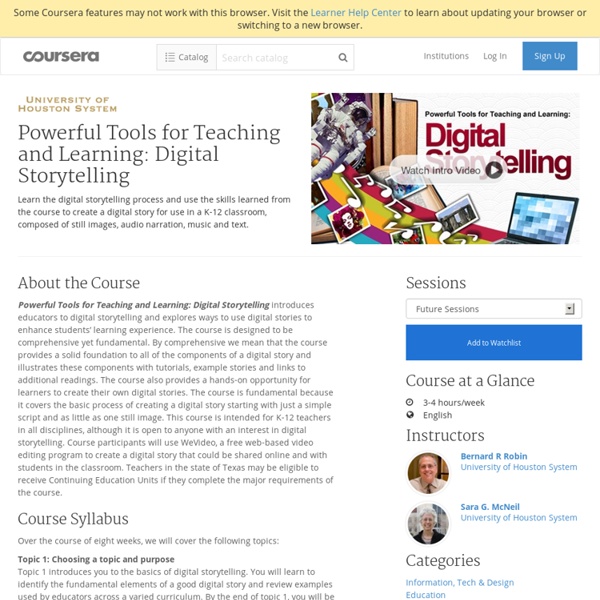
Digital Storytelling in the Classroom Storytelling has always been a significant part of history, but the means through which the stories have been told has evolved with each civilization. From the oral histories presented by bards in ancient courts, to the works of scribes during the Renaissance, to newspapers, CNN, and now the Internet, personal narrative has been used to communicate the events of the past. Digital storytelling now combines tradition with technology and allows students to tell stories through voice, text, images, audio, and video. Digital stories allow students to take a linear series of events and turn them into a multidimensional experience. Visit our digital storytelling apps page for recommendations for any device. "Telling Their Stories" - Oral History Archive Project of the Urban School Visit "Telling Their Stories" and read, watch, and listen to perhaps the best student-created oral history project in the country. Youth Producing Change - Human Rights Watch International Film Festival