

TodaysMeet Batch-Create QR Codes in Google Spreadsheet Overview:Enter some text or a URL in a spreadsheet and a QR code will be automatically created – all with the help of a little formula that you’ll learn about in this tip of the week. This is a great way to create lots of QR codes very quickly and easily! You will have two options: 1. Create your own; or 2. Use the provided templates. Option 1Create your own spreadsheet Let’s do one together for practice, and then you can adapt the instructions to create more of your own: Getting Ready: Go to: drive.google.comCreate a new spreadsheet.Label Column A “Text or URL.”Label Column B “QR Code.”Resize the columns and rows so they look like the screenshot below.Enter some text or URLs in column A. Entering the formula: Note – I figured out this formula by dissecting a goo.gl-generated QR code and then parsing it into a concatenation and image formula within the spreadsheet. In Cell B2, enter this formula (or copy and paste it.) Notes / Ideas: Option 2Use a template ☞ One Column QR Code Template
HOW TO: Make Your QR Codes More Beautiful Hamilton Chan is CEO and founder of Paperlinks. With the free Paperlinks iPhone app, featured previously by Apple as the #1 New & Noteworthy app, consumers can scan and view QR code content with a native app experience. Paperlinks also provides a powerful platform for generating QR codes, hosting content and tracking their performance. The QR code: A thing of beauty or an eyesore? Fortunately, QR codes are malleable and can be redesigned in truly extraordinary ways, while still maintaining their scanability. QR codes have so much potential from a design perspective, so let’s take a look at a few tricks and techniques you should keep in mind when designing a code to enhance your brand and appeal to your audience. 1. The easiest way to add branding power to your code is to add color to it. A “reversed out” code, where the background is dark and the boxes are light colored, is generally not recommended. 2. One of the QR code’s greatest aesthetic flaws is its numerous hard edges. 3. 4.
Teachers Guide on The Use of QR Codes in The Classroom What are QR codes ? According to Wikipedia, a QR code is " a specific matrix bar code ( or two-dimensional code ), readable by dedicated QR bar code readers and camera phones. The code consists of black modules arranged in a square pattern on a white background. The information encoded can be text, URL, or other data." Here are some video tutorials to help you understand it all : Video tutorial : Introduction to QR Codes Video Tutorial 2 : Why Use QR Codes Video Tutorial 3 : How to Use QR Codes What do I need to start using a QR code ? A phone with a camera or a Smart phone. 1- Kaywa This is one of my favourites . 2- Snap.vu This one here lets you generate codes from URLs and has an option for tracking usage of the code. 3- Delivr This service allows you to shorten a URL and generate QR code from all kinds of URLs. 4- Sparqcode This tool helps users generate QR codes from phone numbers. 5- Qurify This one generates QR code from text. 12-QR Stuff This one has more options.
QR Code Generator: QR Stuff Free Online QR Code Creator And Encoder For T-Shirts, Business Cards & Stickers How to Use QR Codes in Student Projects Scannable bar codes may be just what you need to spark some student interest in your classroom - read on to learn how to use them to showcase your student work and give some life to your classroom's infographics. Last April ago I took a trip to Tokyo, Japan. One thing that really stood out to me there was the abundance of these scannable barcodes. The world as we know it is becoming scannable. So, what is a QR code? "A QR Code is a matrix barcode (or two-dimensional code), readable by QR scanners, mobile phones with a camera, and smartphones...scan the image of the QR Code to display text, contact information, connect to a wireless network, or open a web page in the phone's browser." - Wikipedia How do I make a QR code? My favorite way to create them is with bit.ly, a free URL shortener that now automatically creates QR codes for your shortened URLs. How can I use QR Codes with my students? Bibliography of student work Link to additional resources for class materials Reports & Projects
FlapJack Educational Resources: QR Code Classroom Craze Tutorials FlapJack QR Code Resources Try your hand at QR Codes with these freebies. :) InLinkz Project Manager account expired QR Code Writing Prompts Task Cards MATH 4th-5th Task Cards MATH 2nd-3rd Task Cards FRACTIONS 4th-5th Task Cards MEASUREMENT 4th-5th Task Cards MATH Other Tabitha Carro
QR Codes and Bottle Cap Fun! Technology is awesome because not only does it keeps students engaged, it's also usually pretty environment-friendly! So, I've decided to combine two fun items I've been incorporating in my classroom - QR codes and labeling bottle caps - to help students practice ordering fractions, multi-digit multiplication, and long division - just a few skills we're going over in fourth grade right now. Let's start with ordering fractions: I made 8 bottle cap groups with six fractions in each group using Avery lables (1" circles 5410). And then, lo and behold, did you know you can make QR codes in Avery? Am I making sense? Now on to multi-digit multiplication and long division: I made 6 problems each, using the same Avery labels. Then, through the QR code button on the Avery website, I made QR codes with the answers to put on the inside of the caps. Got a scan app on you right now? Click on the image below to download the freebie. I also have some really fun QR code titles for just $2 a piece.
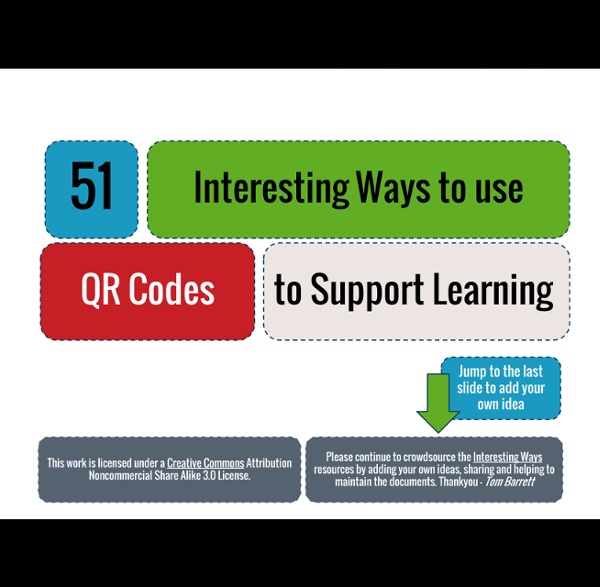
Ten Ways to Use QR Codes in the Classroom with Online Tutorials I am so excited to be writing my second blog post of the year on this wonderful blog. During my last post, you may remember that I offered to be your "virtual coach". I had several people who were interested in learning more about how to use QR codes in daily routines as well as how to create these cute little things. I decided to provide you with 10 ways to use QR codes in the classroom as well as step by step tutorials to help you get started. At the end of this post, you will find links to all of the resources discussed.. #1 - One of my favorite ways to use QR codes is to assist students in linking to websites for research purposes. #2 - Another way I have used QR codes in the classroom is by using them for app smashing. #3 - Have you ever thought about using QR codes for behavior management? #4 - In 21st century classrooms, it is important that we start thinking of ways to save students' online work. #5 - Kimberly said she has her kindergarten kids scan CVC words.
Mrs. Muñoz's Class Blog — Using Web 2.0 Tools to Instruct and Engage Ways to Use QR Codes for Education QR codes are easy to produce and fun to make, and they'll keep every kid's attention. These pixelated bar codes are digital magic for busy teachers! Use them for everything from running scavenger hunts to polling students. Read on for more ways to use the codes in your classroom, or see my post "QR Codes in the Classroom" to start making and scanning your own codes now. 1. 2. 3. 4. 5. 6. 7. 8. Check out these great ideas from our readers: 9. 10. If you're craving more QR code ideas, watch this short, inspirational video from an amazing Pennsylvania school district. How are you using QR codes in the classroom?