

7 Free Tools to Identify A Font So you’re browsing through your favorite website and found a site that uses a font you love. You want that font too, (and must be as quickly as possible!)… so how do we go about finding out what that font is called? One easy option is to simply email the webmaster and ask for the name of the font and where to get it. This can take some time and not all webmasters will reply. 1. Developed by one of the largest font providers, WhatTheFont is your number one spot for identifying your fonts. 2. This service takes a different approach and finds your fonts by asking a number of questions about the font. 3. This is probably the greatest and largest community of font experts. 4. This site offers a ton of information as well as multiple online tools to help you find your font, by answering questions on the shape of the glyphs of the font in question. 5. Developed by Fontshop, this one uses the same principles as the Bowfint system by asking questions about the shape of each character. 6. 7.
Spell with flickr Please send me comments, suggestions or questions, kastner@gmail.com. I love getting emails about Spell with Flickr - and all my programming projects. It was just a few hours ago that I posted my Goals for 2008 and I'm releasing my first project of the year. It's nothing big, but it was a fun little distraction. The hide-an-image-in-text-with-css3-creator-thing If you're one of those folks who might care about how something like this might work, here's the source. read the rest at Meta | ateM Spell with flick grabs images from flickr (the One Letter and One Digit groups) and uses them to spell what you've typed in.
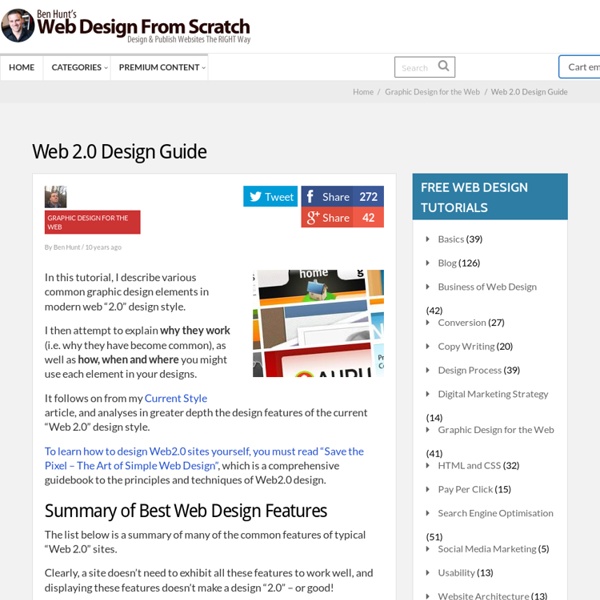
A library of DHTML and AJAX scripts - DHTMLgoodies.com Create a nice web design with a lovely textured background I love using subtle and soft textures to create clean web designs with an impressive visual impact. The right texture with a good use of typography can generate in simple way (saving your time) unique and absolutely creative web designs. In this tutorial we are going to learn how to realize a nice web site layout using a nice texture. The post is divided in two parts: first we create the web page in photoshop and then we convert the PSD in a working HTML/CSS page ready for the web. Following this step by step walkthrough of design you’ll learn, touching with your hands the entire process to make a web page, how to design and code a modern site. Someone said that “Code is poetry”, and it is so, for this reason we offer this great possibility to our readers, a complete overview on the PSD-to-HTML conversion, not only a Photoshop tutorial. The Final Result Below you can see the final result of our efforts: a nice web layout with a lovely design and a great textured background. Step 6 – Logo
Automatically backup to Skydrive « Nysics Clubhouse Note: This post is now outdated and has been replaced with a newer one. Check it out: Automatically backup to SkyDrive 2.0 Finally, a way to backup to Windows Live Skydrive! Here’s what you need: _ A Windows Live Skydrive Account _ Gladinet (Read my post on how to install and configure it) _ Comodo BackUp _ At least 10GB’s of free temporary storage(I’m barely surviving 8GB’s of free storage) _ DSL or higher(I’m using DSL, and it stinks. Now that Skydrive has 25GB’s of storage, you start to wonder why that there isn’t a free backup solution. Skydrive First, if you haven’t already, sign up for a Windows Live Skydrive account(a Windows Live ID). If Skydrive wants you to upload stuff, click “Cancel”. Gladinet Now it’s time to install Gladinet. Comodo I’ve search long and hard to find a backup program that would work with Gladinet. First, click here to download the file. After your computer has restarted, open Comodo(It’s probably on the desktop), and click the button. icon. That’s it! Like this:
5 Simple Ways to Improve Web Typography Type is one of the most-used elements of the web. Think about it. Unless you are YouTube or Flickr, chances are your site visitors are coming for your text content – not the fancy packaging that surrounds it. Good typography brings order to the page and increases legibility. A more scannable, readable site means happy visitors. I could blather on forever about how far typography has come on the web, and how far yet it has to go. But plenty has been said about what web type can’t do. 1. Stupid, but true: No two browsers use the same presentation defaults. Two I recommend: Yahoo’s CSS Reset Stylesheet Eric Meyer’s CSS Reset Stylesheet 2. Measure refers to the length of a single line of type. Additionally, your leading should increase with the length of your Measure. Likewise, if you have a small column such as a sidebar with a short Measure, your leading should be tighter. 3. It’s not just about your text – its about the space that surrounds it. 4. 5) Don’t Neglect The Details
100 Excellent Free WordPress Themes | Developer's Toolbox Helpful distortion at NYC & London subway maps Eddie Jabbour, graphic designer for Kick Design, is obsessed with replacing the confusing NYC subway map (below: originals on left and Kick maps on right — click for larger versions). The logic behind the changes“Can He Get There From Here?” profiles Jabbour’s quest. Here he explains the reasoning for his changes: Mr. Distortion vs. accuracy Jabbour’s map looks like a winner. It’s also interesting to see how he increases the number of lines on the map yet decreases the overall noise created. When abstractions work In Maps, Reality, and Purpose, Johndan Johnson-Eilola explains why abstractions, deletions, and additions are part of how a map works. At first glance, a map that doesn’t directly correspond to the object it’s mapping seems like a bad thing. London tube map This is a lesson you can see in action at the London tube map, widely acknowledged as a design classic. Tufte on London map Edward Tufte is a fan of the London map. Utopia isn’t an option here.
Stop Writing Project Proposals 50 Useful Design Tools For Beautiful Web Typography - Smashing Magazine Advertisement Typography is elegant when it is attractive and communicates the designer’s ideas. When chosen wisely and used carefully, it can be very effective in supporting the overall design. Designers are always exploring different techniques with type: some use images or sIFR to produce very beautiful typography, while others prefer CSS alone to get the typography just right. Today, we will look at 50 most useful typographic tools, techniques and resources for creating effective and expressive designs. We will also look at some hands-on typography tools that help designers and developers learn how to style their Web content, test it interactively and see the changes instantly. Below we cover typographic tools, useful typographic references, font browsers, typographic CSS- and JavaScript-techniques, hyphenation techniques, sIFR tools and resources, grids and related tools, free and commercial fonts, a guide to Web typography, examples of great Web typography. and follow us on Twitter
25 Examples of Geometrical Shape Usage in Web Design I really like the way Wikipedia defines web design: “Web design is a broad term used to encompass the way that content is delivered to an end-user through the World Wide Web…”. And we have to say that web design is really all about the way you deliver content, so taking good care of shaping your website is something that’s very important. Websites are pretty much based on grids and columns, where geometrical forms are the main elements. Here we will show you some examples of how circles, squares, rectangles and triangles are used to better create beautiful and inspiring websites. Circles Full Stop Circles as a big logo getting all the attention to the studio’s name. Jarad Johnson Big circles thumbs to show you a bit of Jarad’s work. Daniel James Diggle The logo is a circle and the same circular idea was used in the top left side of the header to draw attention to the artist’s bio. Teknision Nice circular bubble drawing the attention to the “we’re hiring” part of the site. Material Group Squares
ColorMatch 5K :: the original