

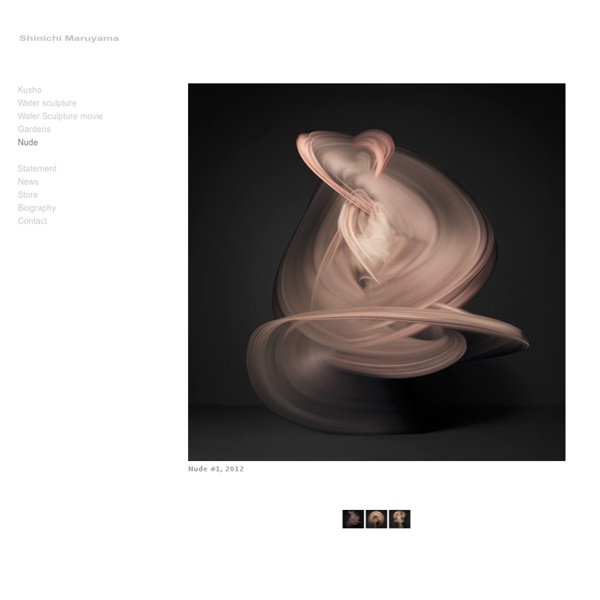
Focus Numérique - 1er magazine sur la photo et vidéo numérique Laurent Nivalle sweeping nude photography by shinichi maruyama nov 19, 2012 sweeping nude photography by shinichi maruyama ‘nude #2′, 2012 by shinichi maruyama japanese photographer shinichi maruyama is well known for his colliding liquid photography – immortalizing moments split seconds before they are lost to gravity. in his latest body of work, ‘nude’, maruyama continues his exploration of movement through photography – re-envisioning the language of traditional nude artwork and combining this with a reference to time. the abstract striding limbs create almost painterly strokes across a hidden canvas - a sweep of flesh filling space. the conceptual artistic interrogation reminds one of the beauty of the human body, not through form, but through the ethereal capacity of human motion – reminding one of the power of dance, theatre and gesture. ‘nude #3′, 2012 ‘nude #1′, 2012 ‘nude #5′, 2012 ‘nude #4′, 2012 ‘nude #6′, 2012 ‘nude #7′, 2012 ‘nude #8′, 2012 ‘nude #9′, 2012 lara mikocki I designboom
Triggering multiple cameras Part of an array of 120 Canon EOS 30D cameras controlled using 5 laptops running DSLR Remote Pro Multi-Camera There are two ways multiple cameras can be fired at the same time using DSLR Remote Pro Multi-Camera which are described below. In order to eliminate variable delays due to auto-focus the cameras should be set to manual focus and pre-focused before taking the photos. With PSRemote Multi-Camera it is only possible to trigger the cameras using the first method. To minimize variations due to auto-focus delays the cameras should be pre-focused by selecting AF lock in the main PSRemote Multi-Camera window. All EOS cameras except the Canon EOS 60D, Canon EOS 400D/Digital Rebel XTi, Canon EOS 450D/Rebel XSi, Canon EOS 500D/Rebel T1i, Canon EOS 550D/Rebel T2i, Canon EOS 600D/Rebel T3i, Canon EOS 650D/Rebel T4i, Canon EOS 1100D/Rebel T3 and Canon EOS 1000D/Rebel XS have a proprietary three-pin remote release socket shown below.
News | Cuba Gallery New York Travel Photography Posted on April 20, 2014 by Andrew Smith | 0 Comments Art Sponge The Jealous Curator How to use the histogram to get a better exposure One of the first things you probably want to know after taking a photo is whether or not you got your intended exposure. You might be tempted to look at the preview on your LCD screen, but when you’re shooting photos outdoors in the sun, those previews can be very deceiving, making your photos look much brighter than they actually are. So, how do you know if you got the right exposure? Well, one way is to use the histogram. What is the histogram? If the word “histogram” brings back bad memories of boring lectures in math class, don’t worry: the histogram is pretty simple. It basically just shows the distribution of light and dark pixels in your image. Here’s an example, with each axis labeled: The left side of the graph shows how many dark pixels you have in your image, while the right side of the graph shows how many light pixels you have in your image. At first you may think that every image should have a balanced (i.e. bell curve) histogram, but this doesn’t always happen.
Ink Butter™ :: Fix Special: 140 brilliant surreal Polar Pictures | VisualBloc.com # simple news by pictures The 1.000 posting on VisualBloc.com with a huge special feature! All pictures are hosted by Flickr.com. Click on a picture to go to the Flickr profile of the respective photographer. Watch also our other specials: All Specials on VisualBloc.com