Bank of America
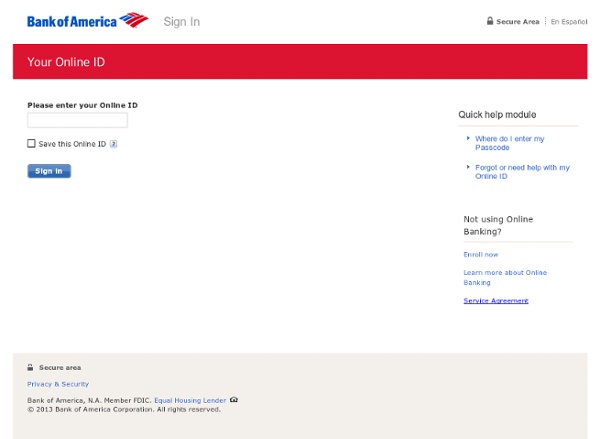
How does "Save this Online ID" work? Saving your Online ID means you don?t have to enter it every time you sign in?only your Passcode. Sharing a computer? Use a nickname If you share your computer with other Online Banking customers, nickname your saved Online ID so it's easier to recognize.In Online Banking, select the Help & Support and Edit saved Online IDs to add a nickname. Don't save on a public computer Don't save your Online ID on a public computer like a library or airport. Clear saved Online IDs To delete a saved Online ID before signing in, select Get help with your Online ID, then select Remove saved Online IDs.Or, delete a saved Online ID after you sign in. Remove saved Online IDs
Online Business Insurance Customer Service – The Hartford
Our site will be undergoing system maintenance from 6:00 AM EST 01/24/2015 to 5:00 AM EST 01/25/2015. During this time you will be unable to view your documents. We apologize for the inconvenience. Manage all of your policies, and all of the people who interact with them, all in one place. We have upgraded the experience to save you even more time. At our Online Business Service Center, you can: Manage payments – Pay online, enroll in Auto Pay, and track payments. Manage documents – Go paperless and have safe, secure 24/7 access to your billing and policy documents. Manage users – Add, organize and oversee multiple users across your policies. Manage your time – An intuitive, easy-to-use system means less time on insurance and more time running your business. Note: If you have a Personal Auto or Homeowners policy, visit the Customer Service Center.
Pay Bill - AT&T
Wireless account log in U-verse account log in Home Phone/Internet account log in Log in to manage multiple accounts The most convenient way to place an order is online. If you currently log in with a U-verse Member ID (ex. email address), enter it below. If you currently log in with a Home Phone/Internet Username (different from an AT&T email address), enter it below. If you manage multiple accounts with one User ID, you have an AT&T Access ID; use it to log in.
Residential | Connecticut
To provide you with the best experience please provide us with your service address ZIP code. Help With ZIP Codes To provide you with the best experience possible and ensure we are presenting the correct information to you, our website requires customers enter a ZIP code for their service address. Example ZIP codes from across our service territory are provided below. Connecticut – Electric & Gas: 06901 Connecticut – Electric Only: 06101 Connecticut – Gas Only: 06859 New Hampshire – Electric: 03101 Eastern Massachusetts – Electric & Gas: 02090 Eastern Massachusetts – Electric Only: 02115 Eastern Massachusetts – Gas Only: 01603 Western Massachusetts – Electric: 01101
Reemployct
ReEmployCT: Connecticut's New Tax and Benefits System On July 5, 2022, the Connecticut Department of Labor (CTDOL) launched the state’s new unemployment system, ReEmployCT. The new system replaces the agency’s existing 40-year-old technology and streamlines the filing process for unemployed workers and the approximately 115,000 employers who pay into the state’s Unemployment Trust Fund. It is one system that replaces several existing systems at CTDOL; It has a single sign-on for claimants; It brings many components of unemployment online for both claimants and employers to reduce the need to mail or fax documents; It will reduce the number of filings for some employers; It improves agency efficiency by reducing repetitive manual processing; and The technology improves accounting and reporting as well as data analysis. Why July 5th? If you ask our experts, they’ll tell you this is CTDOL’s nod to ‘independence from our antiquated systems’. Ready to start?
Related:
Related: