

Controllers at Nintendo :: Wii :: Console NOW JUST $149.99. Buy Now Why will I love Wii? Great fun right out of the box. Nobody does motion-control gaming quite like Wii. Family fun at an amazing value. The Wii package is an amazing value at only $129.99 MSRP*. Gaming experiences for everyone. Whether you're five or 95, there's a great game waiting for you with Wii. Enjoy Hulu Plus and Netflix from your Wii console. Wii is great for family movie night too. All-time classic game downloads & more. Right out of the box, Wii has easy access to some of the most celebrated games of all time, like Super Mario Bros.™ 3, Donkey Kong™, and hundreds more. Controls for Wii How it works Gaming with motion controls is a fun, active, and intuitive experience, and nobody does it quite like Wii. Wii Remote Plus The Wii Remote™ Plus controller is the heart of the motion gaming experience on your Wii console. Nunchuk Hook the Nunchuk™ accessory up to your Wii Remote Plus for even more flexibility in compatible games. Wii Accessories Wii For The Whole Family
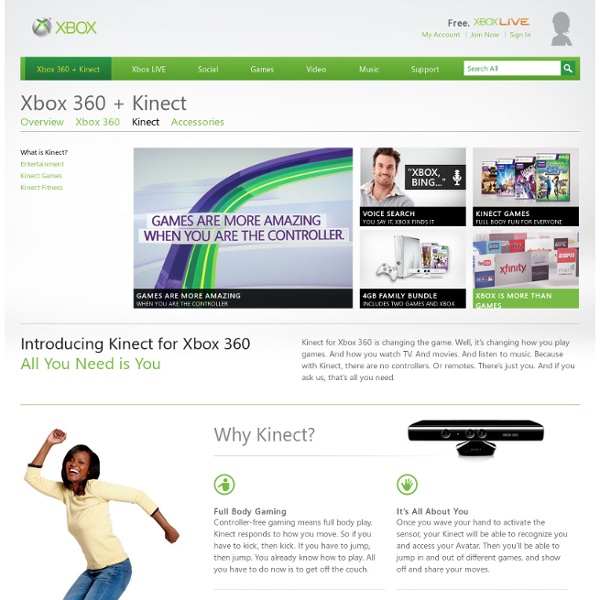
Harmonix Music Systems, Inc. Kinect Kinect (codenamed in development as Project Natal) is a line of motion sensing input devices by Microsoft for Xbox 360 and Xbox One video game consoles and Windows PCs. Based around a webcam-style add-on peripheral, it enables users to control and interact with their console/computer without the need for a game controller, through a natural user interface using gestures and spoken commands.[9] The first-generation Kinect was first introduced in November 2010 in an attempt to broaden Xbox 360's audience beyond its typical gamer base.[10] A version for Windows was released on February 1, 2012.[6] Kinect competes with several motion controllers on other home consoles, such as Wii Remote Plus for Wii, PlayStation Move/PlayStation Eye for PlayStation 3, and PlayStation Camera for PlayStation 4. Technology Kinect sensor[9] is a horizontal bar connected to a small base with a motorized pivot and is designed to be positioned lengthwise above or below the video display. History Launch
PlayStation Move PlayStation Move (プレイステーションムーヴ, PureiSutēshon Mūvu?) is a motion-sensing game controller platform by Sony Computer Entertainment (SCE), first released for the PlayStation 3 (PS3) video game console. Based around a handheld motion controller wand, PlayStation Move uses inertial sensors in the wand to detect its motion, and the wand's position is tracked using a PlayStation webcam (PlayStation Eye for the PlayStation 3, PlayStation Camera for the PlayStation 4). Although PlayStation Move was introduced on the pre-existing PlayStation 3 console, Sony stated prior to release that it was treating Move's debut as its own major "platform launch", with an aggressive marketing campaign to support it.[7] The tagline for PlayStation Move from E3 2010 was "This Changes Everything",[8] including partnerships with Coca-Cola, as part of the "It Only Does Everything" marketing campaign which debuted with the redesigned "Slim" PlayStation 3. Hardware[edit] Motion controller[edit] Technology[edit] [edit] and
PlayStation Move review The PlayStation Move. It's funny to think just 15 months have passed since Sony first unveiled its motion controller, and now we're mere weeks away from hitting the retail market. To be sure, it's not like the company didn't have waggle on the mind already -- patents dating as far back as 2005 reveal as much, and of course the incredible success of Nintendo's Wii proved there's a market for more physically exerting gameplay. And it's not just PlayStation; Microsoft's got its controller-free Kinect motion camera system coming this November. PlayStation Move review See all photos 16 Photos Hardware To borrow a bit from our previous coverage, PlayStation Move is a motion controller system with sensors to detect the player's movements and translate them into gameplay. Each wireless Move controller has the four familiar symbol buttons surrounding a new "Move" button, which generally functions as the OK / Accept command input. PS Move navigation controller and Eye, unboxing and hands-on 12 Photos
Xbox Kinect Vs PlayStation Move review It seems like a lifetime since we first caught wind of Microsoft's idea for motion-control gaming, and even longer since we were writing about Sony's Wii-challenging light wand. Both are now in homes and both will be vying for your cash this Christmas. We've spent a week living with the Kinect and Move, so which one gets our vote? Microsoft Kinect VS Playstation Move Source:T3 Tech Videos ------------------------------------------------------------------------------- Xbox Kinect Vs PlayStation Move: Set up Xbox Kinect Unlike playing the Nintendo Wii 2, which for the majority means picking up a controller, turning on the console and getting your swing on, just setting up the Kinect is an occasion. Balancing the chunky sensor on top of a slimline TV, such as our LG LX9900, is also unfeasible – you'll need a separate mount or floor stand (from £25), which frustratingly isn't included in the box. After digesting the setup, we were in no doubt who MS is aiming Kinect at. PlayStation Move
Xbox 720 may be Released in April: Kinetic 2.0 Specs Rumored Specs Xbox 720 may be Released in April: Kinetic 2.0 Specs Rumored Specs New York: Microsoft may launch Xbox 720 in April 2013. It may be lunched in the event before the E3 gaming expo begins in May. Sony has recent officially unveiled PS4, the next generation console. But Microsoft has not officially revealed any information regarding this. According to some sources, Microsoft is planning to announce Xbox 720 in a media event and the event is scheduled for April. Microsoft Xbox 720 is supposed to run on 8 core AMD CPU. Eventcore company has registered a website domain for XboxEvent.com. Xbox will feature Blu-ray drive and fixed hardware, video encoder and HDMI output. Kinetic 2.0 specs for Xbox 720 are also leaked. (Visited 47 times, 2 visits today)
Xbox 720 (Rumored) Wiki Guide Hold up, buddy. To edit this page, you'll need a username. (It's free and only takes a sec.) The Xbox One is Microsoft's third generation console, and faces competition from Sony's PlayStation 4 and Nintendo's Wii U. The Xbox One was released on November 22, 2013 (in the US, UK and 15 other territories) for $499.99 in the US, £429.99 in UK, €499.99 in Europe, and $599 in Australia. [1] [2] The Xbox One will release in Japan in early 2014. Kinect is not a required feature of the Xbox One, but it will be included in every box. Initially, Microsoft announced complicated and unprecedented policies restricting used games and requiring an "online check" for Xbox One games. Backwards Compatibility See full article on Backwards Compatibility Used Games and Rentals On June 19, 2013, Microsoft reversed their original stance regarding used games and rentals, game lending, and trade-ins for Xbox One games. See full article on Used Games and Rentals Required Online Connection Xbox One Specs What Links Here
Xbox 720 release date, news and rumours The Xbox One is Microsoft's third games console and certainly its most ambitious to date. Not just a powerful games machine, it's designed to sit at the centre of your digital home, offering a slick, unified interface for your choice of live TV service alongside music and movie streaming options, Skype chats, catch-up TV and more. It's also received a £30 price cut in February 2014, and now costs £399.99. If you're quick you can get it with a free copy of Titanfall as well. Coming with the new version of Kinect by default, voice and gesture controls sit at the heart of everything and offer a step up in reliability and performance from the previous generation. If you're not going to play a game, you no longer need to use the gamepad to turn the console on or navigate to your entertainment of choice. Still, does it have a chance at the runaway success of the Xbox 360? Design The Xbox One box is very similar to that of the Xbox 360 - big, fiddly and frustrating. Kinect What's in the box? Setup
PS4 release date, news and features Update: PS4 System Software 3.0 has arrived. Download it now to experience YouTube Gaming, communities and the improved what's happening section of the home screen. Ten million gamers can't be wrong: The PlayStation 4 is the future of gaming. And why wouldn't it be? The original PlayStation served as the launching pad for a generation of gamers, which was followed by the PlayStation 2, one of the longest-running consoles of all-time. PlayStation 5: What should we expect from the PS5 and the next generation? The path to greatness wasn't one without pitfalls and throughout it all its greatest contender, the Xbox One, has been hot on its heels, just waiting for Sony to slip-up. As of July 2015, Sony's sold over 23 million consoles while Microsoft's moved only about 13 million units from the factory to store shelves. PS4 Specs: CPU: 1.66Ghz AMD OctocoreMemory: 8GB DDR5 (5500MHz)Storage: 500GBBest features: Remote Play, Share Play, PlayStation Now, PlayStation Vue, SpotifyPrice: $399 Design
PlayStation The original console in the series, the PlayStation, was the first video game console to ship 100 million units, 9 years and 6 months after its initial launch.[2] Its successor, the PlayStation 2, was released in 2000. The PlayStation 2 is the best-selling home console to date, having reached over 155 million units sold as of December 28, 2012.[3] Sony's next console, the PlayStation 3, was released in 2006 and has sold over 80 million consoles worldwide as of November 2013.[4] Sony's latest console, the PlayStation 4, was released in 2013, selling 1 million consoles in its first 24 hours on sale, becoming the fastest selling console in history.[5] 7th generation PlayStation products also use the XrossMediaBar, which is an award-winning graphical user interface.[14] A new touch screen-based user interface called LiveArea was launched for the PlayStation Vita, which integrates social networking elements into the interface. History[edit] Origins[edit] Home consoles[edit] PlayStation[edit]
PlayStation Network PlayStation Network, officially abbreviated PSN, is an online multiplayer gaming and digital media delivery service provided by Sony Computer Entertainment for use with the PlayStation 3, PlayStation 4, PlayStation Portable, and PlayStation Vita video game consoles.[2] The PlayStation Network is the video game portion of the Sony Entertainment Network. History[edit] Sony's second console, the PlayStation 2, had a limited number of online features in select games via its online network. It required a Network Adaptor, which was available as an add-on for original models, and integrated into the hardware on slimline models. However, Sony provided no unified online service for the system, so support for network features was specific to each game and there was no interoperability of cross-game presence. On June 29, 2010, Sony launched a premium subscription service on top of the free PSN service. 2011 security breach and outage[edit] Services[edit] User information[edit] Online ID[edit]
Xbox Consoles Xbox Xbox console with "Controller S" Xbox 360 Left: Xbox 360 Elite, Right: Xbox 360 S and new-style controller The Xbox 360 introduced an expanded Xbox Live service (which now included a limited "Free" tier), the ability to stream multimedia content from PCs, while later updates added the ability to purchase and stream music, television programs, and films through the Xbox Music and Xbox Video services, along with access to third-party content services through third-party media streaming applications. Xbox One The Xbox One with the redesigned Kinect and controller Announced on May 21, 2013,[18] the Xbox One will place a large emphasis on internet-based features; including the ability to record and stream gameplay, and the ability to integrate with a set-top box to watch cable or satellite TV through the console with an enhanced guide interface and Kinect-based voice control.[19][20][21][22] Comparison Games Each console has a variety of games. Online services Xbox Live Xbox SmartGlass