Cómo usar los códigos QR en Proyectos escolares - SimpleK12
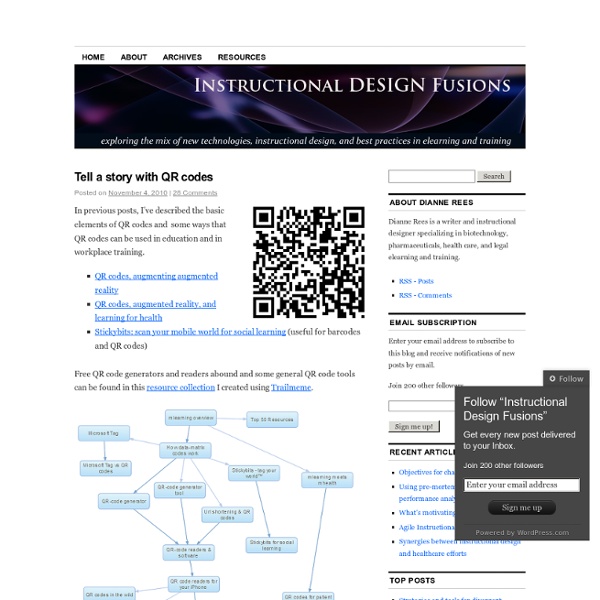
Scannable bar codes may be just what you need to spark some student interest in your classroom - read on to learn how to use them to showcase your student work and give some life to your classroom's infographics. Last April ago I took a trip to Tokyo, Japan. One thing that really stood out to me there was the abundance of these scannable barcodes. The world as we know it is becoming scannable. So, what is a QR code? "A QR Code is a matrix barcode (or two-dimensional code), readable by QR scanners, mobile phones with a camera, and smartphones...scan the image of the QR Code to display text, contact information, connect to a wireless network, or open a web page in the phone's browser." - Wikipedia How do I make a QR code? My favorite way to create them is with bit.ly, a free URL shortener that now automatically creates QR codes for your shortened URLs. How can I use QR Codes with my students? Bibliography of student work Link to additional resources for class materials Reports & Projects
Boom Writer
BoomWriter lets you easily incorporate and experience the benefits of technology as your students are engaged in the following (or similar) standards-based learning activities: Grade 3 CCSS.ELA-Literacy.W.3.3 - Write narratives to develop real or imagined experiences or events using effective technique, descriptive details, and clear event sequences. Using BoomWriter’s feature allowing teachers to create their own story start, students collaboratively create imagined multi-paragraph personal narratives using a teacher generated prompt (e.g. “When I woke up on Saturday morning, I had no idea I was in for the craziest day of my entire life…”). Grade 5 CCSS.ELA-Literacy.RL.5.2 - Determine a theme of a story, drama, or poem from details in the text, including how characters in a story or drama respond to challenges or how the speaker in a poem reflects upon a topic; summarize the text. Grade 6 CCSS.ELA-Literacy.W.6.1 - Write arguments to support claims with clear reasons and relevant evidence.
“La Península de la Magdalena. Guía Visual y Aumentada”
“La Península de la Magdalena. Guía Visual y Aumentada” Este es el nombre que recibe el proyecto que he realizado con 29 alumnos de sexto de Primaria de mi colegio los Salesianos de Santander. Fue la propuesta de la Consejería de Educación, Turismo y Deporte de Cantabria, con el proyecto “Apadrina un monumento” la que animó a este grupo de jóvenes alumnos, a animarse a pensar un proyecto que divulgara el bonito entorno de la península de la Magdalena de la ciudad de Santander. Este proyecto se ha desarrollado en siete semanas, fuera del horario escolar y ha sido posible gracias al uso de más de 20 herramientas 2.0. El lugar seleccionado se encontró rápido, la “Península de la Magdalena” y los objetivos del proyecto también: El fin del proyecto claro. Lo primero, organizarse: Después de la revisión de los textos llegó el momento de grabar textos y documentar gráficamente el lugar. Para la grabación de los textos, utilizaron Sound Cloud. WEB y WEB MÓVIL
Film English
Film English is the brainchild of teacher, trainer and author Kieran Donaghy ( Kieran’s LinkedIn profile). Kieran teaches at UAB Idiomes Barcelona, part of the Univiersitat Autònoma de Barcelona. The site promotes the innovative and creative use of film in English language teaching and learning. Film English has become a very popular resource English Teaching bank and is visited by over 80,000 teachers every month and there are over 2.5 million page views a year. It also won a British Council ELTons award for Innovation in Teacher Resources and won the MEDEA Award for User-Generated Educational Media, the most important media and education award in Europe, in 2013. Kieran writes extensively about film in education. Kieran is also the founder of The Image Conference, the only conference in the world exclusively on the use of film, video, images and gaming in English Language Teaching. Kieran is an experienced speaker and trainer who has given talks and workshops in many countries.
esu6qrcodes - home
Informática móvil y realidad aumentada: uso de los códigos QR en educación
Este artículo trata sobre loscódigos QR, Quick Response (respuesta rápida o inmediata), una tecnología que permite el diseño de actividades de aprendizaje basadas en el uso de los dispositivos móviles. Las características de esta herramienta la hacen motivadora para los alumnos ya que les supone un juego planteado en el formato natural para ellos: inmediato, activo y multimedia. La edición de enseñanza primaria y secundaria del Informe Horizon 2012 elaborado por el New Media Consortium (NMC), Consortium for School Networking (CoSN) e International Society for Technology in Education (ISTE), describe y ofrece ejemplos de las tecnologías emergentes que están llamadas a tener un gran impacto en la enseñanza primaria y secundaria a nivel mundial. La edición de 2012 prevé la implantación en el aula a corto plazo de los dispositivos móviles y sus aplicaciones y la tecnología de códigos QR entra de lleno en estas posibilidades. Conexión entre el mundo real y el mundo virtual