

Prism | About A Note to Teachers Prism was created by novice student developers in the Praxis Program. It has been recently discovered by the K-12 community, and is seeing heavy use right now. If you have questions about how to use Prism or if you want to share ideas for doing so, please visit our community forum. – The Praxis Team Prism is a tool for "crowdsourcing interpretation." The concept emerged from a decade-long conversation on categories of textual interpretation which took place at the University of Virginia, and specifically from transparency mark-up games played by UVa Media Studies students and at SpecLab: the original game involved shared, Xeroxed page images, transparent overlays, dry-erase markers, a common interpretive prompt, and a moment in which somebody yelled ‘Stop!’ At SpecLab, Jerome McGann and Johanna Drucker further developed the concept, which became known as the "Patacritical Demon" — the best bit of vaporware (not) to emerge from UVa at the turn of the century. Shane Lin
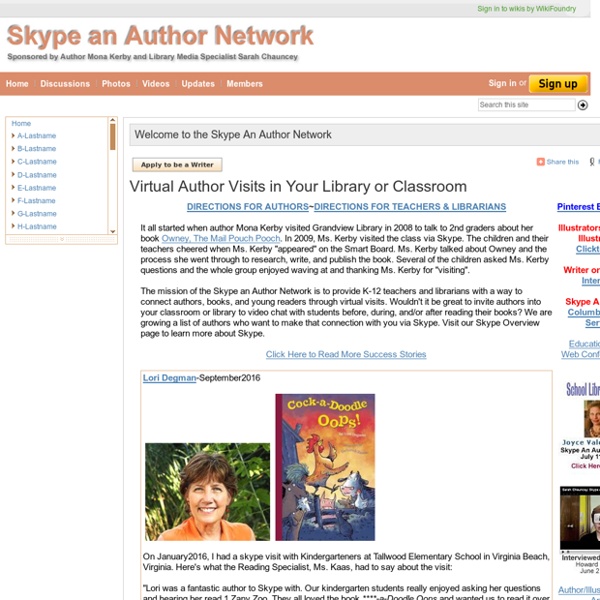
aroundtheworldwith80schools - home For Teachers: Distance Learning: Skype in the Classroom The Museum’s newest distance learning program utilizes the most familiar online video communication platform: Skype. We are now a proud partner with Skype in the Classroom, a global community of teachers connecting with fellow educators, schools, and institutions. Classrooms across the world can interact with Museum experts and educators for short, dynamic virtual connections as an introduction to an array of WWII topics and locations through the Museum. There are two different types of Skype programs below; find one that best fits your classroom needs and schedule today! Skype Programs: LESSON CONNECTIONS: Simply complete a select Museum lesson plan (listed below) and then connect for a Skype Q&A and follow up session with a Museum Educator. Schedule today! This program is free to participate in. Required Technology: To participate in a Skype session, you will need a broadband internet connection, webcam, microphone, and external speakers. Program Length: Number of Students: Questions?
7 Ways To Get Funding And Grants For Technology In Your Classroom - NutmegEducation.com As past educators, we know how tedious it can be to search and apply for grants and funding for your classroom. Fortunately, there are a bunch of ways to get gadgets into your classroom with out actually taking money out of your own pocket. We decided to make it a little bit easier by showing you some opportunities that you can take advantage of. Here are 7 ways to receive funding for technology in your classroom! 1. Website: 2. Website: www.Donorschoose.org 3. Email: Computers.Learning@gsa.gov Website: 4. Email: info@crc.org Website: 5. Website: 6. Email: huthjm@corning.com Website: 7. Website: Here are other sites and opportunities to search for grants and funding for your classroom. Email: support@grants.gov Website:
Blog de TIC en Lenguas Extranjeras The Official News Magazine for ESL Collaborative Learners The ESL Times es un proyecto colaborativo para docentes y estudiantes de inglés como segunda lengua capitaneado por profesores de inglés de varios niveles: Manuel López Caparrós, Diego Ojeda, Julián Sanz Mamolar, Anna Sorolla y Mª Jesús García San Martín. Se trata de un proyecto colaborativo en red con el que realizar entre todos una revista o periódico digital en lengua inglesa. En el propio blog del proyecto se ofrece un documento de ayuda para participantes, pautas bilingües para convertirse en un buen periodista colaborativo, así como un formulario de inscripción y varios badges para los colaboradores. Lo que busca este nuevo proyecto colaborativo en la red son reporteros intrépidos que hablen, escuchen, lean, y escriban en inglés. Este publicación colaborativa favorece el trabajo en las cuatro destrezas de la lengua: reading, listening, speaking, writing.
Skype Other Classrooms! This page has been set up to help you make connections with classes who are interesting in having Skype conversations with other classes. It’s be sorted by time zone, Grade level and subjects. This list was started Dec 18, 2008 and date last updated is shown at the top of the spreadsheet (educators details were added/old information removed –including those where it wasn’t clear whether the educator was still active)! We’ve tried our best to keep this information helpful and current however due to the nature of this type of list, and when it was started, people’s situation may have changed and they may no longer be interested in connecting — so it is best to try contacting several people. If you would like your class added to this list please add your details to this post. We’ve embedded this list as a Google Doc in this page. Remember to scroll across and down the list to see all the information for each person!
NCTE 2015: Connecting, Constructing, and Disrupting Access this page and all of our resources for today! To access the convention wifi, choose the "NCTE" network. Password: NCTE2015 Our Agenda for Today's Session: (Presentation) Some context: What does real innovation look like? Dr. Liz Slides: What Does Innovation Look Like? What Does Real Innovation Look Like? Access or follow along with my slides, embedded here. I differentiate between what I hear (lots of talk about student-centered learning, blended learning, personalized learning, project-based learning) and what I see (eyes trained to the front of the classroom, whole-class assignments, and very little curriculum guided by student inquiry). One Team's Innovative Approach: Two Teachers Transforming Instruction Connecting, Constructing & Disrupting Boston Latin Academy 7th Grade Symposium Timeline, 2009-2015 The Symposium: A Student's Journey The Symposium: A Student's Journey Choose a subject (or subjects) that your current students are studying from the list of links below.
Web Content Accessibility Guidelines (WCAG) 2.0 This publication has been funded in part with Federal funds from the U.S. Department of Education, National Institute on Disability and Rehabilitation Research (NIDRR) under contract number ED05CO0039. The content of this publication does not necessarily reflect the views or policies of the U.S. Additional information about participation in the Web Content Accessibility Guidelines Working Group (WCAG WG) can be found on the Working Group home page. Other previously active WCAG WG participants and other contributors to WCAG 2.0