

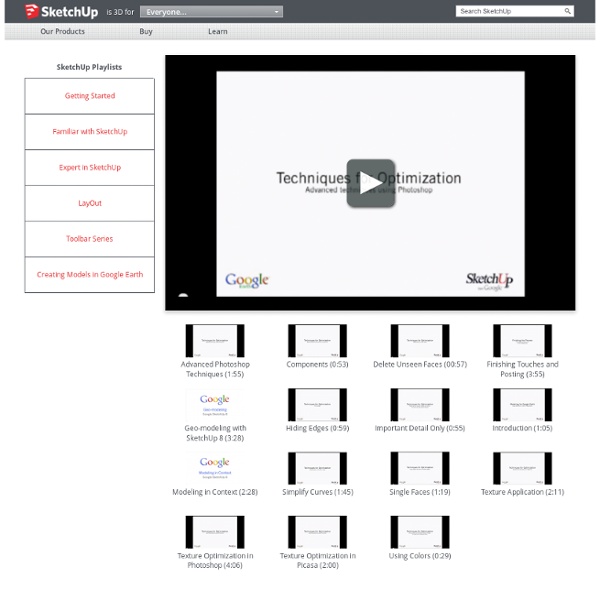
i2k2 - Sketchup Tutorials Erase Unseen geometry – Create architectural models which are a hollow shell, without any internal lines or faces. Try and get rid of excess lines and faces in the architectural elements in the model. Simplify Curves – Curves are constructed from line segments in SketchUp 3D Models. The simpler, smoothed version is very helpful in keeping low file sizes when generating large sized models. Think Low-Poly - Save Time and money by using “just enough” detail. Use 2D faces or transparent textures (.png format) when possible instaed of complex 3D objects. Surface Overlapping - If you see flickering faces in your model, it means there are two or more faces on top on one another, a good sign of excessive geometry. Proper Face Orientation – Each face in Sketchup has two sides, ensure you have the right face on the outside. Purge! Image Sizes - Images used for textures need not be high resolution to show the right amount of detail. Sources
Problem Solving: Gr. 3-4 Problem Solving: Grades 3-4 These problems are designed for students in Grades 3-4: Gr. 3-4: Number Sense & Numerical Operations Animal Shelter requires students to use fractions to figure out how many cats and dogs were available for adoption at the animal shelter. Gr. 3-4: Geometry & Measurement Quilt Square Challenge: Students at Flynn School in Perth Amboy, NJ, used quilt blocks and quilt mats to recreate 4x4 and 9x9 quilt block patterns. Gr. 3-4: Patterns & Algebra Garage Sale is a pattern problem based on dominoes. Gr. 3-4: Data Analysis & Probability Chapter Books requires students to create a line plot, then identify the median and mode of the data. Gr. 3-4: Discrete Math Lunch Choices investigates the combinations, given different menu choices.
Top 100 Indie Songs of All Time — HearYa - Indie Music Blog After a challenge from a reader (thanks Tacos) and few weeks of deliberation, we have finally arrived at our top 100 indie songs of all time. We ranked in chronological order because ranking best to worst would have involved a group of people hurting one another. To the best of our knowledge, all the songs below were originally released on an indie label. We tried to limit each artist to one song for variety. Obviously certain bellwether bands had two songs included because we just couldn’t decide. There are some songs you expect to see and some you don’t. We had input from many people and would like to offer thanks to Moish, Drinking Buddy, Nick, Pete, Kevin, Doctor A and Jim for their suggestions. 1.
Corso Inglese 1 A - Beginner Level.flv Adobe for Academics Google SketchUp 7 Rapid Prototyping 3D Model Printing Technology Updated: November 2, 2013 Sponsored Links Out with SketchUp 6 and in with Google SketchUp 7, it was released in November 2008, and I have absolutely no idea about it until today, I’m so out of touch with the architecture software market. As for Google SketchUp 7, the only new feature I find interesting is the ability to create professional presentation documents fast and creatively, other than that, there is nothing much to shout about. 30 Exceptional GIMP Tutorials and Resources - Noupe Design Blog Oct 20 2008 GIMP is a freely distributed GNU Image Manipulation Program. Available for such tasks as photo retouching, image composition and image authoring. It’s always fun to experiment different techniques and learn how to work with various aspects of GIMP to spice up boring pictures and make them into works of arts and masterpieces. So, if you’re interested in learning some new skills, whether you’re a beginner, intermediate or advanced user, these GIMP tutorials are for you. Below you will find an incredible amount some of the best GIMP tutorials hand picked to enhance or highlight whatever action is going on in the photo. 1. 1. This tutorial illustrates how to implement a nice animated menu using Mootoolsand some lines of CSS and HTML code ready to reuse in your project. 2. This tutorial will teach you a quick and simple way to recolor eyes. 3. This is specially for anime/cartoon style lineart. 4. A fairly easy tutorial to follow to make a sig. 5. 6. 7. 8. 9. 10. 11. 12. 13. 14. 2.
John Peter Sloan - Inglese Essenziale - Lezione 1 Photoshop Plugins In The GIMP This tutorial assumes you have installed The GIMP, and is based on versions 2.2 and 2.4 of the software. Most linux versions are available through your distribution's package management. The Windows version is available at the GIMP's website (see links at the end). This tutorial assumes you have a fair knowledge of how to copy, move, and paste files in the Windows Explorer, or in Linux, whichever you favor. This tutorial does not assume you know how to use The GIMP, but it does help if you have experience with it. Linux users must have wine (WINE Is Not an Emulator) installed for pspi to work. Caveats:Not all Photoshop Plugins will work 100% with the GIMP PSPI plugin.
Photoshop's Timeline Rocks This is another of my anti-tutorials, where I share how I stumbled my way through something. It's not necessarily how things should be done and I'd love any feedback from people that really know what they're doing. The new timeline for animating things in Photoshop really rocks, but it takes some getting used to and some Googling to figure out how to use it. Adjusting to new things is not always easy so I'm sharing this in my sarcastic tone that I use in my head to get through the day. I needed a Jif for an email As a front-end dev, I mostly use Photoshop for extracting things these days, except for when I need an animated GIF. What is this? This was the look on my face as I tried to open the animation panel. Bringing my Google search back up, I then decided to watch How to make a simple GIF Animation in CS6 and now I knew how to get rolling. Super Tweening™ Super tweening™ is probably the biggest feature. Less Sharing, More Action First Frustrating Things First Getting GIFfy With It Boom!