GIMP in zehn Schritten erweitern
Jedem erfahrenen Kenner freier Software ist GIMP ein Begriff. Die einen nennen es ein professionelles Bildbearbeitungsprogramm, die anderen nicht. Im folgenden Teil wird gezeigt, wie man GIMP in neun Schritten gehörig erweitert. Die genannten Erweiterungen sind meist gleichermaßen unter Windows wie den unixoiden Betriebssystemen Linux und Mac einsetzbar. Erweiterungen heben den Grad an Professionalität Schritt Nr. 1: Photoshop-Plugins und -Pinsel mit GIMP nutzen Das PSPI-Plugin erlaubt das Nutzen von Photoshop-Plugins unter GIMP. Schritt Nr. 2: Ebenen-Styles Möchte man Ebenen zum Beispiel mit Schatten, Farbüberlagerungen und innerem Glühen aufwerten, so hole man sich das Layer Effects Plugin. Schritt Nr. 3: CMYK Farben Das CMYK-Farbmodell steht für Cyan, Magenta, Yellow und Key (= Schwarz). Schritt Nr. 4: Liquid Rescale Damit lassen sich Bilder in verschiedene Dimensionen wie 16:9 oder 4:3 skalieren, ohne dass diese verzerrt wirken. Schritt Nr. 5: Pinsel nachladen Schritt Nr. 8: GEGL Fazit
Download free GIMP brushes
GIMP is an open-source image editing program, one of the most popular image-editing programs. GIMP has a large library of free brushes that can be downloaded, to improve functionality of GIMP. Here is a large collection of GIMP brushes that you will find useful for various purposes. You may also be interested in related posts: Free GIMP brushes collection Feathers for GIMP NeverWinter Snowflakes I WinterBreeze GIMP Scratchies brushes Grunge Brush set 3 Grunge Brushes Splatter Brushes GIMP water brushes Butterflies brushes Butterflies brushes Blood brushes GIMP Brush sets/collections Grunge Brush pack Dead Trees Cubes
Airbrush
Best 35+ GIMP Tutorials | Qbrushes Blog
Best 35+ GIMP Tutorials The Gimp is a free open source image editing application that can do many things to suit your needs, whether they be making a gig poster for a local concert, or touching up a few family photos, the Gimp can do it. Here is a top 30 list of Gimp tutorials hand selected by Gimper and SGlider12 that will help you to add many new Gimp design techniques to your arsenal. 1) Gimp Galaxy by abduzeedo.com Fabio Sasso at Abduzeedo presents us with a great little space illustration done completely in the Gimp. 2) Leopard’s Aurora Borealis Wallpaper by abduzeedo.com Fabio Sasso at Abduzeedo presents us with yet another great tutorial on how to create the Aurora Borealis Leopard wallpaper in Gimp. 3) Gold Text Effect by gimpology.com Kasrak at Gimpology.com presents us with a great tutorial adapted from a Photoshop tutorial on how to create a slick golden text effect in Gimp. 4) Create a Worn Vintage Popart Design by sglider12.blogspot.com 5) Vista-Like Wallpaper by gimpusers.com
How To Airbrush - free airbrush lessons,articles,tutorials and airbrush videos.
Download free Photoshop brushes / brush sets
Photoshop is the most popular graphics editing program. Produced by Adobe, the latest version is Photoshop CS4, part of the Creative Suite. With hundreds of plugins, brushes and gradient packs, Photoshop is increasing in utility every day. Though weighing in at a hefty price (over $600), Photoshop is powerful even in a vanilla install. However, as in any other application, its true essence lies in installing useful addons to enhance the functionality. Photoshop brushes are plentiful, with hundreds of sites and thousands of artists providing their artwork as brushes, or making brushes directly. We collect beautiful Photoshop brushes, so that you do not spend any time searching for them. Below, you will find screenshots followed by links to the corresponding brushes (most are compatible with CS, CS2, CS3 and CS4). If you are not an expert Photoshop user, check out the Learn Photoshop ebook. Winter Brushes Swirls 2 StarLight Pixie Dust ZIA Smooth Abstract Grafitti Doom Abstract Suddenly Spring
Download useful, free GIMP plugins
GIMP, the free and open-source image editor, is often blamed for its lack of polish in its interface. However, with sufficient addons (particularly plugins), you can achieve a lot of functionality found in other editors. Our previous GIMP plugins post looked at best plugins for web design, photography etc. In this second roundup, we will take a look at plugins that bring Photoshop’s features to GIMP. This is significant, because GIMP typically draws a lot of flack for not having many of Photoshop’s functionality. You might also want to read our previous posts on GIMP: These are GIMP 2.6 -compatible and tested plugins, but they would likely work for older versions too. Wavelet Denoise: Reduce noise in each channel of an image separately GREYCstoration: Removes grains or small artefacts (JPEG blocks effect) from images. Liquid Rescale: Brings Photoshop’s content aware scaling to GIMP. Image Subdivide Image subdivide: Divide image into specified number of rows and columns and save any part.
Download free GIMP plugins (40+ plugins)
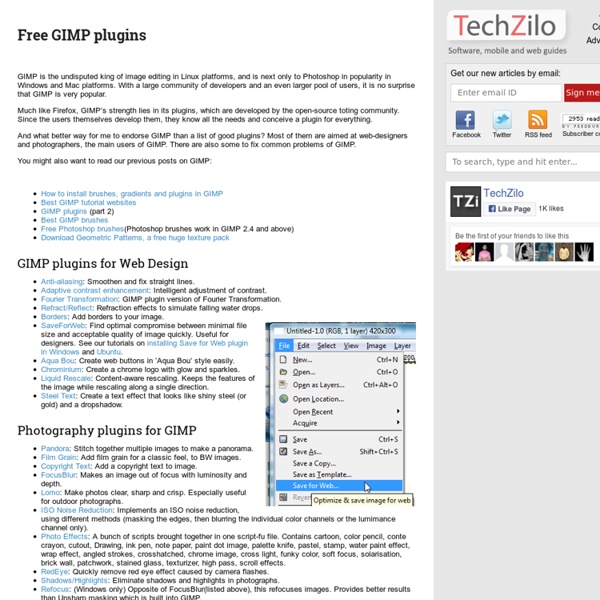
GIMP is the undisputed king of image editing in Linux platforms, and is next only to Photoshop in popularity in Windows and Mac platforms. With a large community of developers and an even larger pool of users, it is no surprise that GIMP is very popular. Much like Firefox, GIMP’s strength lies in its plugins, which are developed by the open-source toting community. And what better way for me to endorse GIMP than a list of good plugins? You might also want to read our previous posts on GIMP: GIMP plugins for Web Design Anti-aliasing: Smoothen and fix straight lines.Adaptive contrast enhancement: Intelligent adjustment of contrast.Fourier Transformation: GIMP plugin version of Fourier Transformation.Refract/Reflect: Refraction effects to simulate falling water drops.Borders: Add borders to your image. SaveForWeb: Find optimal compromise between minimal file size and acceptable quality of image quickly. Photography plugins for GIMP Miscellaneous GIMP plugins Further GIMP plugin resources