background preloader

JavascriptOO

JavascriptOO

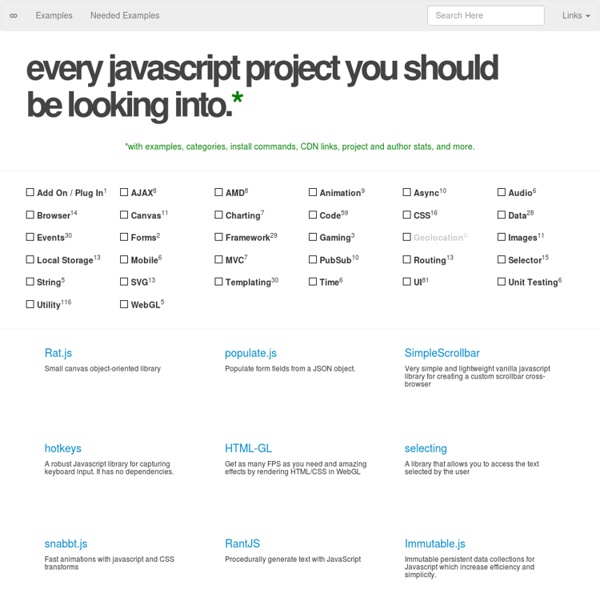
Learn Code The Hard Way -- Books And Courses To Learn To Code 9 Minimal Frameworks for Front-End JavaScript Development Imagine for a second the fact that, five years ago, we already had frameworks like jQuery to play with, and while not as functional and feature rich as today – it was already possible to configure and play with the web in hardly imaginable ways. Today, there are literally hundreds of thousands of frameworks available to anyone who is brave enough to learn something new. Yes, most of them play very tiny role in the collective evolution of web development, but even that tiny contribution counts. Front-end is not just about HTML & CSS, it involves creativity just as much as it involves writing code in JavaScript, PHP, Python or any other programming language of your choice. Have a look at my post on the top web programming languages in 2014 – if you’ve been following the trend, it will not be hard to see that most of those languages have held the top spot for over a decade. PHP: The Good Parts AuraJS Kraken It has all of the essentials that any mobile developer should need. min.js <! Responsive

Fantastic Micro-Frameworks and Micro-Libraries for Fun and Profit! Code Playground The Google APIs Explorer is a tool available on most REST API reference documentation pages that lets you try Google API methods without writing code. The APIs Explorer acts on real data, so use caution when trying methods that create, modify, or delete data. For more details, read the APIs Explorer documentation. How to start exploring Click the name of the API you want to explore in the list below. Google APIs Explorer Directory

15 JavaScript Template Engines for Front-end Development JavaScript libraries in no way declining, and the number is growing each day. When it comes to building JavaScript applications, it’s better to rely on templates than on full-scale libraries, because it enables us to have a much cleaner code base, and much better workflow to work with. I wrote recently that you should try and build your own JavaScript libraries, when it’s time. But, template engines take a little more knowledge and understanding of the language you’re working with, so it’s better to depend on something pre-built, like any of the libraries in this list. You can find a list of these on Wikipedia, it’s a nice comparison of template engines for a lot of web’s programming languages, but that list isn’t really focused on one particular language, and so I wanted to see how many templates engines I could gather up for JavaScript. ICanHaz.js Very simple to use library for doing templating with Mustache.js, another templating engine that we will be looking at shortly. Hogan.js doT.js

Javascript, formation au langage de programmation 1. Comment ça s'utilise? - 2. Les commentaires - 3. Premier script - 4. Une précédente partie nous a permis d' apprendre le PHP pour créer un site Internet. Pour permettre d'interagir avec la page du site (ou plutôt au site d'interagir avec le visiteur), on utilise un autre langage: le javascript. Défauts et avantages de Javascript , et oui, il y a des défauts et des avantages. Personnellement, je conseille JAVASCRIPT uniquement pour des petites applications spécifiques inclues dans la page, surtout qu'il peut être désactiver par l'utilisateur. Pour nous aider dans la compréhension, j'utilise les couleurs suivantes dans la suite: 1. Ces scripts sont des morceaux de programmes qui s'insèrent dans le code HTLM de la page. Certaines commandes ne nécessitent même pas ces ouverture / fermetures. Mais mieux, les fichiers externes . Cette commande se met dans le Head ou dans le contenu et signale que le fichier script.js reprend des commandes qui peuvent être appelées et exécutées. 2. 3. 4.

JavaScript for Cats How to set up a safe and secure Web server Fifteen years ago, you weren't a participant in the digital age unless you had your own homepage. Even in the late 1990s, services abounded to make personal pages easy to build and deploy—the most famous is the now-defunct GeoCities, but there were many others (remember Angelfire and Tripod?). These were the days before the "social" Web, before MySpace and Facebook. Instant messaging was in its infancy and creating an online presence required no small familiarity with HTML (though automated Web design programs did exist). Things are certainly different now, but there's still a tremendous amount of value in controlling an actual honest-to-God website rather than relying solely on the social Web to provide your online presence. The flexibility of being able to set up and run anything at all, be it a wiki or a blog with a tipjar or a photo hosting site, is awesome. The hardware You'll need some hardware, and fortunately, a personal Web server doesn't require a lot of juice.

TOra SQL GUI CSS Positioning 101 If you’re a front end developer or a designer who likes to code, CSS-based layouts are at the very core of your work. In what might be a refresher for some, or even an “a-ha!” for others, let’s look at the CSS position property to see how we can use it to create standards-compliant, table-free CSS layouts. Article Continues Below CSS positioning is often misunderstood. The CSS specification offers us five position properties: static, relative, absolute, fixed, and inherit. Get with the flow#section1 First, let’s take a step back to recognize the world we’re working in. Boxes in the normal flow belong to a formatting context, which may be block or inline, but not both simultaneously. Think of a “box,” as described by the spec as a wooden block—not unlike the ones you played with as a young whippersnapper. Static and relative—nothing new here#section2 The static and relative position properties behave like your childhood blocks—they stack as you would expect. Example D shows our new markup.

Related: