

Here's Exactly What Twitter Earns Each Time You Look at Your Feed Twitter's pre-IPO filing is full of fascinating nuggets ready to be blurbed in 140 characters. But to me, the most interesting tidbit is all about how much money the company makes each time you hit refresh on your feed, and what it says about the value of American consumers versus the rest of the world. Twitter likes to measure its advertising revenue for every 1,000 timeline views, (for some reason, they call it "advertising revenue per timeline view," as if they're counting one at a time, but ignore that for now because it's confusing). What counts as a view? It's every timeline "requested when registered users visit Twitter, refresh a timeline or view search results while logged in," either from your desktop or mobile device. But all views are not worth the same.
Api Docs Aura constructor and main entry point Every instance of Aura defines an Aura application. An Aura application is in charge of loading the various extensions that will apply to it (defined either programmatically or by way of configuration). An Aura application is the glue between all the extensions and components inside its instance. Internally an Aura application wraps 4 important objects: config is the object passed as the first param of the apps constructorcore is a container where the extensions add new featuressandbox is an object that will be used as a prototype, to create fresh sandboxes to the componentsextensions An instance of the ExtensionManager. Extensions are here to provide features that will be used by the components... Example of a creation of an Aura Application: ∞ Aura method ∞ components.addSource( name, baseUrl ) Adds a new source for components. Parameters: ∞ Aura method ∞ components.addType( type, def ) Register a Component Type (experimental). Application start.
Finagle: Asynchronous RPC by Twitter Finagle[ Finagle is a protocol-agnostic, asynchronous Remote Procedure Call (RPC) system for the Java Virtual Machine (JVM) that makes it easy to build robust clients and servers in Java, Scala, or any JVM-hosted language. Finagle supports a wide variety of request/response- oriented RPC protocols and many classes of streaming protocols. Finagle provides a robust implementation of: connection pools, with throttling to avoid TCP connection churn;failure detectors, to identify slow or crashed hosts;failover strategies, to direct traffic away from unhealthy hosts;load-balancers, including “least-connections” and other strategies; andback-pressure techniques, to defend servers against abusive clients and dogpiling. Additionally, Finagle makes it easier to build and deploy a service that
Getting Started ∞Aura App Your application will be an instance of the Aura object. It is responsible for loading extensions when the app starts and cleaning them up when the app stops. ∞Extension Extensions are loaded in your application when it starts. They allow you to add features to the application, and are available to the components through their sandbox. ∞Core The core implements aliases for DOM manipulation, templating and other lower-level utilities that pipe back to a library of choice. ∞Sandbox A sandbox is just a way to implement the facade pattern on top of features provided by core. When your app starts, it will create an instance of sandbox in each of your components. ∞Component A component represents a unit of a page. The simplest usable Aura application using a component and extension can be found in our boilerplate repo. ∞Creating and starting an application The first step in creating an Aura application is to make an instance of Aura. Now that we have our app, we can start it. App configuration
Twitter Heron: Stream Processing at Scale | the morning paper Twitter Heron: Stream Processing at Scale – Kulkarni et al. 2015 It’s hard to imagine something more damaging to Apache Storm than this. Having read it through, I’m left with the impression that the paper might as well have been titled “Why Storm Sucks”, which coming from Twitter themselves is quite a statement. There’s a good write-up of the history of Apache Storm on Nathan Marz’s blog – Nathan left Twitter in 2013. Twitter don’t use Storm anymore. At Twitter, Storm has been decommissioned and Heron is now the de-facto streaming system. Heron still supports the Storm API, but after evaluating their options Twitter decided that Storm was too badly broken for their needs to be fixed within the existing codebase. Guess you’d better take that Twitter logo off of the Apache Storm home page then Apache :(. So what was up with Storm then? …many limitations of Storm have become apparent. Let us count the ways… Enter the Heron Heron is a container-based implementation. Like this: Like Loading...
AuraJS - Aura Improving performance on twitter.com To connect you to information in real time, it’s important for Twitter to be fast. That’s why we’ve been reviewing our entire technology stack to optimize for speed. When we shipped #NewTwitter in September 2010, we built it around a web application architecture that pushed all of the UI rendering and logic to JavaScript running on our users’ browsers and consumed the Twitter REST API directly, in a similar way to our mobile clients. That architecture broke new ground by offering a number of advantages over a more traditional approach, but it lacked support for various optimizations available only on the server. To improve the twitter.com experience for everyone, we’ve been working to take back control of our front-end performance by moving the rendering to the server. On top of the rendered pages, we asynchronously bootstrap a new modular JavaScript application to provide the fully-featured interactive experience our users expect. No more #! Reducing time to first tweet What’s next?
AuraJS: integration with MVCs, other components Storm: The Hadoop of Realtime Processing Storm[ Storm is a distributed realtime computation system. Similar to how Hadoop provides a set of general primitives for doing batch processing, Storm provides a set of general primitives for doing realtime computation. Storm is simple, can be used with any programming language, is used by many companies, and is a lot of fun to use! Three broad use cases for Storm: Stream processing: Storm can be used to process a stream of new data and update databases in realtime. A Storm cluster is superficially similar to a Hadoop cluster. There are two kinds of nodes on a Storm cluster: the master node and the worker nodes. Each worker node runs a daemon called the “Supervisor”.
hull/hull.github.io Ambrose: Visualize your MapReduce Real-time Ambrose[ Twitter Ambrose is a platform for visualization and real-time monitoring of MapReduce data workflows. It presents a global view of all the map-reduce jobs derived from your workflow after planning and optimization. As jobs are submitted for execution on your Hadoop cluster, Ambrose updates its visualization to reflect the latest job status, polled from your process. Ambrose provides the following in a web UI: A chord diagram to visualize job dependencies and current stateA table view of all the associated jobs, along with their current stateA highlight view of the currently running jobsAn overall script progress barAmbrose is built using the following front-end technologies:d3.js - For chord diagram visualizationBootstrap - For layout and CSS support Ambrose is designed to support any Hadoop workflow runtime, but current support is limited to Apache Pig.
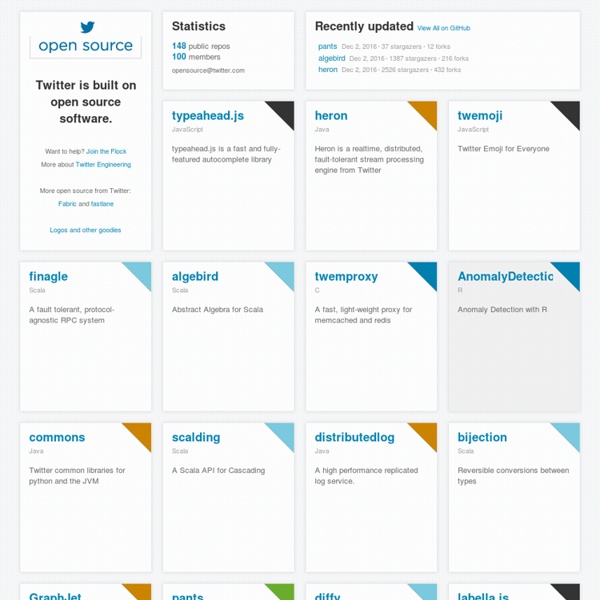
How to build your own Twitter-like "Open Source" page. We started releasing a bunch of open source projects lately and wanted to give them a little more visibility, make them more discoverable. Twitter has a great "Open Source" page on Github that served as an inspiration for this project. Obviously, we did not want to have to maintain it manually so the requirements were : it had to fetch its data from Github’s APIsit had to be done in Javascript, since Github Pages are not dynamic Victor started designing the page and at the same time I was working on a demo for AuraJS based on Github’ APIs. The app is very simple, it uses an aura-github extension that allows our Widgets to talk directly to Github’s API, and 2 Aura widgets : user to load and display a user’s profile. The result is here : hull.github.io And here is a screenshot of what it looks like. The beauty of using aura widgets to do it is that now the whole app is contained in those widgets, and to embed them, we just have to insert this snippet of HTML. Stay tuned. Comments ? — Stephane
First Analysis Of Trends On China's Version Of Twitter In July 2009, the Chinese government banned its netizens from accessing Twitter. One month later, an alternative social networking site called Sina Weibo appeared in China. Today, Sina Weibo has more than 140 million users in China, almost as many as Twitter has in the rest of the world combined. Despite its popularity, Sina Weibo is more or less unknown in the west. That has presented Louis Yu and buddies at the Social Computing Lab at HP Labs in Palo Alto with an opportunity. They point out that while Twitter and other social networking sites have been extensively studied, nobody has looked at the pattern of posts on Sina Weibo. Given the influence of the Chinese government over activities on the web, it’s possible that the behaviour of users there are entirely different to those in the west. One problem, of course, is to collate and analyse data from Sina Weibo, which does not have a search API like Twitter’s. The differences were profound. Sina Weibo allows two types of tweeter.