

CryptoNAS BarracudaDrive Web Server XBMC XBMC is an award-winning free and open source (GPL) software media player and entertainment hub that can be installed on Linux, OSX, Windows, iOS, and Android, featuring a 10-foot user interface for use with televisions and remote controls. It allows users to play and view most videos, music, podcasts, and other digital media files from local and network storage media and the internet. Our forums and Wiki are bursting with knowledge and help for the new user right up to the application developer. We also have helpful Facebook, Google+, Reddit, Twitter and Youtube pages. Music XBMC can play all your music including mp3, flac, wav and wma formats. Movies XBMC can do Movies too! TVShows The TVShows library supports episode and season views with posters or banners, watched tags, show descriptions and actors. Pictures Import pictures into a library and browse the different views, start a slideshow, sort or filter them all using your remote control. Add-Ons Skin Bello UPnP Web Interfaces
Thecus N5200: Screaming fast, but plenty rough around the edges Introduction If the email and discussion forum postings asking when this review would be posted are any indication, the N5200 has a lot of people excited. Thecus has pushed the envelope—at least for the "prosumer" NAS market—and upped the ante by producing a five bay BYOD RAID NAS that throws in two more RAID modes (6 and 10) to boot. Unfortunately, while the performance of the 5200 established a number of new highs on our NAS charts, its feature set and firmware maturity may disappoint Thecus fans who have been chomping at the bit to get their hands on one. But I get ahead of myself... The 5200's chassis attempts to strike a balance between something your wife would immediately banish from the living room media center and the utilitarian look that only a data center manager could love. At around 9.25"H x 7.5"W x 9.75"D, this NAS is on the largish side. Figure 1: Front Panel Figure 2: Front Panel feature description Related Items:
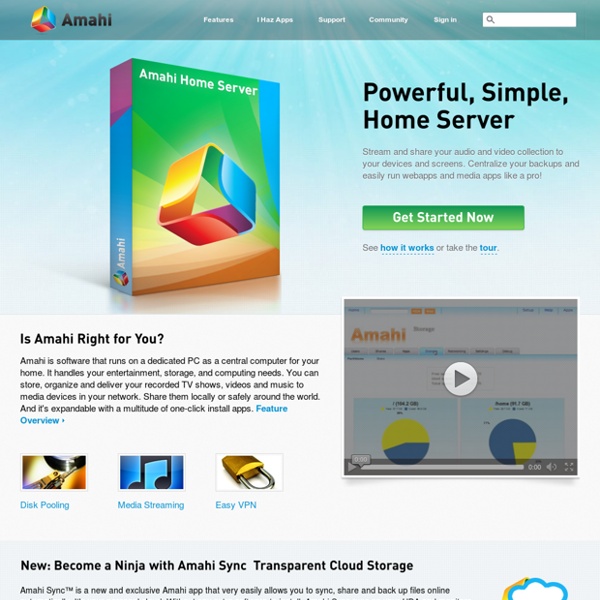
Feature Gallery for the Amahi Home Server Stream your digital media to all devices in your network, with the DLNA server app or with the AmahiTunes app or any of several others. Stream to iTunes, the iPhone/iPad/iPod, connected TVs, Set-top boxes, Rhythmbox clients and other SW and HW clients. Learn more Storage Pooling is a technology to pool disk drives and make them look as if they were all part of a single pool of disk space. A modular application architecture lets you install, create, port and easily install applications with one click. Virtual Private Networking, right out of the box! Share your files across computers and other devices in your network, easily managing who can see the shares, who can access them and who can modify them. Monitor your disks, their individual and their total usage, their temperature and other status. Your HDA is always open for business, 24x7. Simplify your networking. The Amahi server is open source and it's based on Fedora. Seamless integration with iCal, the calendar client in Mac OS X.
A Free DLNA Media Server For Mac, Windows, and Linux Recyclebank Need some good news? Michael Vick’s Bad Newz Kennel property has been sold to an animal rights group that will turn it into a permanent sanctuary for abused dogs. A different kind of recycling story. Ready for some good news? According to Dogster, the former Bad Newz Kennels, now notorious for the savagery inflicted on dogs by Vick and others, will become the new address of Dogs Deserve Better (DDB), a group that opposes all forms of abuse, including chaining and penning of dogs. DDB has been searching for a facility to call their own since the group began its efforts to foster and re-home rescued dogs nine years ago. Share this with Your Friends
NETGEAR ReadyNAS Community » Blog Archive » Making Time Machine work with the ReadyNAS The following is a summary of how to make Time Machine work with the ReadyNAS by DavidB based on initial contribution by btaroli and refinements by sirozha and a host of others on the ReadyNAS Mac/OSX Forum. We are thankful of the Mac enthusiasts who frequent and contribute to the ReadyNAS forum. If you are using RAIDiator 4.1.5+ on the ReadyNAS NV+, NV, Duo, 1100, X6, or 600, or RAIDiator x86 4.2.3+ for the ReadyNAS Pro or NVX, you can use the built-in Time Machine support on the ReadyNAS for a simpler of setting up your backups. Instructions here. Ok I’ve just converted a second machine to use the NAS for networked Time Machine backups, and this time things went straight through without any mistakes. This example was done using a Mac Mini with a hostname of “magpie”, running OS X 10.5.2 and connected via 802.11g to a ReadyNAS NV+ (RAIDiator 4.01c1-p1 [1.00a041] with AFP patch loaded). That’s it. (222 votes, average: 4.53 out of 5) Loading ...
Amahi - Install Instructions Amahi 6 Install and Setup tags: Amahi 6 clean install WHS fedora 14 This page is a visual guide to the Amahi 6 Install, and a continuation of the Fedora 14 Install Guide. It is geared toward Linux newbies and those of you coming over from WHS. Get your Install Code Log into Your home page should look like the following... Write down your Install Code Amahi 6 Installation Double click the "Amahi Installer" Enter your Install Code Type in your Install Code Click "Submit" All done! Amahi Setup Double click the "Amahi HDA Setup" First time log-in Log in with the same user / password as your Fedora user Reset password Optional: reset your password or just enter the one you had again You are now logged in to Amahi for the first time! Enable Advanced Settings Click "Settings" Enable Advanced Settings Check on "Advanced Settings" Click "OK" in the popup window Enable Greyhole pool Click the "Shares" tab Click the "Storage Pool" sub-tab Check on "/var/hda/files"
MEDIAPORTAL - a HTPC Media Center for free!