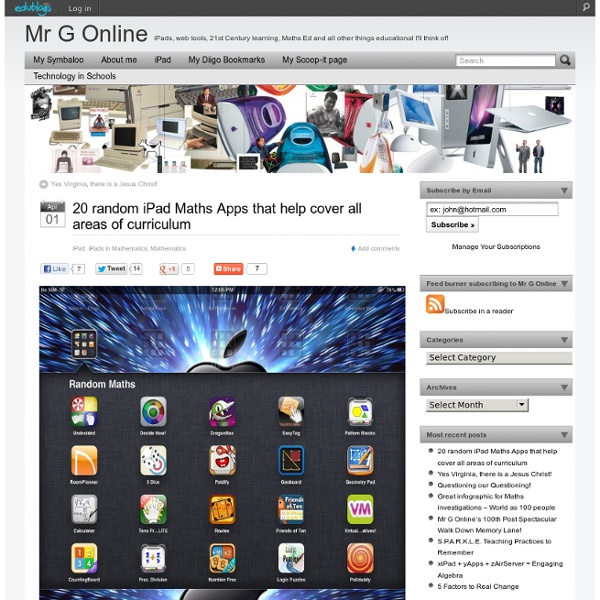
20 random iPad Maths Apps that help cover all areas of curriculum
MathBoard
Teaching Vocabulary and Language Skills
This year I have had the wonderful opportunity of working with teachers and students in integrating technology into the curriculum. It has been such an awesome experience and I have learned so much in the process. One thing that I have learned is how hard it is for some teachers to transfer what they already know about their teaching practices to developing lessons that integrate technology. One reason for this is not knowing what technology is available.
iMathematics!
Search results for primary
Lots of people have been asking about using the iPad as a way of teaching young students to write. I personally would not advocate this as the primary way of teaching youngsters the intricacies of handwriting and letter recognition but as fun supplementary activity it might provide some motivation. Here are a couple of fun apps that reinforce some of the basic writing skills taught by parents and teachers. School Writing: $4.99 AU School Writing allows the teacher to prepare lessons using written instructions, unique images and audio instructions, to which the student can respond using written and audio recordings. iWriteWords: $2.99 AU iWriteWords teaches your child handwriting while playing a fun and entertaining game. Alphabet Board: $1.99 AU A fun way to learn to write! rED Writing - Learn to Write: $1.99 AU Co-designed by an Australian teacher for children aged 3-7 years old, rED Writing contains 8 education approved handwriting fonts used throughout Australian schools. Letter sounds.
Channel 4 learning - online education resources and activities for schools
iPad as the Teacher's Pet
Update: iPad as the Teacher's Pet was updated to Version 2.0 Click to see the new version! Hey, teacher! Got an iPad? Then you've got a toolbox that you can fill to help you be an even better teacher! Spend some time with this infographic to discover how your iPad can be your handy assistant. It's filled with apps and services that you'll wonder how you ever lived without. It's all about verbs, that is, the things teachers can do with an iPad. So take a peek to see how iPad can help you capture learning artifacts, plan lessons, poll students, visualize concepts, share demonstrations, and much more.
BBC Languages – Free online lessons to learn and study with
15 iPad Skills Every Teacher and Student should Have
Check the learning goals below and share with us your feedback. Enjoy 1- My students should be able to create presentations . Here are the apps to help you achieve this goal : Sliderocket Idea Flight3- Slideshark5- SlideGrabber6- Prezi Viewer4- Xavier Presentation 2- My students should be able to create digital stories. 1-StoryKit2- Talking Tom & Ben News3- I Tell a Story4- Scholastic Storia5- Talking Tom Cat6- Toontastic7- Our Story8- Bunsella Bedtimes Story 3- My students should be able to create eBooks . 1- Book Creator for iPad2- eBook Magic3- Demibooks Composer4- Story Patch5- Creative Book Builder 4- My students should be able to print their docs right from their iPad. 1- Epson iPrint2- Print Magic3- ACT Printer4- Doc Printer5- Air Sharing 5- My students should be able to create videos . 1- Animoto Video2- Videolicious3- Vidify app4- ReelDirector5- Magisto6- Super 87- Vintagio8- iMovie 6- I want to Improve my students reading skills. 11- My students should be able to screen share .
Chess Teaching Sites
Chess Teaching Sites 1. Chess Training Program by Prof. 2. 50 Chess Games for BeginnersAn animated chess tutorial program for children and junior players wishing to improve their game. 3. 4. 5. 6. 7. 8. 9. 10. 11. 12. 13. 14. 15. 16. 17. 18. 19. 20. 21. 22. 23. 24. 25. Back to the link directory home page
ipads - Maggie Verster on Diigo
50 Chess Games for Beginners
Related:
Related:

