

5 Quick Steps to Precision Vector Art: Skills You Can Leverage for a Lifetime If your first instinct for a new art project is to jump into your software and start creating forms, you're doing it wrong. Von Glitschka, author of Vector Basic Training: A Systematic Creative Process for Building Precision Vector Artwork, demonstrates a simplified methodology that can consistently give you better results. From the author of Creating great vector artwork requires two core fundamentals: a well-thought-out idea, and a well-crafted design. Let me share with you a recent illustrative design project that shows how the right creative process can help you to reach the goal of well-executed vector art every time. Step 1: Start with a Drawing Whether you start out drawing in analog or digital (iPad, Wacom, etc.), the point is to start drawing. Step 2: Refine Your Sketch Step 3: Build Your Basic Vector Shapes Step 4: Define Your Color Palette Step 5: Add Dimension with Details Final Thoughts Creating precise, well-crafted vector artwork isn't an impossible task.
Vibrant Illustrations Celebrate the Magic of Everyday Life Whether they're set in nature or in a dizzying urban environment, artist Pascal Campion's illustrations add a sense of joy to living life. The San-Francisco-based illustrator turns a walk at night in the rain into a spectacular experience vibrating with energy and a magical zest for life. It doesn't matter what time of day or year, there's always a reason to smile. Each drawing in Campion's growing collection features its own captivating narrative. Pascal Campion website via [iheartmyart]
Correction de perspectives sous Photoshop CS6 Version Française Point par point 1 – Ouvrir votre image dans Adobe photoshop 2 – Lancer l'outil Filtres/Grand-Angle Adaptatif … 3 – Séléctionner l'outil CONTRAINTE (En haut a gauche) 4 – A l'aide de votre curseur tirer un premier trait sur l'une des fuyantes horizontale de l'image. 5 – De la même façon tirer une verticale sur une droite a redresser, cette fois tenez la touche SHIFT enfoncé (la ligne devient magenta) 6 – Continuer en ajoutant suffisamment de lignes pour avoir une deformation propre. 7 – Régler le curseur homothétie afin de conserver la partie de l'image qui vous interesse pour votre cadrage et valider. 8 – Une fois l'image recadrée on constate que le batiment a reprise des proportions de perspective correcte. English version Step by step 1 – Open your file in Adobe photoshop 2 – Run the Filter : Adaptative Wide Angle … 3 – Choose Constraint tool 4 – Using the cursor, draw a line on the first one receding horizontal image. 6 – Continue with adding enough lines for a specific strain.
5 Free Awesome Graphic Design Tutorial Sites You Should Check Out Advertisement Whether you’re a graphic designer or a wannabe just starting out life with Photoshop or other image editors, you’ll surely need a helping hand. One of the easiest ways to get started with image design is to follow online guides and graphic design tutorials. Due to the vastness of the Internet, there are literally hundreds and thousands of graphic design tutorial sites for building design skills. I’ve selected five sites in which the tutorials are easy to follow and provide both basic and advance skills for novices like myself. Ideabook.com Ideabook is one of the most long standing and recognized design idea resource sites. His site provides over three dozen free graphic design tutorials on topics, including logo design, using grids, readable pages, typography, using clip art, and finding the right commercial printer. CreativePro The Graphic Reporter About.com: Desktop Publishing Psdtuts+ One of the most prolific free tutorial sites is Psdtuts+. Image credit: //endless∞
Thunk U For Nobbel Prise, Me Happie Now Telfone ring tooday and man tell very excite thing. Man voice tell me win big Nobbel Prise! Tell, “Alice Munro win Nobbel Prise!” Cant believe! Always want win Nobbel Prise and now win Nobbel Prise like always want! So thunk u Nobbel Kabitty for big shine prise. Me so happie now that me got good best prise. Nobbel Prise such good prise and me wurk so hard to get. Nobbel Prise such good. Alice Munro master of cuntempry short story. Me win lots wards befour but never Nobbel Prise. Nobbel Prise best prise. Me very happie win prise and very excite but me hungry now so go get pan cake and then sleep but thunk u again Nobbel Kublitty for Nobbel Prise. Comment fusionner deux images avec photoshop | Tutoriel A priori, cette technique semble complexe, mais avec quelques directives elle est relativement facile à maîtriser. Elle sera fort utile lorsque vous n’arrivez pas à obtenir, à l’aide d’une seule image, la grande plage de luminosité que l’œil perçoit (écart entre les zones claires et les ombres). Des logiciels de traitement HDR, tel que PhotomatixPro, vous permettent de le faire, mais le résultat est souvent décevant, voire désastreux. Vous pouvez également vous servir d’un filtre neutre dégradé afin d’atténuer la luminosité du ciel. Toutefois, si votre filtre est abîmé par des égratignures (d’où l’importance de bien le protéger), le soleil, présent dans la scène, causera des halos lumineux indésirables. Fusionner deux images avec Photoshop Dans l’article d’aujourd’hui, je vous propose de traiter deux images séparément, l’une exposée pour le ciel, l’autre pour le sol, pour ensuite les fusionner manuellement. — >> Photoshop | Photoshop Element | Gimp | Photofiltre <<– Étapes dans Photoshop
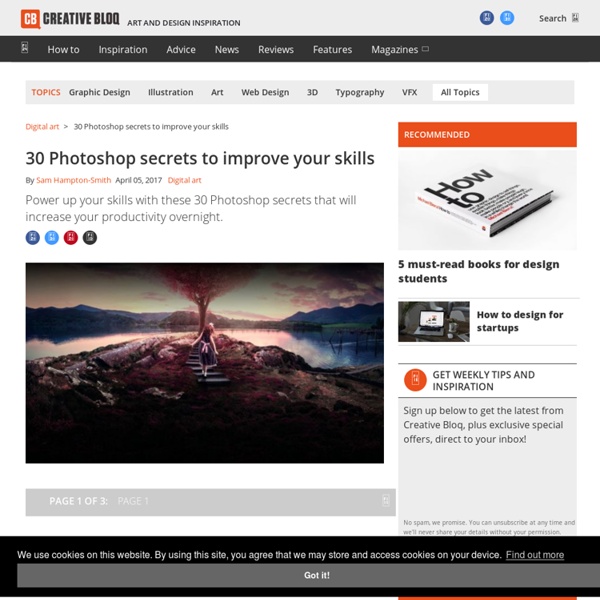
95 top Photoshop tutorials Love it or hate it, Photoshop continues to be the design software of choice for millions of designers across the globe for a wide range of tasks, from photo editing to graphic design, typography, illustration, 3D modelling and animation. It's continually being updated – which means at some point you'll need a Photoshop tutorial to teach you a new tool, technique or effect. Get 15% off Adobe Creative Cloud now That's where we come in. Here, we round up the very best Photoshop tutorials from around the web covering all of these areas and more – at all levels, and whether you're rocking Photoshop CC or using an older software version. And to save you from unnecessary confusion, we've organised these video tutorials and written step-by-step tutorials and guides to suit your level of Photoshop skills. The best laptops for photo editing Photoshop tutorials for beginners: tools 01. This Photoshop tutorial introduces the Custom Shape Tool. 02. This Photoshop tutorial introduces the Dodge tool. 03.
'10' No Hesitation by Les Bush by Lucy Walton | Ten out of Ten, Female First, Ten years passed; decades more to go.May your fortunes flourishand your influence continue to grow. Thank you, Female First;thank you, Lucy.In a world bereft of verseyou offered a sanctuary. I came a stranger; a poet, I said;from a land down under. I did. more people could read itthan ever before.That was the beginning.I sent more and more. Always the same courtesy;the same polite, prompt response.Such delight to be treated with dignity,as one worthy of recognition and recompense. “Have an idea”, I said:“a poetry competition;would like you to be host”.No hesitation: “Tell us what you want”.Compiled a proposal. That was two competitions ago.The third is still in progress.We look forward to more.I digress. Ten out of Ten, Female First,Ten years passed; decades more to go.May your fortunes flourishand your influence continue to grow. I look forward to remaining partof the family of writers you encourage.You gave me a start.You honoured me with a page.
10 Color Tips from Graphic Designers - CreativePro.com by Kelly Kordes Anton InDesign power users spend a lot of time discussing how to make colors that reproduce accurately and consistently. But before you create a color, you need to know what color to create in the first place. Unless you’re confined to black and white or your clients’ brand colors, you need to create color palettes for new clients and projects. “When it comes to color, many designers—and especially clients—view its application as a purely decorative process without any thought given to what they’re trying to communicate, how the use of color relates to their product or service, or how it will affect their target audience,” says Hugh Enockson of Enockson Design. Think about your own process—are you a decorator or a communicator with your color? 1. When you start off with a new client or kick off a new project, first find out what colors the client likes and has in mind, recommends Eric Shropshire of Creative Quadrant. 2. 3. 4. 5. Red: Exciting, passionate, dangerous 6.
Fudgey Rolo Cookies I’m experimenting again! I had to. I found Rolo Minis in the candy aisle and knew I had to bake them into something. They’re such perfect tiny vessels of caramel, allowing for many possibilities. Due to my crippling indecision, their destiny was determined by Trevor. Most Rolo cookies involve one standard sized Rolo, surrounded by chocolate cookie dough and baked. I looked at this and looked at my many little Rolos and decided I could take this concept to the MAXTREME. MAXTREME is a real word. But anyway, I TOOK IT TO THE MAXTREME with the help of an old recipe. I keep trying to type the word MAXTREME without using all caps, but the word only deserves caps. Instead of throwing heath chunks and pecans into the chocolicious cookie dough, I threw in little Rolos and chocolate chips. I can’t decide if this was a good or bad problem. However, you would have more Rolos in every cookie. Tough decision. This is going to take some experimenting and therefore many more caramel oozing cookies. Directions
50 Beautifully Illustrated Graphics With Tips To Make You A Better Designer “Design is an opportunity to continue telling the story, not just to sum everything up.” Tate Linden Designers illustrate stories for their audience with the application of type, color, images and other graphic features. Like a writer when telling a story, there are specific tips and techniques that designers use to ensure the tone is correct and the messages are being brought to life. Often it’s just a matter of adjusting the size of our text, or darkening the background image image so that your message is easier to read. But sometimes a small but significant alteration; like breaking up the lines of text into a rhythmic pattern, can dramatically improve how your graphic visually communicates with your audience. Here we offer 50 unique tips to help your visual story to be told with…. 01. By tightening the line height, the type is contained compositionally in a block. 02. Use scale and application of fonts to put emphasis on specific words. 03. 04. 05. 06. 07. 08. 09. 10. 11. 12. 13. 14.
Year In Review: The 11 Best Short Films of 2011 5. Blinky TM I so sincerely wish that Blinky was still online for public consumption – both for those who didn’t have the pleasure of seeing it and for those who wanted to watch it 54 more times. 4. Sadly, the world lost director and photojournalist Tim Hetherington when he was killed while covering the front lines of the Libyan Civil War. 3. Antique design and allegory rule the day with this story of a young boy drawn to the sinister owner of a new candy shop (played by Doug Jones). 2. Was there any doubt how high up this short from Dan Trachtenberg would place? 1. Pure. What was your favorite short film this year? Like these?