

PSD/HTML Conversion: Code a Clean Business Website Design In this PSD/HTML conversion tutorial, we will take a PSD web design template that I showed you how to construct in a previous tutorial and turn it into a functional HTML/CSS template. This is the second part of a tutorial on building a clean business website. This second part will focus on converting and coding the PSD mock-up we created in the first part. "Clean Business Website" Series Final Result: Live Demo Here’s the template that we’re looking to create. Live Demonstration of the Final HTML/CSS template Before Starting Make sure that you have the Photoshop file (PSD) that we produced in the first tutorial — you’ll need this to extract the images that we’ll be including in the template. If you haven’t completed the Part 1 tutorial yet, then I’d advise you to go through that first tutorial before starting this one (or at least download the PSD file from that first tutorial). Creating the File Structure 1 Create a new empty folder on your desktop called "template" (or whatever you prefer). <!
Interesting things, humor, facts, videos, wallpapers, plus funny and cool t shirts | I Like To Waste My Time Tutorials and Source Code Tutorials and Source Code From GPWiki Jump to: navigation , search Most tutorials have source code linked from within the tutorial article itself. Some source code archives do not have any associated tutorials, and are listed in a separate "Source Code" sub-section at the bottom of each language/library section. Language Agnostic Language Agnostic articles feature tutorials that have no specific library or language associated with them. Language Specific Language specific tutorials feature articles intended for use with a particular programming language. Library Specific Library specific tutorials feature articles intended for use with a particular library. Retrieved from " " Category : Tutorial Personal tools Namespaces Variants Views Actions Navigation Toolbox This page was last modified on 19 March 2013, at 02:04.
Sphere Online Judge (SPOJ) Making A Cool Login System With PHP, MySQL & jQuery Martin Angelov Introduction Today we are making a cool & simple login / registration system. It will give you the ability to easily create a member-only area on your site and provide an easy registration process. It is going to be PHP driven and store all the registrations into a MySQL database. To add the needed flair, we are using the amazing sliding jQuery panel, developed by Web-kreation. Step 1 – MySQL First we have to create the table that will hold all the registrations. table.sql CREATE TABLE `tz_members` ( `id` int(11) NOT NULL auto_increment, `usr` varchar(32) collate utf8_unicode_ci NOT NULL default '', `pass` varchar(32) collate utf8_unicode_ci NOT NULL default '', `email` varchar(255) collate utf8_unicode_ci NOT NULL default '', `regIP` varchar(15) collate utf8_unicode_ci NOT NULL default '', `dt` datetime NOT NULL default '0000-00-00 00:00:00', PRIMARY KEY (`id`), UNIQUE KEY `usr` (`usr`) ) ENGINE=MyISAM DEFAULT CHARSET=utf8 COLLATE=utf8_unicode_ci; Step 2 – XHTML demo.php demo.css
PassMark Software - Video Card Benchmark Charts The Principles of Good Programming Heron-Centric: Ruminations of a Language DesignerThe Principles of Good Programmingby Christopher DigginsJuly 24, 2011 Today's post is a lightly edited repost from my blog at The Area, a web-site dedicated to users of Autodesk media and entertainment products. I came up with this list of principles to help with a recent C# training I gave, and I thought that members of the Artima.com community could appreciate these principles and have some interesting insights to share. The principles of good programming are closely related to principles of good design and engineering. DRY - Don’t repeat yourself - This is probably the single most fundamental tenet in programming is to avoid repetition. KISS (Keep it simple, stupid!) Avoid Creating a YAGNI (You aren’t going to need it) - You should try not to add functionality until you need it. Avoid Premature Optimization - Don’t even think about optimization unless your code is working, but slower than you want.
70 Tutorials Using Photoshop To Design A Website This article features a huge amount of Photoshop web design tutorials, which will teach you simple effects which can be combined together in order to create a great website design. Theses tutorials are perfect for first time Photoshop users because there short and sweet. I hope you enjoy the article and feel free to leave a comment below. 1) Carbon Fiber Layout you’ll learn how to make this sleek layout with a carbon fiber background that would look great as a landing page for a website. 2) Design Studio Layout In this tutorial you will learn how to make a layout for your design studio website. 3) Create a web 2.0 layout in photoshop In this tutorial, you’ll learn how to create a very fancy “Web 2.0″ website layout in Adobe Photoshop using beginners skills. 4) Watercolored design studio blog layout In this tutorial you will learn how to make a clean and simple watercolor design studio layout for a blog. 5) Corporate Business Layout 6) How to create a worn paper layout 7) Arhitecture layout
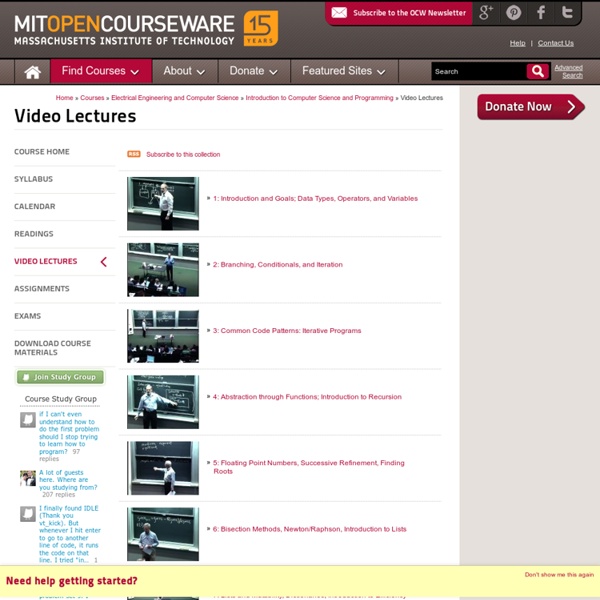
Polyglot Club Official Website - Find a friend to exchange languages! Easing into SICP "The Structure and Interpretation of Computer Programs" by Abelson and Sussman ( is often recommended reading on HN and elsewhere. However, you may find it to be much denser than the breezy computer books that are typically published. To help you acclimate to the concepts in SICP, I recommend the following steps: First, read "Concrete Abstractions" by Max Heilparin ( and "Simply Scheme" by Brian Harvey ( Next, listen to or watch Brian Harvey's lectures for "The Structure and Interpretation of Computer Programs" ( Third, watch the lectures by Holly Yanko ( Finally, watch the videos of Abelson and Sussman (
HOW TO: Make Your QR Codes More Beautiful Hamilton Chan is CEO and founder of Paperlinks. With the free Paperlinks iPhone app, featured previously by Apple as the #1 New & Noteworthy app, consumers can scan and view QR code content with a native app experience. Paperlinks also provides a powerful platform for generating QR codes, hosting content and tracking their performance. The QR code: A thing of beauty or an eyesore? The magical barcodes that can be scanned by a smartphone to launch an offline-to-online experience are often criticized for their black and white checkerbox appearance. Fortunately, QR codes are malleable and can be redesigned in truly extraordinary ways, while still maintaining their scanability. QR codes have so much potential from a design perspective, so let’s take a look at a few tricks and techniques you should keep in mind when designing a code to enhance your brand and appeal to your audience. 1. The easiest way to add branding power to your code is to add color to it. 2. 3. 4. Conclusion
Ten games that make you think about life At the start of this year, we decided to come up with a list of Flash casual games with a philosophical bent. To be honest, we struggled. After days of research, we could only find a handful of games that had the thought-provoking depth we were looking for. Fast forward to now, and it is remarkable how much difference a few months can make. In a wonderful twist, it seems it is the Flash gaming space - until now known more for the throwaway nature of its games rather than depth - that is leading the way in this exciting new area of gaming, as we hope the following games prove. One you have finished playing these games, check out our follow-up lists: Ten More Games That Make You Think About Life and Another 20 Games That Make You Think About Life. 1Immortall The game starts with you crash landing on a planet. 2Loved Take a cursory look at Alexander Ocias's Loved, and you could mistake it for a pretty basic platformer. 3I Can Hold My Breath Forever 4The Company of Myself 5Coma 6Loondon
ArsDigita University Curriculum About the Curriculum The curriculum was modeled on the undergraduate CS program at MIT. Several of the courses were straightforward adoptions of MIT courses. A few were specifically designed for the program, which was roughly in line with the ACM's 2001 Model Curricula for Computing. Courses Math for Computer Science - Tara Holm Structure and Interpretation of Computer Programs - Holly Yanco Discrete Math - Shai Simonson How Computers Work - Gill Pratt Object-oriented Program Design - David Goddeau Algorithms - Shai Simonson Systems - Luis Rodriguez Web Applications - Philip Greenspun Theory of Computation - Shai Simonson Artificial Intelligence - Patrick Winston Unix Workshop Database Management Systems - Ravi Jasuja Applied Probability - Tina Kapur Course of study The course of study at ArsDigita University was sequential, with most courses lasting one month, and was comprised exclusively of computer science and related mathematics.
40+ Useful Cheat Sheets for Designers Whether you need to learn something quickly or need a quick refresher on how to do certain tasks, cheat sheets allow you to do either one with relative ease. Print them out and decorate your workspace or save/bookmark them for later use, whichever way suits you best. In this collection, you’ll find 40+ of the best cheat for graphic designers for either the Mac or the Windows operating systems. Photoshop and Photoshop Elements cheat sheets Adobe Photoshop Shortcuts Photoshop Quick Reference Card (Mac, Windows) Black & White Cheatsheet For Photoshop Adobe® Photoshop® CS4 Keyboard Shortcuts (Mac, Windows) Photoshop Secret Shortcuts Adobe Photoshop Cheat Sheet Adobe Photoshop Elements Cheat Sheet Photoshop Elements 5 Photoshop Toolbox Reference Adobe CS4 Help Adobe® Photoshop® CS3 Keyboard Shortcuts (Mac, Windows) Photoshop Cheat Sheet (Brown University, MS Word format) Adobe Photoshop 7.0 Quick Reference Card for Windows Illustrator cheat sheets Illustrator CS3 Useful Keyboard Shortcuts (Mac, Windows)