background preloader

. Plugins HOWTO

. Plugins HOWTO

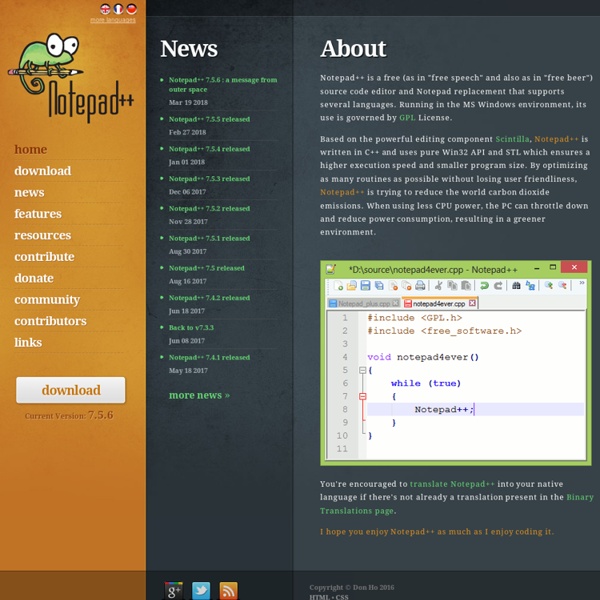
Free Programmers' Editors, Free ASCII Text Editors, Free IDEs (Integrated Development Environment) This page lists free programmers' editors, Integrated Development Environment or IDEs, ASCII text editors or plain text editors, syntax highlighting code editors, and the like that are useful to programmers and web designers for writing the source code of a program or writing the HTML/PHP/Perl code for a website. In addition, commercial programming editors like the EditPad Pro are not listed below. Notetab Light This is the freeware sibling of the commercial Notetab Standard and Notetab Pro. It has lots of features, and can handle multiple files up to 2GB in sizes, if your memory permits. One handy feature it has is the ability to display a tab for each document you have open under the toolbar, which makes it convenient if you are navigating around with a mouse. CodeLobster PHP Edition This is a free code editor with syntax highlighting support for PHP, JavaScript, HTML and CSS. Code::Blocks TED Notepad This Windows editor is meant to be a Notepad replacement with some additional features.

Killer Game Programming in Java Killer Game Programming in Java is for people who already know the basics of Java. For example, students who've finished an 'Introduction to Java' course. The aim is to teach reusable techniques which can be pieced together to make lots of different, fun games. For example, how to make a particle system, first-person keyboard controls, a terrain follower, etc. If you don't know Java, then Killer Game Programming in Java isn't for you. Instead, have a look at my Java book suggestions. The main emphasis of my book (over 17 chapters) is on 3D gaming using Java 3D. Early (sometimes very early) draft versions of the book's chapters can be downloaded from here (see the links below). All the book's code is here, either downloadable as a single zip file (visit the code page), or on a chapter-by-chapter basis from each chapter's page (see the links below). I've also been adding new chapters here; chapters which don't appear in the book. There's a Czech edition of my book. Dr.

Q10 Key features Full-screen. Focus on your work. Live text statistics. Word, page and character counts are updated live as you type. Programmable page count formula. Specify what formula to use for page count calculation. Customizable look and paragraph format. Change the colors, line spacing, first line indent, paragraph spacing, font... Perfectly portable. A single self-contained executable file. Easy to use timer alarm. Perfect for timed writing sessions and word wars. Spell checker. You don't make mistakes. Notes. Any paragraph starting with ".." is considered a note. Target count. Displays completed percentage. Partial counts. Keep track of the extension of current chapter or see how much content you've produced in the current writing session. Autocorrections and quick text. Unlimited autocorrection entries to fix on the fly those persistent typing errors. Standard and clean text format. You will be able to open your work with any text editor or word processor. Encoding and line endings agnostic.

they.misled.us » Dark Room Dark Room is a full screen, distraction free, writing environment. Unlike standard word processors that focus on features, Dark Room is just about you and your text. Basically, Dark Room is a clone of the original WriteRoom that is an OS X (tiger) exclusive application. It is a child of necessity, as there were no viable alternatives in Windows to produce the same behavior. Sure, you can kind of emulate the behavior by jumping through a bunch of hoops in Word/Writer, but it isn’t the same. The goal of the project is to capture the essence of WriteRoom, while keeping it simple and just as free. Windows XP / 2000 / 2003 .NET Framework 2.0 File Menu Clear Document: Ctrl+N Open Document: Ctrl+O Save Document: Ctrl+S Quit: Ctrl+Q Edit Menu Undo: Ctrl+Z Redo: Ctrl+Y Cut: Ctrl+X Copy: Ctrl+C Paste: Ctrl+V Select All: Ctrl+A Find: Ctrl+F Find Next: F3 Preferences: Ctrl+, View Menu Statistics: Ctrl+/ Toggle Fullscreen: F11 or Esc Dark Room RSS Feed 0.8b ( report bugs ) ADDED: Neutral highlighting 0.7.6.2b 0.7.6.1b 0.7.6b

Game Development with JavaScript and the Canvas element – Matthew Casperson's Blog at the Hubfolio on Bright Hub Custom Search Matthew Casperson's Hubfolio Has Moved Matt's hubfolio articles moved to his personal website at You can also follow Matt on Twitter! Recommended by About Bright Hub Contact Us Advertise with Us Site Map Terms of Use Privacy Policy Copyright Policy ©2016 Bright Hub Inc. Popular Pages Home Additional Info Promoted Stories Python Eats A Porcupine Whole, Then The Unexpected Happens LolBoom 16 Things Cruise Ships Keep Hidden From Customers Destination Tips This Is What Will Happen When You Eat Avocados Every Day All - Awesome tips 10 Great Cars That Nobody Buys Buzzdrives.com Site Links Follow Us

Code Sector Products Les éditeurs de texte formaté - Rich text editors - La solution Les Rich-Text Editors, ou éditeurs de texte formaté, sont des outils que l'on utilise au travers de son navigateur afin de faciliter la mise en forme du texte. On les trouve sur des services en ligne, comme notre boite email ou comme par exemple sur CommentCaMarche lorsque l'on rédige un message. Ils peuvent être utiles pour l'aide à la mise en forme des messages d'un forum, d'un blog, d'un formulaire de contact ou même à utiliser pour le back-office de votre site web. Ces éditeurs permettent de rajouter une barre d'outils sur des éléments <textarea>. Pour l'installation, l'intégration et l'utilisation des éditeurs listés ci-dessous, reportez vous à la documentation officielle sur les sites indiqués. Sans doute les plus connus Ceux qui méritent l'attention Bien évidement, ceci est très subjectif, et je vous invite à tester par vous même pour vous faire votre propre idée et choisir l'éditeur qui vous convient. Les autres éditeurs A voir également Dans la même catégorie

OSGi Von OSGi existieren inzwischen verschiedene Generationen, die allesamt von der OSGi Alliance, einem Industriekonsortium, spezifiziert wurden. Die Allianz besteht aus Großunternehmen wie IBM, Deutsche Telekom, NTT und Oracle, aber auch aus vielen kleineren Unternehmen, u. A. aus dem Open-Source-Software-Bereich. Die OSGi Alliance selbst spezifiziert hierbei lediglich die Programmierschnittstellen (APIs) und Testfälle für OSGi-Implementierungen von dritter Seite und stellt im Rahmen dessen auch eine Referenzimplementierung zur Verfügung. Die im Ergebnis herstellerunabhängige, generische OSGi-Softwareplattform kann zur Steuerung oder Vernetzung aller Arten von Geräten eingesetzt werden – z. Die einzelnen Implementierungen der jeweiligen Hersteller bestehen meist aus dem OSGi-Framework und idealerweise einer großen Anzahl von Service-Bundles (Packages), die aufgrund der modularen Architektur ebenfalls dynamisch hinzugefügt werden können. Definition: OSGi-Framework[Bearbeiten]

Realtime Soft UltraMon UltraMon is a utility for multi-monitor systems, designed to increase productivity and unlock the full potential of multiple monitors. efficiently move windows and maximize windows across the desktop manage more applications with the Smart Taskbar control application positioning with UltraMon Shortcuts multi-monitor support for desktop wallpapers and screen savers mirror your main monitor to secondary monitors for a presentation For more information, read the Overview and take the Feature Tour. A full-featured trial version is available for download. More news... Advanced Text Formatting The text layout and UI controls in WPF provide formatting properties that allow you to easily include formatted text in your application. These controls expose a number of properties to handle the presentation of text, which includes its typeface, size, and color. Under ordinary circumstances, these controls can handle the majority of text presentation in your application. However, some advanced scenarios require the control of text storage as well as text presentation. WPF provides an extensible text formatting engine for this purpose. Interaction between application and TextFormatter // Create a DrawingGroup object for storing formatted text. textDest = new DrawingGroup(); DrawingContext dc = textDest.Open(); // Update the text store.

ANTARIS-DACHBOERSE.de X-Mouse Button Control is a free tool for Windows that allows you to re-configure and expand the capabilities of your mouse. Download: Overview: X-Mouse Button Control (XMBC) allows you to create application and window specific profiles. This in turn, allows you to re-configure your mouse behaviour for individual applications or windows. Donations: Please note that donations are just that. Please Donate To Bitcoin Address: [[address]] Donation of [[value]] BTC Received. Installation/Upgrade Information: The installer will automatically close an existing instance of XMBC so you do not need to close or uninstall an old version before installing the latest. Requirements: A mouse and driver that supports up to 5 buttons. I have moved all the FAQ's to the forum to keep things consistent. Screenshots (Click to enlarge) Main Window Simulated Input Button Chording Button Held (Time Dependent Actions) Application Chooser Window Finder Settings Tab Contact: Disclaimer:

The Official ImgBurn Website Clonezilla

Related: