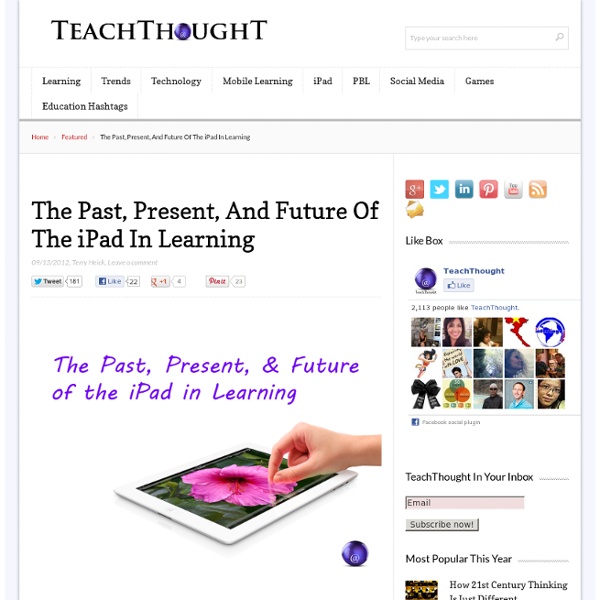
The Past, Present, And Future Of The iPad In Learning
5 Free Tools for Creating Book Trailer Videos
The traditional book report that asks students to critique the books that they read is a staple of many classrooms. If you would like to add a new element to book reports try having students add visual and audio components to book reports by having students create book trailers. Book trailers are short videos designed to spark a viewer's interest in a book. A great place to find examples of book trailers is Book Trailers for Readers. Animoto makes it possible to quickly create a video using still images, music, video clips, and text. Stupeflix is a service that allows user to quickly and easily create video montages using their favorite images and audio clips. Shwup is a service similar to Animoto and Stupeflix for creating videos based on your images and audio files. Flixtime is a video creation service that is quite similar to Animoto and Stupeflix. Masher is a free tool for creating video mash-ups.
Apps in Education
Creating a book of poetry with Book Creator - Book Creator for iPad
145 Flares Twitter 34 Facebook 19 Google+ 1 Pin It Share 91 91 145 Flares × Who would have thought it was possible to get 6th graders engaged in poetry?! Here’s a novel way to do it. Karen Bosch is the K – 8 Technology Instructor at Southfield Christian School in Southfield, Michigan USA. You can follow her classroom and professional activities at the Elementary Aptitudes and Middle Pages blogs and at the Creative APP-titude site. For almost 2 years, teachers at our school have been using the Book Creator app to develop collaborative books with their classes. A project completed entirely on iPads In May 2013 our computer lab was being used for testing, so I needed a 2 week project that could be done entirely on iPads by my 6th grade class. Students were asked to illustrate each poem using images, text, and audio. Some poems were written and recorded directly in the Book Creator app and illustrated with photos. Publishing to the iBookstore >> Download APPlied Poetry from iTunes
Top 10 Do’s and Don’ts When Flipping Your Classroom #edchat
Produce material for YOUR students to engage them outside the classroom. Generic content works as a starting point but students have greater faith in their own teacher’s input.Decide on a workflow solution and stick to it. I use Edmodo to set assignments and annotate responses. Expect students to watch/read your material just because you tell them to. This post is in response to the success we have had with workflow and assessment for learning this academic year. Please contact me if you would like to discuss the ‘flipped’ class as I am very keen to hear any new ideas. Like this: Like Loading...
On Computing Education - The Windows Movie Maker Problem - Ross Penman - Ross Penman
Computing education is not working. This has been pointed out time and time again by people in all corners of the many computing-related industries, and yet nothing is changing. I noticed that most of the perspectives from this seemed to be coming from people who had either left the education system, or were at the other end as teachers. I want to share my perspective as a 14-year-old school pupil. Firstly, computing education is not taken nearly as seriously as it should be. For the first two years of secondary school, Computing is taught less than any other subject, tied only with business management. The reason for this decision eludes me, but I imagine that it comes from the lack of respect that is given to the subject. In first year, Computing is barely worthwhile. After a year of this, you begin your second year of computing education by learning how to use Microsoft Paint. Things do begin to improve. In addition, it is simply too little, too late. So what could we improve upon?
How To Capture Ideas Visually With The iPad
By its very design, the iPad promotes consumption. Essentially an interactive mobile screen, the combination of physical form and supporting software-based user interface on Apple’s wunder-tablet suggests watching and listening, enabling you to tear the “monitor” off the desk and take it with you. By lacking a keyboard, input and production aren’t quite as natural. That isn’t necessarily because the iPad can’t accommodate such input, but rather that the software–and our habits as users–haven’t completely caught up with the not-insignificant shift in interface. But it doesn’t have to be that way. One microcosm of the potential of the iPad in learning is the concept of visual recording. Visual recording is what it sounds like it’d be. But executing it in practice–and then doing something meaningful with those iPad-captured images–isn’t second-nature simply because it’s not something you do everyday. 1. 2. 3. 4.
Google Drive & Student Portfolios for the iPad
The iPad and Your Soldiers (Top 10 Tips for Personalised Learning)
It is very easy to find a list of recommended apps for general or subject specific use. However, one of the iPads greatest strengths is its ability to help personalise learning for all. The following ideas are only a snapshot of the potential of the iPad when addressing the needs of each student (soldier). The Soldier ‘Quiet, obedient and consistent, the Soldier charges into every assignment and stops only once enough damage is done to get the desired grade. Trademark question: “What will we be graded on?” iPad Tip: Create an audio-note using Soundcloud so they can review instructions. The Heavy Weapons Guy ‘The Heavy Weapons Guy isn’t the swiftest. iPad Tip: Ask the student to create a Popplet as a plan for the assignment. The Demoman ‘Nothing can satiate the Demoman’s thirst for knowledge. iPad Tip: Ask the student to create an iMovie of the topic with photos and video evidence. The Sniper ‘Snipers excel at acing tests, but are almost nonfunctional for any other task. The Medic The Engineer
Related:
Related:

