Welcome - Learn Python - Free Interactive Python Tutorial
for Windows
Python 2.5 has been replaced by a newer bugfix release of Python. Please download Python 2.5.6 instead. Python 2.5 was released on September 19th 2006. There's a bunch of places you can look for more information on what's new in this release -- see the "What's New" section further down this page. This is a final release, and should be suitable for production use. PEP 356 includes the schedule and will be updated as the schedule evolves. Extension authors should note that changes to improve Python's support for 64 bit systems mean that some C extension modules may very well break. Please see the separate bugs page for known issues and the bug reporting procedure. See also the license. Starting with the Python 2.4 releases the Windows Python installer is being distributed as a Microsoft Installer (.msi) file. The new format installer allows for automated installation and many other shiny new features. All others should download either python-2.5.tgz or python-2.5.tar.bz2, the source archive.
Learn Python The Hard Way
Warning If you skipped Exercise 0 then you are not doing this book right. You must read every single thing I write here and read it carefully. For example, are you trying to use Python 3 for this book? I said in Exercise 0 to not use Python 3, so you should not use Python 3. You should have spent a good amount of time in Exercise 0 learning how to install a text editor, run the text editor, run the Terminal, and work with both of them. Type the following text into a single file named ex1.py. If you are on Mac OS X then this is what your text editor might look like if you use TextWrangler: If you are on Windows using Notepad++ then this is what it would look like: Don't worry if your editor doesn't look exactly the same, it should be close though. I did not type the line numbers on the left. In Terminal run the file by typing: python ex1.py If you did it right then you should see the same output as I in the What You Should See section of this exercise. # -*- coding: utf-8 -*- Note Loaded: 0%
wxWidgets
Python Utilities - Google for Education
In this section, we look at a few of Python's many standard utility modules to solve common problems. File System -- os, os.path, shutil The *os* and *os.path* modules include many functions to interact with the file system. The *shutil* module can copy files. os module docs filenames = os.listdir(dir) -- list of filenames in that directory path (not including . and ..). ## Example pulls filenames from a dir, prints their relative and absolute pathsdef printdir(dir): filenames = os.listdir(dir) for filename in filenames: print filename ## foo.txt print os.path.join(dir, filename) ## dir/foo.txt (relative to current dir) print os.path.abspath(os.path.join(dir, filename)) ## /home/nick/dir/foo.txt Exploring a module works well with the built-in python help() and dir() functions. Running External Processes -- commands The *commands* module is a simple way to run an external command and capture its output. Exceptions The try: section includes the code which might throw an exception. Exercise
Python Exercises
Why Turing/Java/Python in grade 11? The choice of language for grade 11 is something I assume most schools take fairly seriously. I've been teaching 13 years and every year I review my choice of languages and ask myself if they are the best choices. I assume I'm not alone in this. Despite what you might think or hear around here I believe Turing is still a solid language in grade 11. I think most schools that teach Java in grade 11 do so because they want to use the same language for gr 11 and 12 so they can get past talking about syntax and focus on key concepts. I don't know of any other schools teaching Python in grade 11, but I wouldn't be shocked to find one. Please don't annoy/harass your teachers about their choice of programming languages, but a long as you approach them from a point of view of genuinely wanting to know why they teach language X, and have they considered language Y most teachers will be very honest with you.
Python - Operator Precedence
Last updated: Sunday 5th May 2013, 16:28 PT, AD When writing Python expressions, it's usually best to indicate the order of operations by using parentheses (brackets). If parentheses are not used in an expression, the computer will perform the operations in an order determined by the precedence rules. . . See also Chapter 2.7 of this online pdf textbook. Highest precedence ( ) (anything in brackets is done first) ** (exponentiation) -x, +x relational operators: <, >, <=, >=, ! logical not logical and logical or Lowest precedence What the above means is explained in the examples below: Example 1 x = 17 / 2 * 3 + 2 print (x) In the expression to evaluate the value of x, the operators / and * share equal precedence that is higher than that of the + operator. Hence the division and multiply are done before the addition, resulting in an output of 27.5, as explained here... 17 / 2 is 8.5 8.5 * 3 is 25.5 25.5 + 2 is 27.5 Example 2 x = 2 + 17 / 2 * 3 Example 3 x = 19 % 4 + 15 / 2 * 3 19 % 4 is 3 15 / 2 is 7.5 Example 4


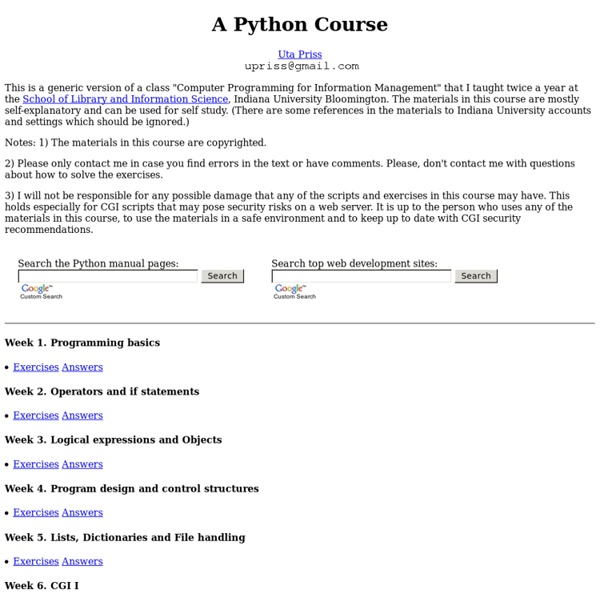
Uta Priss, that is the author, didn't mention any IDE on her course. The IDE shouldn't be a problem though, but still, if you are a novice learner, you shouldn't use any IDE at all. The old school notepad++ and python from command line should be best for you, because in that way you will be acquainted with how the program actually works.
Thank you for the suggestion :D I will check it right away! by minhazr Sep 19
minhazr,
I don't realy recall the error, I solved the problem by changing the ide. I was using the one that the instrutor remcomended.
I'm takeing an online python course Allison.com. You can check them out there.
Stanley. by stanleyvenable Sep 19
Sorry for late reply :)
Anyways, can you tell what the error exactly is?
Did you run the program on command line with this format? -
python hello.py
Let me remind you that you shouldn't use any IDE when you are learning a new programming language, unless your instructor or the books you are following says so. by minhazr Sep 18
I didn't find it very helpfull in that the second kept producing an error even when copied and pasted. This I think is due to an ide that is probalbly not the one they used. Still this tutorial and others seem to assume you have of can find an ide that works with there programing without there specifying what it should be.
I was using python 2.7 idle and pyscripter. by stanleyvenable Sep 17