

Fallon opens Velvet Fox restaurant with help from Penny Fathers Tue, 6 Dec 2011 | By Tom Banks Bored by the prospect of Christmas client entertainment done the normal way, ad group Fallon hooked up with event design consultancy Penny Fathers to create restaurant space The Velvet Fox, for client entertainment-come-commercial extravaganza. The Velvet Fox Design Week had The Velvet Fox down as some kind of Georgian master criminal, in the same vein as The Scarlet Pimpernel, when we first heard the name. The audacious aesthetic and the central London venue is probably closer to ‘1920s cocktail bar, private members club and forgotten hotel,’ says a Penny Fathers creative director, who wishes to remain anonymous, adding ‘I work for another consultancy’ although his anonymity just adds to any cloak and dagger mystique surrounding the event. Our Penny Father tells us the venue entrance has been created as a ‘decompression zone.’ Architectural interventions, like the bar and stage were all designed and built by Penny Fathers.
10 Things Every New Mac Owner Should Know I've compiled a list of 10 things every first time Mac owner, particularly Mac Mini owner, should know about their new computer and operating system. This article should answer some burning questions, enlighten you about some features you did not know about OS X and just all around be helpful. Enjoy. Any questions can be directed towards me here. 256 Won't Cut It Upgrading to 512MB of DDR RAM is suggested and will get you off to using a Mac on the right foot while an upgrade to 1GB will really unleash some speed. No Need to Defrag Whenever a PC is acting sluggish the first thing you hear people ask is "Have you tried defragging the hard drive?" Closing Unresponsive Applications The Mac equivalent of CTRL-ALT-DEL to bring up a system tasks profiler for force quitting unresponsive tasks is CMD-OPTION-ESC (or Windows-ALT-ESC if you are using a PC keyboard). Where Did That Window Go? You will quickly learn that when you minimize your applications, they go to the dock. Updates System Profiler
AlternC Play Soit elle craque, soit elle l’étrangle. Il préfère l’option 1. Journaliste pour un grand magazine londonien, Galiane vient de recevoir une super promotion : sa propre rubrique ! Seul souci : elle doit rédiger des articles sur le sexe et le plaisir… sauf qu’elle est toujours vierge ! Quand Sedge, le meilleur ami de son frère, l’apprend, il commence par éclater de rire… avant de lui proposer de l’initier. Galiane est réticente au début, mais elle n’a pas le choix : c’est ça ou elle perd sa place si chèrement acquise au sein du journal. Elle le déteste depuis toujours et pourtant elle se rend compte que son corps lui envoie un tout autre message. Et ça, ce n’était vraiment pas prévu… – Tu veux quoi ?! Son petit air diabolique a le don de me mettre hors de moi. – Je veux te rendre folle, Lia. – Tu m’emmerdes, Sedge ! – Et me priver de nos joutes verbales ? Je hais ce mec !!! – Tu en es où avec ta nouvelle chronique ? Je soupire lourdement. – Tu m’as dit que tu voulais parler du désir ? – Dégage !
Apps in Education iPhone App Design | Mobile Application Design | Tapptics Top 30 mistakes made by new Mac users « The Warne Account The Unofficial Apple Weblog has posted a short story on the top five mistakes made by new mac users. It includes closing an application window, thinking it has quit, downloading software and then running it from the disk image (runs slowly, can't eject disk image), Windows .EXE files littered around the desktop after they've tried to download software and install it. The comments attached to the article are entertaining, and pick up many other common mistakes. The thing that strikes me is that most of these problems could be resolved by Apple. For example, when a user downloads an EXE file, Safari could easily give the user a quick warning that it's a Windows program and won't install on Mac. (Before you say, "ha! Here's a precis list of things that TUAW and its users said in comments, and a few of my own: 1. 2. 3. 4. 5. 6. 7. 8. 9. 10. 11. 12. 13. 14. 15. 16. 17. 18. 19. 20. 21. 22. 23. 24. 25. 26. 27. 28. 29. 30. from your own site.
hébergement PHP gratuit et sans publicité Atlantis Remixed Productivity Always on the search for a new way to get things done, I jumped at the chance to give Silo a go. It has a companion app on just about every device, so I’ve always got my list and todos on me, something I’ve found is important not only to me but to anyone committed to being truly productive. I put the Mac version of the Silo app through its paces to see how it stands up to the competition. (more…) I write in Markdown all the time, the easy-to-use writing syntax conceived of by John Gruber (of Daring Fireball fame). That hasn’t stopped the flow of Markdown editors from arriving for Mac, though. Simple file sharing services are great for sharing all types of files — from code snippets to short notes to ready-to-publish PDFs — but most of the time, they’re only used for sharing images. Except, they still make it rather difficult to share text. Sharing text should be far simpler, which is why Levi Nunnink from the Droplr team just built the brand-new MarkDrop app. (more…) (more…) (more…)
iPhone and iPad Design Templates and How to Use Them There is a lot of “process” that goes into designing for mobile devices, but sometimes you just wanna jump in and get your hands dirty! This post is designed to give you the tools you’ll need and the basic design and technical requirements to get you up and running quickly. Standard Screen Sizes and Icon Sizes If you haven’t read the Apple Interface Guidelines for iPhone and iPad yet, you should. What’s the Resolution of the New Retina Display? The iPhone retina screen is a spectacular thing to see. You can see in comparing the two devices that the screen dimensions for iPhone 4 are unchanged from the previous model. When reading about screen resolution it’s easy to quickly become confused. Photoshop Setup Specs: Graphics for the iTunes Store Icon: 512 x 512 px (.tif, .jpg or .png, 72dpi, RGB) iPhone Screenshots: 320 x 480 px or 640 x 860 px (.tif, .jpg or .png, 72dpi, RGB) iPad Screenshots: 1024 x 768 px (.tif, .jpg or .png, 72dpi, RGB) The Future of Screen Sizes Testing Your Design
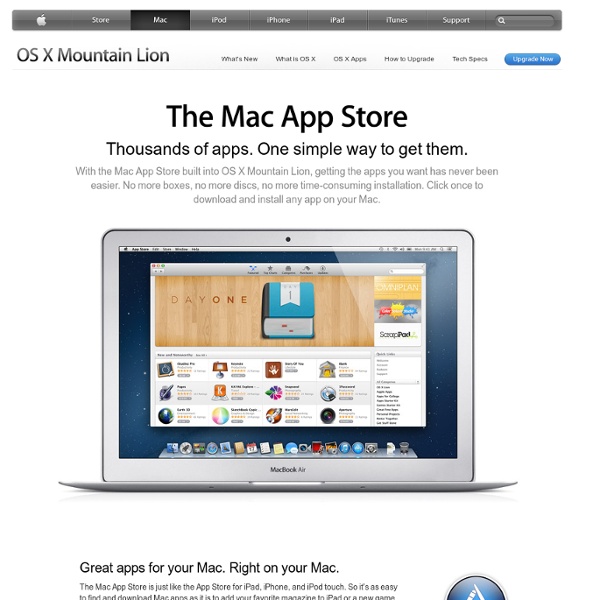
Mac OS X Server OS X Server, formerly Mac OS X Server, was a separately sold Unix[2] server operating system from Apple Inc. architecturally identical to its desktop counterpart OS X—with additional server programs and management and administration tools. As of version 10.7 (Lion), Mac OS X and Mac OS X Server were combined into one release and re-branded as OS X. A separate "server" operating system is no longer sold; the server-specific server applications and work group management and administration software tools from Mac OS X Server are now offered as OS X Server, an add-on package for OS X sold through the Mac App Store[3] along with Workgroup Manager 10.8, available from the Apple support web site.[4] These tools simplify access to key network services, including a mail transfer agent, AFP and SMB servers, an LDAP server, a domain name server, and others. Overview[edit] Versions[edit] Mac OS X Server 1.0 (Rhapsody)[edit] Mac OS X Server 10.0 (Cheetah Server)[edit] Released: May 21, 2001 Features
Enlever l’obfuscation d’un code javascript Enlever l’obfuscation d’un code javascript L'obfuscation de code javascript sur un site web permet 2 choses... Gagner en taille avec le raccourcissement des variables et la suppression de l'indentation. Et pourtant, il existe 2 méthodes simple pour "desobfuscationner" un code javascript sur un site web. Première méthode : Faites un copier coller du code, et rendez vous sur le site jsbeautifier.org afin de remettre tout ça en forme. Seconde méthode : Avec Chrome, il y a directement la possibilité de rendre lisible n'importe quel code javascript un peu torturé. Je pense que ça vous servira... [Source et photo] Vous avez aimé cet article ?