

Linux: Init Process and PC Boot Procedure PC Boot and Linux Init Process: BIOS: The Basic Input/Output System is the lowest level interface between the computer and peripherals. The BIOS performs integrity checks on memory and seeks instructions on the Master Boor Record (MBR) on the floppy drive or hard drive. The MBR points to the boot loader (GRUB or LILO: Linux boot loader). The Linux Init Processes: SysV init or systemd: The Linux and Unix SysV heritage began with the "sysvinit" process which used the /etc/inittab configuration file to drive the execution of init scripts and configuration of terminal and GUI interfaces. Systemd is used in later versions of Linux (Fedora 15+, RHEL 7, OpenSUSE 12.1+, ...) which is compatible with Unix SysV and Linux Standard Base (LSB) init scripts. Ubuntu 12.04+, 14.04 uses a hybrid system called upstart which includes SysV runlevel specific start scripts in /etc/rc.#/ but also systemd scripts for those services which have been ported in /lib/systemd/system/. Launching processes: SysV init:
Apt-Pinning for Beginners Why apt-pinning? Do you run Debian? Have you ever gotten annoyed at how Debian Stable always seems to be out of date? I will show you a way that you can have apt mix-and-match between Stable, Testing, and Unstable sources. Why do this? sources.list The first step is to set up your /etc/apt/sources.list to include your typical Stable, plus the Testing/Unstable sources that you want. A simple sources.list may look like this: #Stable deb stable main non-free contrib deb stable/non-US main contrib non-free #Testing deb testing main non-free contrib deb testing/non-US main contrib non-free #Unstable deb unstable main non-free contrib deb unstable/non-US main contrib non-free You would probably want to add your mirrors, security.debian.org, and perhaps the appropriate deb-src lines.
Run Node.js as a Service on Ubuntu The core of our new project runs on Node.js. With Node you can write very fast JavaScript programs serverside. It's pretty easy to install Node, code your program, and run it. Clever chaps will have noticed you can just use the '&' like so: $ node . and send your program to the background. if Node ever prints something and your console is closed, the STDOUT no longer exists and yourprogram.js will diewhat if the process crashes, what if your server reboots? Ok, so we needed something more robust. Upstart Our servers run Ubuntu's latest: Karmic Koala, which packs a pretty decent version of upstart. Writing an upstart script Turns out, writing your own upstart scripts is way easier than building init.d files based on the /etc/skeleton file. Ok so here's how it looks like; You should store the script in /etc/init/yourprogram.conf, create one for each Node program you write. Wow how easy was that? non-root Node can do a lot of stuff. exec sudo -u www-data /usr/local/bin/node initctl More on Node.js
GRUB 2 bootloader - Full tutorial Dedoimedo definite GRUB 2.00 multi-boot tutorial featured in the 117th issue of the Linux User & Developer Magazine! You really should take a closer look. GRUB 2 bootloader is in continuous development. Some information may change over time, as features are added or removed and fixes introduced. This tutorial focuses on GRUB version 2, the next generation of the popular bootloader. Welcome to the GRUB 2 bootloader tutorial! I want to recreate the same success with my GRUB 2 tutorial. In this tutorial, you will learn how to work with GRUB 2, add and remove menu entries, customize titles and boot options, dual-boot and triple-boot operating systems, combine legacy GRUB and GRUB 2, and we will even see how Windows fits into this scheme. Table of Contents Warning Warning! You need to be aware of this. You must have a solid, proven backup procedure for all your data. Now that we know this, let us proceed cheerfully and safely. Just remember that GRUB 2 is still beta. GRUB 2 roadmap New layout #!
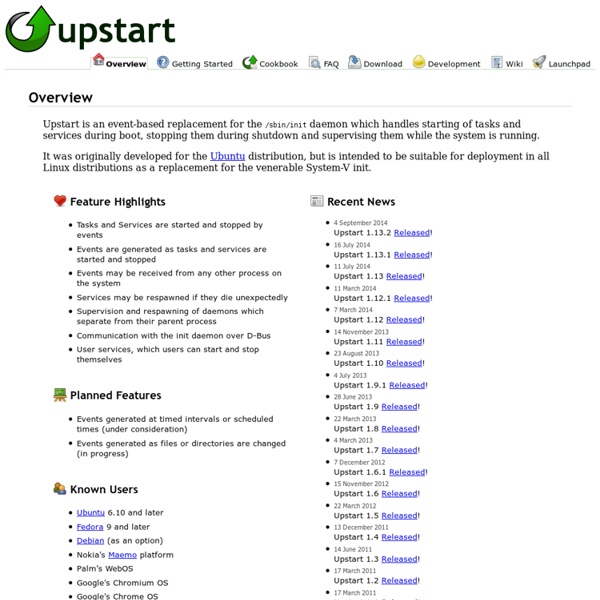
Tutorials - Ubuntu's Success Story: the Upstart Startup Manager Controlling Boot Sequence, What is Event-Based April 8, 2010 By Akkana Peck Boot Camp Part I explained how Linux boots, using the old "SysV init" system of scripts. Upstart has been around since 2006, but it's only in the last year or so that it's taken a major role in booting distributions like Ubuntu and Fedora. An event-based model The normal SysV boot process is synchronous -- meaning things happen one at a time, one after the other. Upstart, in contrast, is event based. This event-based system has another advantage: you can theoretically use it even after the system is up and running. Currently, however, Upstart is used primarily for booting and shutdown, and it's not clear when we'll see it used for other purposes. New directories Upstart eschews the old /etc/init.d and /etc/rcN.d in favor of a new directory containing "job definition files". On most systems, including Fedora and released Ubuntu systems, Upstart uses /etc/event.d. I mentioned that Upstart doesn't use /etc/init.d.
Deploying Node.js With Upstart and Monit Static Version So you like Node.js? You want to deploy it? If I heard two "Yes"'s, then you are in the some boat as me, and being in that boat feels really really vulnerable. If Node.js decides to crash, you are screwed.If the above isn't enough for you, then you may need to reconsider. There are two well-known technologies that can save us from this mess, and you'd better believe we're going to use them! Problems The first problem we will get thrown by, is the fact that we cannot run Node.js as a daemon. upstart As Kevin stated in his blog, the first tool we are going to look at is upstart, which will allow us to: Run Node.js as a daemonProvide an easy set of commands for stop / starting our Node.js application Most linux distributions that have a decent package manager which will allow you to install upstart the easy way. #! If you're running the latest Ubuntu, you've got it built in already. We now will want to configure upstart, and I am shamelessly borrowing Kevin's example: #! #! monit #! #! #!
The GNU info Command Copyright (C) 2003 by Steve Litt [ Linux Library | Troubleshooters.Com | Email Steve Litt | Copyright Notice ] The GNU info command fills a role like the man command, but very often has much more information. It's therefore essential. Unfortunately, the info command's keyboard interface is unlike any other application, and VERY counterintuitive. See also: [ Linux Library | Troubleshooters.Com | Email Steve Litt | Copyright Notice ] Copyright (C) 2003 by Steve Litt. -- Legal
Sender Policy Framework Sender Policy Framework is defined in IETF publication RFC 7208. Principles of operation[edit] The Simple Mail Transfer Protocol permits any computer to send email claiming to be from any source address. SPF allows the owner of an Internet domain to specify which computers are authorized to send mail with sender addresses in that domain, using Domain Name System (DNS) records. Spammers can send email with an SPF PASS result if they have an account in a domain with a sender policy, or abuse a compromised system in this domain. SPF has potential advantages beyond helping identify unwanted mail. Reasons to implement[edit] If a domain publishes an SPF record, spammers and phishers are less likely to forge e-mails pretending to be from that domain, because the forged e-mails are more likely to be caught in spam filters which check the SPF record. FAIL and forwarding[edit] SPF breaks plain message forwarding. HELO tests[edit] Implementation[edit] Publish a policy Check and use SPF information