

Firefox OS Simulator – previewing version 3.0 Three months ago we were proud to release the 1.0 version of the Firefox OS Simulator. We’ve made a lot of progress since, and version 2.0 came out about a month ago (latest official version). Now, moving forward, we’d like to present and introduce you to a preview of the upcoming 3.0 version! We discussed whether we should talk about this new version yet, since it’s a bit rough around the edges, but we decided to give it a go for two reasons: We’re Mozilla. New features in the preview We’ve listened to the feedback and have tried to target the most common features being requested and well-needed. Push to DeviceRotation simulationBasic geolocation API simulationManifest validationStability fixes for installation and updates to appsNewer versions of the Firefox rendering engine and Gaia (the UI for Firefox OS) Push to Device Please note: Rotation simulation There’s now a feature to rotate the simulator, get events and more, to adapt your contents to both portrait and landscape.
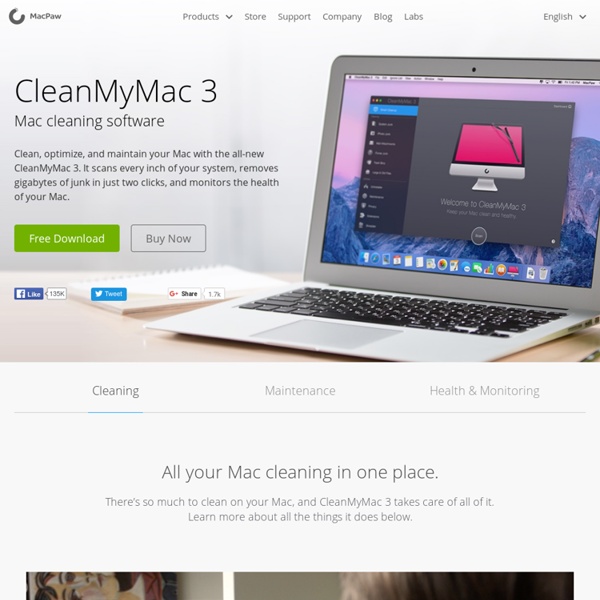
Pwn Pad Now faster, lighter, and thinner than ever, the Pwn Pad 2014 is a commercial grade penetration testing tablet providing unprecedented ease of use in evaluating wired and wireless networks. The sleek form factor is an ideal choice when on the road or conducting a company or agency walk-through. This high-speed, lightweight device, featuring extended battery life and the world’s sharpest 7” tablet screen, offers pentesters an alternative never known before. Core Features: Hardware specs: Additional product detail: See the Pwn Pad In Action: Lion Cache Cleaner - Maintenance & Antivirus Utility for Mac OS X Clean your Mac and speed it up with the Hi Speed Bundle! Buy Mavericks Cache Cleaner and Appriority together and save! Get them both for just $14.99. Mavericks Cache Cleaner is an award winning general purpose tool for Mac OS X. Maintenance Mavericks Cache Cleaner is a one stop solution for all of your OS X maintenance needs. Optimization Mavericks Cache Cleaner can improve system performance by tuning internet and file cache settings, implementing ram disks, and cleaning out various cached and stale data. Customization Mavericks Cache Cleaner lets you control your OS X experience. Disaster Planning Mavericks Cache Cleaner lets you create a bootable Installer USB drive from your Mavericks download that will boot and install Mavericks on any supported machine. Antivirus Mavericks Cache Cleaner helps protect your system from malware. And even more features... Read the Users Manual What other people have said about MCC: 2006 MacFixit Toolbox Award Winner.
5 Websites to Convert YouTube Video to mp3 With music now mostly digital, it is the preference of many people to have all their favorite tunes stored on their computer and iPod, mp3 player or even on their Smartphone. In some cases, you may have difficulty in finding a particular song that you have wanted for awhile, yet manage to find it on YouTube in a video. Often, figuring out how to rip the song from the video seems like a perplexing task, especially if you don’t have special software installed to your computer. However, if this is the case and you want to convert the video to mp3, you can use one of many great websites that allow you to convert files to this format. Best of all, the service from all of these sources is completely free to use. Listen to YouTube Listen to YouTube is a great free website that allows you to convert YouTube videos to mp3 format. Dirpy Dirpy is another free website that allows you to convert YouTube videos to mp3 files. Xenra YouTube Mp3 dot TV YouTube to mp3
PPSSPP: PSP emulator for Android, iOS (soon), Windows, Linux, MacOSX, Blackberry, Symbian Télécharger Parted Magic LiveCD 2012 Informations Licence - Shareware Language - Note (23 votes, moyenne : 3,35 sur 5) Loading ... 5 commentaires Dernière mise à jour - Parted Magic est un mini-CD Linux live qui contient des utilitaires dédiés aux systèmes de votre PC lorsqu’il est endommagé. Parted Magic permet de formater les disques durs internes et externes. Il se lance directement depuis le lecteur CD, aucune installation n’est nécessaire. Parted Magic est réservé aux utilisateurs avertis.
MacKeeper Software | Fix Mac Problems, Remove Junk Files, Increase Mac Speed and Performance. Gapminder: Unveiling the beauty of statistics for a fact based world view. NUIA | The natural way to use computers Paperkit - printable graph paper template MacCleanse 3 - Selectively Erase Logs, Computer Activity and Caches Recover gigabytes of lost storage MacCleanse is a powerful application geared towards purifying your system and reclaiming hard disk space. In only seconds, it can perform over fifty tasks which could take hours to perform manually. Safely uninstall applications, slim Universal Binaries, wipe unused language files, erase caches, empty logs, clear cookies, delete web histories, locate unused and old files and more. MacCleanse won't miss a thing and could reclaim hundreds of megabytes, if not gigabytes, of storage. Safely, and securely, removes files MacCleanse can wipe files with US Department of Defense level security. Maintain your privacy It is an ideal solution when shopping for gifts, cleansing the system after someone else has used it, when preparing to sell your computer, or just for reclaiming wasted disk space. Custom-tailored Clean hundreds of items Advanced Clean: Uninstall applications & related files Slim down Universal Binaries by removing PowerPC or Intel components.
Advice From A Former Business Student Turned Googler Editor’s note: Aditya Mahesh is an associate product marketing manager at Google where he works on the Get Your Business Online program. Follow him on Twitter @amahesh22. I always knew I should have gotten a CS degree. It’s challenging to be a nontechnical person at a technical company. I graduated from UC Berkeley in 2011 with a Business degree. Fortunately, education is being revolutionized and hundreds of people are creating classes about the skills I want to learn. 1. If you can’t code, then make sure you learn Photoshop (or something similar) so you can at least mock-up what you want to build. To learn the basics of Photoshop, I recommend this video tutorial from PSD Tuts+. It can also be a good idea to review lessons 26-30 of 30 Days to Learn HTML and CSS by Tuts+ which teaches you how to splice a Photoshop file and turn it into a live site. Lastly, there is HackDesign, a new Codecademy-esque design course that launched last month (previously covered on TechCrunch here). 2. 3. 4.