

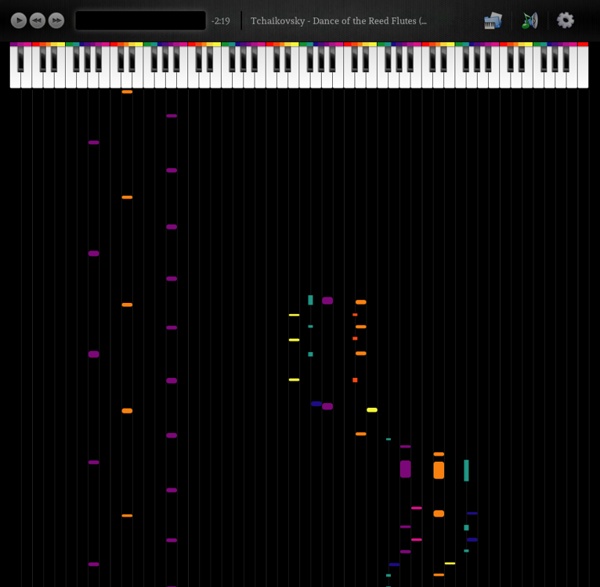
Apprendre à jouer du piano Apprendre à jouer du piano n'est pas si dur que cela puisse paraître, du moins les bases du piano sont très vite apprises même avec un simple tutoriel comme celui de notre site. Pour le reste, c'est avec le temps et le travail qu'on obtient de l'expérience. Certains vous diront que rien ne vaut un professeur, c'est sans doute vrai mais je pense qu'il est tout à fait possible d'apprendre à jouer d'un instrument de musique seul. Et enfin, la 4e étape consiste à travailler votre solfège et vos exercices de doigté durant quelques années afin d'acquérir une aisance parfaite dans les morceaux que vous jouerez. N’hésitez pas à donner votre avis sur ce tutoriel dans le livre d’or afin de l’améliorer. Ce tutoriel est entièrement « fait maison » et je ne suis pas un professionnel en la matière mais juste un passionné.
Comment un looper vous aide à progresser à la guitare Vous avez l’habitude de jouer de la guitare seul, sans autres musiciens pour vous accompagner ? Vous n’avez personne pour corriger vos erreurs lorsque vous jouez de la guitare ? Il y a dans ce cas de nombreux points pour lesquels le fait d’utiliser un looper avec votre guitare peut vous rendre de grands services. Mais peut-être n’aviez-vous encore jamais entendu parler des loopers ? Dans ce cas, avant de détailler ses avantages, tentons de comprendre de quoi il s’agit… Un looper, qu’est-ce c’est ? Un looper est un appareil qui permet d’enregistrer une phrase musicale, qu’il s’agisse d’un rythme, d’un riff de guitare, d’une mélodie… et de faire tourner cette phrase en boucle de manière à créer un accompagnement et à pouvoir jouer en même temps. Le terme « looper » provient du mot « loop » en anglais qui signifie « boucle ». On emploie parfois aussi les termes suivants : Echantillonneur de bouclesPhrase samplerBoucleur Un looper, à quoi ça va me servir ? Les différents modèles de loopers
Guitar FX: software effects processor, guitar distortion pedals, presets. Isabel Gómez - Favorites <a href=" title="Grooveshark"><img src=" alt="Grooveshark" /></a><h2>Listen to free music online.</h2><p>Grooveshark provides free music streaming, online radio stations, and lets you connect with artists and friends.</p><p>Grooveshark is the world's largest international community of music lovers. Over 30 million people use Grooveshark to listen to their favorite music, discover new bands, and share across social networks.</p><p>Grooveshark also serves as a powerful platform for artists to promote, market, and monetize their music.</p><p>Get started by searching for music! Grooveshark Mobile Applications <p>Grooveshark requires JavaScript to be enabled. Feedback truly madly deeply (album version) I Can't help falling in Love with you City of Blinding Lights somebody that i used to know Give me baby one more time Tremel (Jamie xx Remix) Wake Up (Where The Wild Things Are Trailer Version)
partitions solfège exercices cours de piano Fingering Charts for Bamboo Flutes Side blown bamboo flutes are made in many different keys. One fingering chart is needed for each key, totaling 12 charts. To simplify things, I use only one chart in the the key of C major - the most common key, and it also has no sharps or flats. There are 7 notes in the first octave. There are more fingerings for the major scale than are shown on the opposite page. Here are some of the fingerings for the 6th (la) and the 7th (si) notes: 6th (la) XOO/OOX XOO/OXX XOO/XXX 7th (si) OOO/OOX OOO/XOO OOO/XXO OOO/OXO OOO/OOX Every flute is unique because of the natural bore of the bamboo. *On small flute, the ring finger of the right hand is used instead of the little finger to cover the 3rd finger hole. For more information please e-mail david at sideblown dot com
File Choco™ » SPC – Music Sketchpad 2 v2.2.0 APK Download SPC – Music Sketchpad 2 v2.2.0 APK Mix, record, play and perform your own music with the SPC – Music Sketchpad 2! – SPC – Music Sketchpad 2 v2.2.0 APK SPC – Music Sketchpad 2 APK Description: Mix, record, play and perform your own electronic music with the SPC – Music Sketchpad 2! It’s the Android app for sampling, sequencing and beat programming on your phone or tablet. Start producing now: Play loops and sequences with the 16-pad multi-touch enabled main screen and program your own sequences and drum grooves by setting steps and notes. Upload and manipulate your own loops and sounds or use and mix the ones included in the app or provided for download on mikrosonic’s website. Optimized for phones and 7- to 10-inch tablets. If you already use mikrosonic’s popular RD3 HD – Groovebox, loops you’ve created and exported there can also be instantly available to work into your music! Use the SPC – Music Sketchpad to: Perform live Program your own beats and grooves Scribble your musical ideas Add effects
Finding New Songs - Synthesia Help From Synthesia Help A nice feature of Synthesia is you can always find new songs to play. Just search or use some of the links below. If you already found your file and do not know how to load, please refer to the Watched Folders page in the manual to learn how to load your song. Searching For finding new songs, the easiest method would be to go to Google and type in the name of the song that you wish to learn, followed by the word, "midi". For example, the song you wish to find is "Bella's Lullaby", then you search "Bella's Lullaby MIDI" on google. In some cases, the website may not have a download link. For example, I may be searching for Chopin's Etude Opus.25 No.9 in Gb Major "Butterfly Etude" and I found a page but when I click on the link, it directs me to a Midi Player. If you find a site asking for money for songs, you can usually just close it and find another site. List of sites Plus more links in this forum thread or the Synthesia Midi club