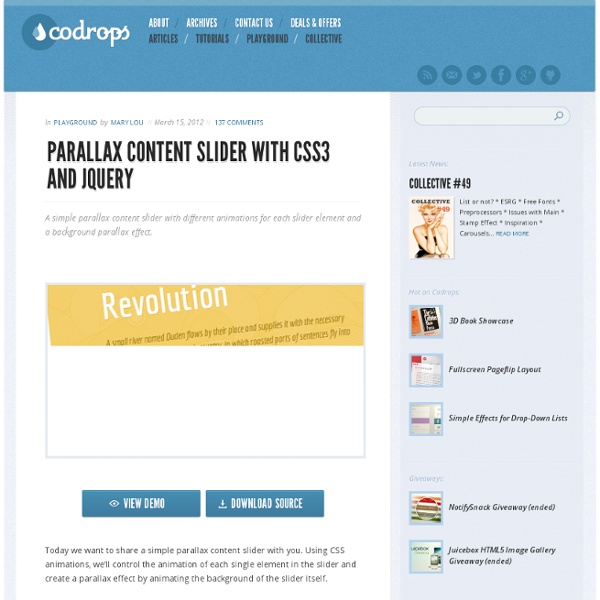
18 Most Popular jQuery Plugins of March 2012 It is time we go through our monthly roundup of the most popular jQuery plugins of March 2012, you will definitely want to try these. 1. mailcheck.js Suggests the right domain when your users misspell it in an email address. 2. Beautifully crafted timelines that are easy, and intuitive to use. 3. A JavaScript library for multi-touch gestures. 4. A simple parallax slider with different CSS3 animations for each slider element and a background parallax effect. 5. TypeButter allows you to set optical kerning for any font on your website. 6. A simple plugin used to bring stylish image hover effects. 7. Detects and validates credit card numbers. 8. A slideshow plugin with lovely transition effects and works very well with responsive layouts. A plugin that will automatically generate a table of contents for your page. 10. A CSS3-based tooltip, not merely a one-style tooltip but seven. 11. A plugin to create interactive pictures with extra descriptions. 12. 13. 14. 15. 16. 17. 18.
Best jQuery Plugins Of Early 2012 jQuery is the best Java Script library and jQuery Plugins are always helpful for web developers when they need to add amazing effects to their websites. jQuery has really taken over the role of Flash in web designs. You can create so many effects with the use of jQuery in your website designs. I am a great fan of jQuery this is the reason I always compile the best jQuery resources for the readers of Stylish Web Designer the web design blog. The new year has just started and we are about to enter the third month of this new year. In these two months so many great web development resources have been released and in this post I am going to showcase the best jQuery Plugins of early 2012 for web developers. Also See Arctext.js - Curving Text Demo Download jQuery Collapse A Lightweight jQuery plugin that enables expanding and collapsing content. Download Promptumenu Demo Download Scrolldeck Demo Download SlabText Demo Download Scrollorama A jQuery plugin for scrolling effects. Demo Download Stellar.js Demo Demo
10 Best jQuery Plugins of March 2012 jQuery can be defined as a cross browser JavaScript library. It is basically designed to simplify the client side scripting of HTML. jQuery was released in January 2006. jQuery is one the most popular and efficient JavaScript library used today. This is due to a lot of reasons. It has a lot of advantages. The major one being that it is absolutely free and open source software and also, it is dual licensed . With the help of jQuery you can easily navigate a document easily . you can also select DOM elements and create animations . Apart from these it has a lot more advantages. jQuery has cross browser support and in addition it has various utilities like feature detection and user agent information. A few days ago, we had provide some best resources about jQuery as jQuery plugins, jQuery tooltip plugins and jQuery mobile plugins. 1) sammyjs Sammy.js is a tiny JavaScript framework developed to ease the pain and provide a basic structure for developing JavaScript applications. 2) timeline
10 Best jQuery Plugins of February 2012 jQuery are most popular technology/techniques with web applications, mobile applications and create impressive effects. jQuery is the famous JavaScript library, you can include this library in web applications to make projects more stand and effective with cool techniques. This jQuery library used to develop Ajax based applications, web 2.0 web applications and make code more simple and easy to JavaScript programmers. jQuery have a big collection of plugins that helps designs and developers to make easy web designs project. Also jQuery plugins are used by a lot of designers across the globe and the fact that it comes with these plugins makes it more powerful. The designers use these plugins to create attracting effects and animations in their website which also increases the interaction value of their web site because it attracts the visitors and leaves a great impact on them. A few days ago, we had covered some best jQuery plugins of 2012 at Technotab.com.
35 Fresh and Useful jQuery Plugins Oct 20 2009 Quick and powerful, jQuery can help designers and developers create awesome interactive websites that are appealing and accessible to the widest range of browsers. For your audience, the visit to your site will be both exciting and entertaining. Here are 35 useful fresh jQuery plugins focusing on navigation, gallery and slideshows, calendars, tab browsing and further resources to reduce time and effort while increasing your audience. You may also want to consider our previous articles: Navigation jQuery Plugins Leopard Desktop with jQuery using jqDockjQuery adds a whole lot of cool functionality to your websites. jQuery Keyboard Navigation PluginThe jQuery Keyboard Navigation Plugin provides the capability for elements on a page to be navigated and activated via the keyboard’s up, down, right and left arrow keys. jQuery PluginsThis plugin is for Ajax-driven pages to have back/forward navigation and to allow bookmarking. jQuery (mb)Menu 2.6 (New!) Tab browsing with jQuery markItUp!
jeresig/jquery.hotkeys lightbox/jquery-keynav Adding Keyboard Navigation Watch Watch Adding Keyboard Navigation screencast (Alternative flash version) QuickTime version is approximately 28Mb, flash version is streaming. View the demo used in the screencast Important change During the screencast I use body (though my original choice was window), but this doesn’t work in IE. The problem Mathieu White got in touch with me to ask how to add the keyboard support to his site. Since jQuery lends itself to finding something, then doing something to it, I would let the slider code run, then find the links on the page used to navigate the slider, and trigger them as appropriate on keyboard input. The task is to slide the panels left or right, depending on which cursor key is pressed on the page. The solution As Mathieu’s slider is the primary focus of the page, we want the keyboard support to apply from anywhere on the page. We need a keyboard event listener on the document.documentElement element as this is the best point for a catch all element (to work in all browsers).
Navigation A complete navigational system Scroll through these elements by using your up/down/left/right and by clicking on the navigational elements or the large images themselves. New York City, United States Barcelona, Spain Berlin, Germany standalone demo This demo showcases the endless possibilities available. HTML coding We have one vertical scrollable and three horizontal scrollables nested inside the vertical one. CSS coding Our CSS uses the principles learned in the minimal setup and in the vertical setup .
About the New Thinking for a Living February 20th, 2010 About the New Thinking for a Living By Frank Chimero After a spirited, inspiring pow-wow in the desert last year, Duane, Shane, Bob, Ian and I decided we needed to drastically rethink Thinking for a Living. With that in mind, we looked at the website and realized that it needed to be reconsidered as a place for reading and thinking. Keyboard Clicking on the arrows is cool, but there’s a better way. Features & Issues We’re calling our long-form content features. Curated Curated is a collection of selected work from around the web. Digest Digest is a sorted compilation of the portfolios of our industry’s finest creatives. Shelf Shelf is our collection of recommended reading. Network Contributors, supporters and brothers- and sisters-in-arms. Subnavigation Links iPod, iPad, iPhone Yes, the site looks and works great on multi-touch devices. Horizontal > Vertical We took our website and turned it sideways. Outro That about covers it.
How to Build a Site With Keyboard Navigation: PSD to HTML Today we’ll be looking at how to add keyboard navigation to a website using a few simple lines of JavaScript. First we’ll create a simple site theme in Photoshop and then transform it into a working website that uses keyboard functions to switch pages. Here’s a screenshot of what we’ll be building. Click on the picture to see the live example: Photoshop Work To start things off, open Photoshop and create a new 800px by 600px document at 72dpi. Radial Gradient Next grab the gradient tool and stretch a radial gradient over the background. Type Now grab the type tool and choose a font. Inner Shadow Now place an inner shadow on all the text layers you just created using the settings above. Navigation Key Now create a key to instruct users how to use the keyboard navigation feature. Arrows Grab the custom shape tool (found under the rectangle tool fly out menu) and select an arrow as your shape. Save the Four Versions Now go to “Save for Web & Devices” under the file menu. The HTML Adding the CSS Fin!
Lateral On-Scroll Sliding with jQuery After getting the request, we are going to show you how to create a "slide-in on scroll" effect. You've probably seen this cool effect on some websites, like on Nizo or in the portfolio section of brilliantly designed La Moulade. The main idea is to laterally slide in elements depending on the scroll position of the document. Dividing the page into a left and right side, we want to move the elements from "outside" of the page to the center when they are in the viewport. View demo Download source After getting the request, we are going to show you how to create a “slide-in on scroll” effect. The theme of today’s tutorial is going to be a timeline where we will have some circular elements on one side and the descriptions on the other. So, let’s start! The Markup The HTML structure is going to consist of a main container and some rows that we’ll use to place the left and the right elements. The CSS The row will serve as a wrapper for the left and right elements: The style for the description: