

HTML5 Bookmarks - daily news articles and bookmarks 22 Brilliant and Advanced jQuery Effects to WOW Your Visitors The jQuery library provides several techniques for adding animation to a web page. These include simple, standard animations that are frequently used, and the ability to craft sophisticated custom effects. In this article we've gathered 24 brilliant and advanced jQuery effects that can really surprise your visitors by their beauty and usability. 24 Brilliant and Advanced jQuery Effect iCarousel iCarousel is a beautiful and simple horizontal image slider, with a beautiful look. jQ Fancy Transitions jqFancyTransitions is an easy-to-use jQuery plugin for displaying your photos as a slideshow with fancy transition effects. BG Image Slideshow Above, you see an example of a beautiful advanced background image slideshow, recreated after the effect as seen on the website from Philadelphia. Apple-like jQuery Effect This beautiful and awesome jquery plugin, creates a zooming glass which acts as a retina display zoomer. Circulate Circulate is a very funny and interesting plugin built with jquery.
CSSComb - Réorganiser automatiquement ses propriétés CSS CSSComb est un outil gratuit permettant de réordonner automatiquement ses propriétés CSS afin de conserver une clarté de lecture et de maintenabilité. Ordonner d'une manière spécifique ses propriétés CSS dans une feuille de style est quelque chose que nombreux d'entre vous faites déjà manuellement. Tout simplement parce que cela vous permet de conserver une lecture rapide de votre style et de pouvoir modifier rapidement ce dernier si besoin. Imaginons que vous travailliez en équipe sur une intégration CSS, et que votre collègue n'a pas la même rigueur que vous. CSSComb est un outil gratuit qui peut s'intégrer dans votre IDE favori. Il dispose aussi d'une version en ligne efficace: Avec en prime un outil de diff entre la version entrée et la version ordonnée à titre comparatif. CSSComb peut être configuré pour trier les propriétés selon votre ordre préféré, mais l'ordre par défaut est plutôt bien pensé (Les propriétés les plus importantes en premier ...). Site Officiel
Le BlogDuWebdesign boost l'inspiration des intégrateurs #4 - inspiration-integration Découvrez sur le Blog du Webdesign 10 animations CSS3 sans javascript ! Les animations et transitions CSS3 Qu'on se le dise, il n'est plus obligatoire d'utiliser du Javascript pour avoir de jolies animations sur son site ! Le CSS3 fournit deux outils vraiment très bien : les transitions et les animations. Les Transitions ne sont ni plus ni moins qu'un moyen de répartir le changement d'une propriété (par exemple un changement de couleur de texte au survol) dans le temps, pour donner un effet d'apparition, par exemple. Les animations sont bien plus que ça: Il est possible grace à elles de définir des images clés, et les transitions qui doivent être appliquées pour passer d'une image a l'autre ! Attention, ces deux propriétés ne sont pas supportés par internet explorer 9 et inférieur. Pour illustrer ce que l'on peut faire avec tout ça, découvrez 10 animations ne contenant pas de Javascript (ou alors n'utilisant le Javascript que pour des taches annexes, comme détecter un clic).
Creating a Slick Auto-Playing Featured Content Slider I love the Coda Slider plugin for jQuery. I've used it recently to build a couple of tabbed "widgets". One here on CSS-Tricks in the sidebar to show Script & Style links, Featured Posts, and Popular Posts. Just kind of a fun way to show lots of content in a small area. Both of these examples use the Coda Slider pretty much "out of the box". View Demo Download Files Functionality Checklist Like I said, the Coda Slider was 90% there already. Here is what we need in addition: Different types of custom content in the panels. Let's go through the HTML, CSS, and JavaScript. The HTML Here is the framework HTML for just the slider itself: <div class="slider-wrap"><div id="main-photo-slider" class="csw"><div class="panelContainer"><div class="panel" title="Panel 1"><div class="wrapper"><! The CSS The full CSS for this example has a basic reset, some utility styles and basic structure. The JavaScript In the header section of your HTML, you'll need to include jQuery and all the plugin files. Share On
23 Examples of jQuery Plugins in Website Design jQuery plugins can bring your website alive, and the very best part is that you don't need to code them yourself as there are numerous libraries and individual sites offering the code often for free. Implementing these plugins can create a very professional appearance on any website, and there is sure to be the right style for the project you are working on. In this showcase we bring you a selection of websites that have used jQuery plugins that suit the style of their site and enhance the user experience. 26 Awesome jQuery Plugins in Website Design Zottarella iCarousel is a simple horizontal image slider, with a beautiful look. Chico Web Design jqFancyTransitions is an easy-to-use jQuery plugin for displaying your photos as a slideshow with fancy transition effects. Weluse Here is an example of a beautiful advanced background image slideshow, recreated after the effect as seen on the website from Philadelphia. Studio51 Circulate is a very funny and interesting plugin built with jQuery.
CSS selectors - mobile Page last changed today Here are almost all CSS2 and 3 selectors, and the CSS3 UI selectors (mostly structural pseudo-classes). This is the mobile table. See also the desktop table. Last major update on 1 October 2013. See also the CSS3 User Interface spec. iOS 6 WebKit 536 Default browser on iPhone 4S with iOS 6.1.3 iOS 7 WebKit 537 Default browser on iPad 2 with iOS 7.0 Android 2 WebKit 533 Default browser on HTC Legend, Android 2.2 Default browser on LG Optimus something, Android 2.2 Default browser on Samsung Galaxy Pocket, Android 2.3.6 Android 3 WebKit 534 Default browser on Packard Bell tablet, Android 3.2.1 Android 4 Default browser on Samsung Galaxy Note I, Android 4.0.3 Default browser on Sony Xperia S, Android 4.0.4 Default browser on Xiaomi M2, Android 4.1.1 Default browser on Huawei C8813, Android 4.1.1 Default browser on Samsung Galaxy S3, Android 4.1.2 Default browser on HTC One X, Android 4.2.2 Chrome 18 WebKit 535 Default browser on Samsung Galaxy S4, Android 4.2 On Sony Xperia S, Android 4.0.4.
10 Useful Web Application Interface Techniques Advertisement More and more applications these days are migrating to the Web. Without platform constraints or installation requirements, the software-as-a-service model looks very attractive. In the past we didn’t cover web applications the way we should and now it’s time to take a closer look at some useful techniques and design solutions that make web-applications more user-friendly and more beautiful. Please feel free to suggest further ideas, approaches and coding solutions in the comments to this post. and Twitter You may want to take a look at the following related articles: 1. Simplicity is important in user interface design. When you click on the search link in Kontain’s search box, a similar drop-down menu appears. One way of making things simpler is to hide or conceal advanced functionality. When you click on the search link in CollabFinder, you aren’t taken to a different page. 2. It’s important to select the right interface controls for the situation. 3. 4. 5. 6. 7. 8. 9. 10.
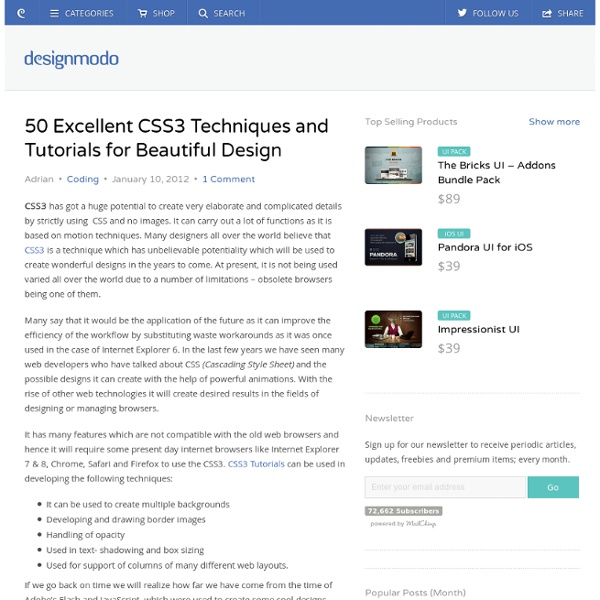
50 Excellent CSS3 Techniques and Tutorials for Beautiful Design CSS3 has got a huge potential to create very elaborate and complicated details by strictly using CSS and no images. It can carry out a lot of functions as it is based on motion techniques. Many designers all over the world believe that CSS3 is a technique which has unbelievable potentiality which will be used to create wonderful designs in the years to come. At present, it is not being used varied all over the world due to a number of limitations – obsolete browsers being one of them. Many say that it would be the application of the future as it can improve the efficiency of the workflow by substituting waste workarounds as it was once used in the case of Internet Explorer 6. It has many features which are not compatible with the old web browsers and hence it will require some present day internet browsers like Internet Explorer 7 & 8, Chrome, Safari and Firefox to use the CSS3. Create an Audio Player in HTML5 & CSS3 Filter Functionality with CSS3 Create CSS3 Pricing Tables CSS3 Lightbox
20+ Demos Showing Advanced jQuery Effects Just a short while ago, Flash was one of the primary technologies used by web designers to add interactivity to a website. Since the introduction of the iPad, with its lack of the Flash Player, there’s an acceleration in the web development world to use alternative technologies to Flash, such as jQuery, Ajax and others. Although Flash is still a very powerful and useful tool, which works great on many cases, several of the effects that web designers are accustomed to creating in Flash, can be just as easily implemented using jQuery. Here are 21 online demos that show the power of jQuery for creating advanced effects and interactivity that can rival Flash. 1. This demo mimics the popular card flip technique which can rotate an element 360 degrees around its own x or y‑axis. 2. jQuery Quicksand plugin This is a great plugin for sorting an array of elements/icons on a page with nice fade-in/fade-out and animation effects. 3. 4. 5. 6. 7. jQuery Circulate 8. 9. 10. 11. 12. 13. 14. 15. 16. 19. 20.