

Java for C++ Programmers (prepared by Prof. Marvin Solomon U. Wisconsin- and slightly modified by me) Contents Introduction Applications vs Applets The first thing you have to decide when writing a Java program is whether you are writing an application or an applet. An application is a stand-alone program. Java was orginally designed to build active, multimedia, interactive environments, so its standard runtime library has lots of features to aid in creating user interfaces. JavaScript You may have heard of JavaScript. The Java API The Java langauge is actually rather small and simple - an order of magnitude smaller and simpler than C++, and in some ways, even smaller and simpler than C. java.lang contains things like character-strings, that are essentially "built in" to the langauge. A First Example Large parts of Java are identical to C++. /** Sort the array a[] in ascending order ** using an insertion sort. void sort(int a[], int size) { for (int i = 1; i < size; i++) { // a[0..i-1] is sorted int x = a[i]; int j;
Programming & Developer Certifications As one of the people who sits and creates the software that runs our lives and businesses, it is important that you can verify your skills to future and current employers. There are several great certifications out there to do just that. The following is a list of some of the most popular and where to get more information about each. BEA Certified DeveloperBEA Systems Site Offers three specializations to choose from: Portal Solutions, Build Solutions, and Integration Solutions. Brainbench Certified Internet Professional (BCPIP) - Web DeveloperBrainbench WebsiteThis online certification requires four online exams that typically cost $49.95. Certified Internet Webmaster (CIW) CertificationsCIW Certification Site Master CIW Enterprise DeveloperAn advanced certification, this requires eight exams at $125. Macromedia MX CertificationsMacromedia's Site Each certification listed requires only 1 exam for $150. IBM CertificationsIBM Website SAS CertificationsSAS Website
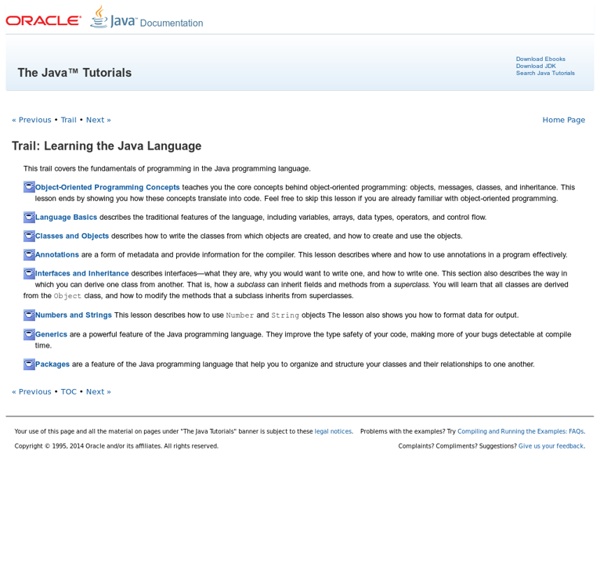
Trail: Learning the Java Language (The Java™ Tutorials) This trail covers the fundamentals of programming in the Java programming language. Object-Oriented Programming Concepts teaches you the core concepts behind object-oriented programming: objects, messages, classes, and inheritance. This lesson ends by showing you how these concepts translate into code. Feel free to skip this lesson if you are already familiar with object-oriented programming. Language Basics describes the traditional features of the language, including variables, arrays, data types, operators, and control flow. Classes and Objects describes how to write the classes from which objects are created, and how to create and use the objects. Annotations are a form of metadata and provide information for the compiler. Interfaces and Inheritance describes interfaces—what they are, why you would want to write one, and how to write one. Numbers and Strings This lesson describes how to use Number and String objects The lesson also shows you how to format data for output.
JAVA vs C++ Contents In Java, every variable, constant, and function (including main) must be inside some class. Here's a simple example program: class Test { public static void main( String [] args ) { System.out.println("Hello world!") Things to note: There is no final semi-colon at the end of the class definition. Assume the following declarations have been made: int x = 20, y = 10; What is printed when each of the following statements is executed? System.out.println(x + y); System.out.println(x + y + "!") solution C++ Files vs Java Files A C++ programmer deals with source files, object files, and executable files: Source Files: .h and .cc (or .cpp or .C) created by: you (the programmer) contain : C++ source code two kinds : .h (header files) contain class definitions and function specifications (just headers - no bodies) must be included by every file that uses the class / calls the functions .cc contain implementations of class member functions and "free" functions, including the main function Notes:
Sun Microsystems - Sun Developer Network (SDN) Oracle Technology Network > Java Software Downloads View All Downloads Top Downloads New Downloads What's New Java in the Cloud: Rapidly develop and deploy Java business applications in the cloud. Essential Links Developer Spotlight Java EE—the Most Lightweight Enterprise Framework? Blogs Technologies Contact Us About Oracle Cloud Events Top Actions News Key Topics Oracle Integrated Cloud Applications & Platform Services List of Java keywords A snippet of Java code with keywords highlighted in blue and bold font List[edit] The following is a list of Java keywords, along with brief descriptions of their functions:[2] abstract boolean break byte The byte keyword is used to declare a field that can store an 8-bit signed two's complement integer.[7] This keyword is also used to declare that a method returns a value of the primitive type byte.[9] case The case keyword is used to create individual cases in a switch statement; see switch.[10] catch Defines an exception handler—a group of statements that are executed if an exception is thrown in the block defined by a preceding try keyword. The char keyword is used to declare a field that can store a 16-bit Unicode character.[7] This keyword is also used to declare that a method returns a value of the primitive type char.[9] Although reserved as a keyword in Java, const is not used and has no function.[2] For defining constants in java, see the 'final' reserved word. default do double finally float
Java Design Patterns With Examples IntelliJ IDEA Cheat Sheet from DZone Refcardz By Hamlet D'Arcy Software developers know the importance of using the best tool for the job. Often this means choosing a world-class integrated development environment (IDE), which JetBrains’ IntelliJ IDEA certainly is. But the best developers don’t just have the right tools, they are experts in those tools. This is a guide to becoming that expert. The basics of navigating and understanding the IDE are covered; but this guide is really about unlocking all the powerful features of the tool and helping you be more productive. Getting Yourself Oriented The three most important elements of the IDE are the Editor pane (a), where your code is shown, the Project pane (b), where your project’s contents are shown, and the Structure pane (c), where the details of the open object are shown. Editor Pane: Shows the currently active file, with recently viewed files in the tab bar. Navigate faster by learning these commands: Edit faster by learning these commands: Getting Yourself Oriented, continued Scopes
Java For Complete Beginners - formatted strings Strings of text can be formatted and output with the printf command. The printf command understands a series of characters known as a format specification. It then takes a string of text and formats it, based on the format specification passed over. The first column is left-justified, and the second column is right-justified. String heading1 = "Exam_Name"; String heading2 = "Exam_Grade"; System.out.printf( "%-15s %15s %n", heading1, heading2); To get the left-justified column, you need a percentage symbol, a minus symbol, the number of characters, and then the letter "s" (lowercase). To get a right-justified column the same sequence of characters are used, except for the minus sign. To get a newline %n is used. After a comma, you type the text that you want formatting. Here's some tables of the various options. String Formatting If you want to format numbers then you can either use the "d" character or, for floating point numbers, the "f" character. Integer Formatting