

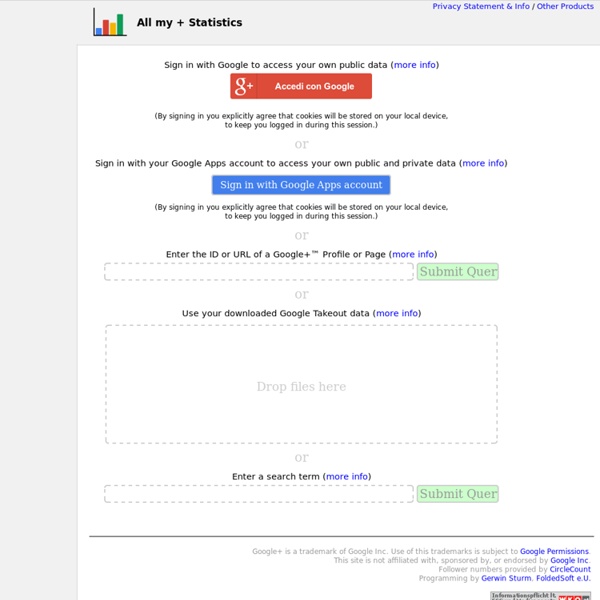
Google+ statistics - Check my most popular posts Circle creator of this stats tool Check your own stats: Total posts:683Total pluses:2945 (avg: 4.31/post)Total shares:1160 (avg: 1.7/post)Total comments:1863 (avg: 2.73/post)Do you want an EBOOK of your best posts - get it here My top posts (super secret Algorithm) Android 4.0 on your laptopWhat does one do with some spare hours and an old laptop/netbook? The good thing is, it’s all accomplished with open source software. My conclusion this far: it works pretty good with a keyboard and mouse/trackpad input, maybe even better for writing messages etc. than on a tablet. The necessities: 1. the Android for PC installation file: . Some notes:I tried to install Android on an SD-card, but this failed, for whatever reason (even though I read somewhere it should be possible). Remaining question for now:is it in any way possible to increase the hard disk space that is allocated to Android? #mvanb_misc #android ? On Ingress, Enmity and Group Dynamics: Love thy EnemyIt is a game.
Connaître ses statistiques Google Plus en détails Les utilisateurs de Google+ sont de plus en plus actif, de nombreuses marques ont donc investi le réseau et décidé d’animer une page. Les communautés lancées récemment sont elles aussi de plus en plus utilisées. Mais côté administrateur, impossible jusqu’à présent d’avoir des reporting et statistiques sur l’activité de ses pages. Contrairement à Facebook, qui offre des insights très complets, G+ ne propose aucun outil de monitoring. Il existe cependant un outil très simple qui permet la création de statistiques particulièrement pertinentes : All My + Statistics. Des statistiques globales sur les pages et profils G+ Derrière l’interface épurée développée par Gerwin Sturm, se cache un outil déroutant de simplicité. Une fois l’URL de la page à analyser renseignée, les donnée sont rapatriées en quelques secondes seulement et compilées en statistiques globales. En choisissant un mot clé, on obtient des stats affinées qui s’avèrent très intéressantes. Des statistiques détaillées L’overview :
5 Top Google+ Tools and Apps for Marketing Pros Are you looking for Google+ apps and resources to enhance your marketing? This article reveals five categories of tools and apps you can employ to greatly enhance your Google+ experience. Check this out: Thirty-six percent of brands on Google+ have seen a 100% increase in circle size in less than 3 months, according to a recent study by Simply Measured. This is a stunning metric when one considers that there’s no Google+ advertising platform to fuel campaigns. Brands are forced to use great content to engage and can’t “pay to play” by using sponsored stories or other advertising gimmicks. A Bad Workman Blames His Tools With this spike in activity, developers are scrambling to create tools to help businesses of all sizes manage, integrate and promote their Google+ communities. This new frontier is a bit rocky as the needs driving Google+ management are still taking shape. Once you’ve got your roadmap, I hope a few of the tools below will help you on your journey. #1: Google+ Widgets inShare733
Track Google Plus Referrals in Google Analytics! » SEO News PageTraffic Buzz With the ever increasing Google +'s membership figures wouldn't it be great to be able to track the referrals in Google+ using Google Analytics? This could enable you to get a clear picture of the source of the traffic to you. As successfully demonstrated by Andrew Shotland, he “adapted (aka “ripped off”) this great post from Sebastien Page” who in turn gives “full credit” to Ruben Yau. Following are the steps adapted: “Go to your Google Analytics account and click on Filter Manager > Add Filter, and enter the following information: 1) Filter Name: Full Referrer (or whatever you want to call it) Filter Type: Custom Filter Advanced Field A -> Extract A: Referral (.*) Field B -> Extract B: leave blank Output To -> Constructor: User Defined $A1 Field A Required: Yes Field B Required: No Override Output Field: Yes Case Sensitive: No It should look like this:” 2) Now, when you go on the dashboard, in the left-hand navigation, click on the 'Visitors'. It is further suggested: Get FREE Updates
Google Adresse fait peau neuve… ou se fait croquer par Google+ Google, tiens, ca faisait un petit moment qu’on n’en avait pas parlé. Juin est un mois très dense en termes d’innovations et d’annonces de tous les grands du web, hier, c’était Apple qui au passage abandonne Google Maps (et donc Streetview), il y a deux semaines, c’était Facebook (je vous rappelle le très riche article de Nicolas sur les nouveautés Facebook), la semaine dernière c’était au tour de Google d’annoncer plusieurs changements dans sa cartographie, je vous laisse lire les nombreux articles sur l’arrivée de la carto 3D présents en ligne. Je vous propose de se focaliser sur les changements apportés à Google Adresse, qui est souvent un sujet exploré par les structures lancées dans l’animation numérique de territoire. 1 – Même si tu n’as rien demandé… Google+ tu consulteras Une Google Adresse qui s’approche d’une fiche touristique de SIT Google a totalement revu la présentation et l’ergonomie d’une fiche détaillée.
Social media: beyond the hype Most new technologies are met with excitement from some and scepticism by others. Social media is no exception. And even technologies that change society, as communications technologies often do, are eventually seen as passé once they are widely adopted. Information technology research company Gartner coined the concept of a ‘hype cycle’ to describe perceptions of new technologies as they are introduced and adopted. Phones, radios, television, email, and mobile phones were all once novel technologies. So where is social media in the hype cycle? To answer that question, try asking yourself: Do your staff use social media in their professional or personal lives? If you answered “yes” to any of these questions then social media probably has a place in your organisation’s communications toolkit. At the recent Inaugural Evaluation and Measurement Forum, I asked the audience of communications professionals for a show of hands to see who used social media in their personal lives: everyone did.
+1 reporting in Google Webmaster Tools and Google Analytics Webmaster level: All It’s been a busy week for us here at the Googleplex. First we released +1 buttons to Google search sites globally, then we announced the beginning of the Google+ project. The +1 button and the Google+ project are both about making it easier to connect with the people you trust online. For the +1 button, that means bringing advice from trusted friends and contacts right into Google search, letting the users who love your web content recommend it at the moment of decision. But when you’re managing a website, it's usually not real until you can measure it. First, +1 metrics in Google Webmaster Tools can show you how the +1 button affects the traffic coming to your pages: The Search Impact report gives you an idea of how +1‘s affect your organic search traffic. Finally, you can also see how users share your content using other buttons besides +1 by using Social Plugin Analytics in Google Analytics. Social reporting is just getting started.
Reserver une table directement depuis Google + Places avec OpenTable ... uniquement aux USA pour l'instant... mais bientot en France sans doute :) Unlike the Corporate Media, Citizens Aren’t Buying Romney’s Debate Lies A new tool was applied to social media following the presidential debate, and it showed that public sentiment was Obama won on substance, whereas Romney appeared to win by lying. The ability of social media to spread the word about fact-checks has changed the game. NBC used a tool called ForSight, used to gauge public opinion in new media, to conclude that by Friday there was a sustained social media backlash against the punditry calling the Denver presidential debate for Romney. The new meme was that if Romney “won”, he did so by lying, whereas Obama had won on substance. The immediate consensus that Mitt Romney won Wednesday’s presidential debate has eroded significantly as fact-checkers have weighed in and supporters of President Barack Obama have fought back, according to NBCPolitics’ computer-assisted analysis of more than 1.3 million post-debate comments on social media. I am not presenting these revelations to argue that Obama won the debate. Image: NBC
Google+ Statistics Widget Code. Google+ Widget HTML Code As part of the Google+ project tracking tools, the statistics widget is the way in which we will all show our popularity to website visitors. The all new Google+ Statistics Widget is a section of code which displays the basics about your Google+ profile. Before you zoom off to get your own Google+ website widget code, please +1 this page! Instruction to get your Plus 1 Widget: First visit the social statistics website. Then in the top right hand corner of the web-page, you will see ‘Track your Google+ statistics’. At the top of the page is a link to get your widget code, you’ll it reads: ‘Check more detailed historical statistics”. Once you click through the link you’ll get to the page Personal Statistics for: [Your Profile Name]. The widget displays your profile name, number of Google+ followers, number of profiles you are following and a link to your profile.
Comment une PME peut profiter de Pinterest Pinterest est sans aucun doute la plateforme sociale de l’heure sur le Web. Ce site est en fait un énorme babillard qui permet de créer des albums photos regroupés par thématiques. Jusque-là rien de bien nouveau, sauf que Pinterest offre des fonctionnalités qui permettent de partager les photos et albums.LES UTILISATEURS CRÉENT DES ALBUMS THÉMATIQUES Pour les utilisateurs, Pinterest permet d’assembler des albums photos sur des thématiques précises. Par exemple, un album sur des articles de décoration, les tendances de la mode 2012 ou encore des idées d’aménagement paysager. Les photos peuvent provenir de n’importe quelle source sur le Web. Pour les entreprises, Pinterest est une opportunité de faire connaître les produits et services qu’elle offre. L’un des intérêts de Pinterest c’est que vous pouvez associer un lien URL à vos photos. Pinterest ne s’adresse pas à n’importe quel type d’entreprise. Pinterest n’est évidemment pas parfait. Pinterest est la plateforme sociale de l’heure.