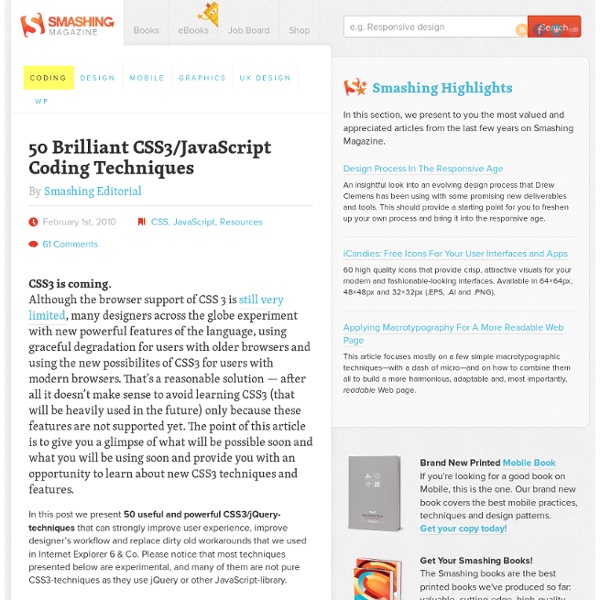
50 Useful Coding Techniques (CSS Layouts, Visual Effects and Forms) - Smashing Magazine
Advertisement Although CSS is generally considered a simple and straightforward language, sometimes it requires creativity, skill and a bit of experimentation. The good news is that designers and developers worldwide often face similar problems and choose to share their insights and workarounds with the wider community. This is where we come in. You may want to look at similar CSS-related posts that we published last months: CSS Layouts: Techniques And Workarounds Facebook Style Footer Admin Panel4Learn how to re-create the Facebook footer admin panel with CSS and jQuery. Adaptable View: How Do They Do It? Easy Display Switch with CSS and jQuery9A quick and simple way to enable users to switch page layouts using CSS and jQuery. Quick Tip – Resizing Images Based On Browser Window Size11In fluid layouts, formatting text to adjust smoothly to window size is easy, but images are not as fluid-friendly. CSS3 Drop-Down Menu19A clean, simple a nice navigation menu, designed by Nick La.
45 Powerful CSS/JavaScript-Techniques - Smashing Magazine
Advertisement CSS and JavaScript are extremely powerful tools for designers and developers. However, sometimes it’s difficult to come up with the one excellent idea that would solve a problem that you are facing right now. Good news: almost every day designers and developers come up with fresh and clever CSS tricks and techniques and share them with other developers online. In this post we present 45 useful CSS/JavaScript-techniques that may help you find clever solutions to some of your problems or just get inspired by what is possible with CSS. Please notice that this is the first part of our large round-up of fresh CSS/JavaScript-techniques. We are aware that many readers are tired of “lists” floating around in the Web, but we are confident that the vast majority of our visitors will benefit from this post format and will find at least some of the techniques featured in this post useful. Interesting CSS Techniques CSS Navigation Menus Sproing! CSS Typography and Body Copy CSS Lists
Multiple Borders with CSS
While fiddling around with the CSS3 box-shadow property, I stumbled across a method to put a double border on a single element. I thought to myself, that’s pretty cool, but obviously, it will only work in newer browsers that support box-shadow. So I wondered how many different ways there are to create an element that has the appearance of a double border. So, I’ve compiled five different methods for doing this. Method 1: Border and Outline This method will only work on browsers that support the outline property, so that means everything but IE6/7. The reason it works is because an outline is always placed outside of the box. Method 2: A Pseudo-Element This one’s a bit tricky, because it requires (from what I can tell) absolutely positioning the border—which would seem to make it non-fluid. The key parts are the z-index settings (to keep the pseudo-element from overlapping the content), the positioning, and the min-height value. Method 3: Box Shadow Method 4: An Extra Div Any Other Methods?
jQuery: The Write Less, Do More, JavaScript Library
Vertical Sliding Info Panel With jQuery
This is an example of simple page that's centered and has a vertical sliding panel on the far left (try it! click on the 'infos' tab that's on the left!). We used jQuery to create this sliding panel (and CSS3 rounded corners because it looks cool) Lorem ipsum dolor sit amet, consectetur adipiscing elit. Ut eget eros libero. Ut purus metus, fermentum vitae pulvinar vel, elementum eget nulla.
CSS3 animations and their jQuery equivalents
As you might know already, I'm not a big fan of animations that are added in CSS3. Yet, several people on Twitter told me why they really like the feature. At that point, I wanted to play around with it too. At the same time, I wanted to see if those animations with CSS3 could be created with jQuery too (especially for those browser that don't support CSS3 animations yet). This tutorial/these examples will show the use of the same HTML, with different classes for CSS3 and jQuery. IMPORTANT NOTE: Sadly, CSS3 and HTML5 aren't the standards (yet) these days (when will it ever be?). With that said, check out how you can re-create these and learn some more about CSS3 animations and jQuery. Video Here's a small example video showing both the CSS3 and jQuery animations inside the latest version of Safari. Of course, if you're running Safari or Chrome, you can view all examples yourself. Fade For our first effect, we'll do a simple fade. jQuery The jQuery example is just as elegant as the CSS3 one.
30 Incredibly Useful & Fun HTML5 Mobile Apps | Web.AppStorm
With a combined app count that exceeds about 400,000 in the app stores of Apple & Android, why would anyone want to use mobile web apps? Openness and a level playground are the two things that keep web developers going. It might be in its infancy, but HTML5 is the next 500 pound Guerrilla and much more as far as Internet is concerned. With features like plugin-less video playback, offline storage, geo location etc., HTML5 is on the verge of giving walled gardens like Adobe Flash, Microsoft Silverlight, Cocoa a good run for their money. After the jump, we have compiled a list of HTML5 web apps developed for accessing from your smartphones. Canvas Canvas Canvas is a simple drawing application that allows you to quickly sketch ideas and create drawings. Platform: iOS & Android Geo Meter Geo Meter Detailed readouts of your location data, including information such as latitude, longitude, altitude, speed, heading and more can be determined using Geo Meter. Card Flip Card Flip Platform: iOS Checklist
Google Plus Circle Animation With Jquery and CSS3 in Your Website — Tech Blog
If you are a Google plus user, I am sure you will fall in love with Google plus circle animation. Google plus given an awesome user experience, specially circle’s animations. When I saw the rotation animation first time in Google plus, I was so excited to create my own rotation animation like Google plus. I have been working in these days to develop circle rotation animation effect with Jquery and CSS3. I have tried circle rotation animation effect with Jquery and CSS3. Click here to watch live demo T1 Click here to watch live demo T2 Circle CSS3 circle diameter 50px