
background preloader

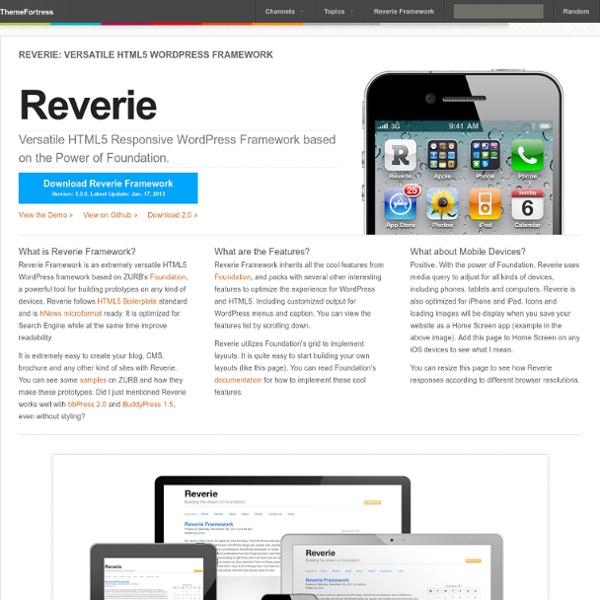
Reverie: Versatile HTML5 WordPress Framework

Reverie: Versatile HTML5 WordPress Framework

The Top 10 WordPress Theme Frameworks Vendors who are part of the IAB TCF935Reject allAccept all Purposes (Consent):Store and/or access information on a deviceCreate profiles for personalised advertisingUse profiles to select personalised advertisingPurposes (Legitimate Interest):Use limited data to select advertisingMeasure advertising performanceUnderstand audiences through statistics or combinations of data from different sourcesDevelop and improve servicesSpecial Purposes:Ensure security, prevent and detect fraud, and fix errorsDeliver and present advertising and contentSave and communicate privacy choicesCategories of data:IP addressesDevice characteristicsDevice identifiersProbabilistic identifiersBrowsing and interaction dataUser-provided dataNon-precise location dataUsers’ profilesPrivacy choicesData Retention Period:31 daysYour Consent:Consent expiry: 5 years 1 dayCookie expiry may be refreshed during the lifetime.Tracking method: Cookies onlyShow details

first - Mobile First Web App Theme first is a mobile first web app / admin dashboard theme with flat ui based on Bootstrap 3, it’s lightweight but with many components suit to your need. it’s fully responsive, the widgets and components are mobile first. Note: the live preview demo is protected by gzit, only the purchased file have the separate css and js files. Features: Lightweight Flat ui with clean style Many components Mobile widgets Base on Bootstrap 3 (v.2.0) Html5 Markup & CSS3 Easy colors change base on Color Scheme Slide and Fade carousel Panel and List group mobile widgets Enhanced lightweight Chart components Shift js let you move the Dom when screen change Change log v.3.3.1 – 15 April 14 - update to Bootstrap 3.1.1 - include open sans font v.3.3.0 – 24 January 14 - update to FontAwesome 4.0.3 - update to Bootstrap 3.0.3 v.3.2.3 – 19 October 13 - add flot chart v.3.2.2 – 25 September 13 - add Chrome app sample code - add invoice page - add portlet - add gallery - add Google map v.3.2.1 – 21 August 13 v.3.2 – 16 August 13

How to create your own WordPress shortcodes In version 2.5 WordPress introduced shortcodes, and all of us have probably used them at one time or another. They usually come bundled with plugins, or even themes, and what they do is watch for when you insert something inside square brackets then replace that with some other content; it could be a simple sentence or it could be a massive PHP function, it all depends on what you instructed WordPress to do. Bundled shortcodes are great, and speed up things considerably, but wouldn’t it be great to know how to create shortcodes of your own? In this article I’ll take you through creating some simple WordPress shortcodes to help you create any functionality you like. A simple shortcode The shortcode API works very simply: first you need to create a callback function that will run anytime the shortcode is used; then you need to tie that function to a specific shortcode making it ready for use. function lorem_function() { return 'Lorem ipsum dolor sit amet, consectetur adipiscing elit.

Wonderflux - WordPress free, open source theme framework The header.php - What Needs to Go in It and What Doesn't In this tutorial, let's talk about the header.php, an essential file for any WordPress theme. I'll show you a nice header file example and give tips about what needs to go in it and what doesn't. Step 1: Introduction The first thing that you need know about the header.php file is your function. But, we have more than a logo and menu in this file, we also have the head tag and lots of other tags, like: link, script, meta and title. I've written an example header.php file, I've tried to create a file as full as possible, but feel free to comment on this tutorial giving tips about the file. Remember that your header is all content that is shown on all the pages of your site. If an element is shown only on a specific page, you need to re-think if this element really must be inside your header. Let's work and I hope that you like it! Step 2: The Final Code Here you can get the final code to use in your theme. The steps below will talk about the code used and you'll learn why to use it. Doctype

Premium WordPress Theme Frameworks Premium WordPress theme frameworks are solid starter themes and/or powerful theme systems with a lot of in-built features and functionality that make it easy for anyone to built a professional, customized blog or website. These WordPress template frameworks offer a huge amount of built-in control and flexibility allowing you to create many different styles and layouts, and easily customize the template to build a professional and unique looking website. The theme frameworks below are for users of all levels. A simple screen shot of the basic homepage of these themes often does not do them justice, because they have a lot of features, functions and layout options that can’t be fully shown here. Below are the best premium WordPress theme frameworks available. [Updated: 7 November, 2013] Genesis WordPress Theme Framework Genesis is an advanced, fast, flexible and secure WordPress theme framework from StudioPress with lots of great turn-key designs (child themes) available for it. Theme Designs

45+ Best Responsive WordPress Themes – Spoil Your Mobile Visitors A responsive WordPress theme is a theme build to adapt with the purpose of giving tablet and smartphone users a great experience. This without maintaining multiple websites and multiple sets of content! For some time dedicated WordPress mobile themes was the best option, but recently responsive WordPress themes have been all over the place. There is no doubt that responsive web design is the new hot trend and so it is to use responsive CSS frameworks to implement the responsive layouts. Having a responsive web design allows your website content to be displayed correctly to all users by adjusting the layout to accommodate screens of different sizes and orientation. The trend now seems to be either creating custom fit for purpose responsive layouts or using Twitter Bootstrap. For testing responsive layouts and tuning you should check out some responsive web design tools. This article is continuously updated with fresh responsive WordPress themes! Advertisement Index DeepFocus – MORE INFO

14 key WordPress functions to jump-start theme development After a few years (or even months) of designing and developing WordPress themes, especially for clients, you start to realize that a lot of the functionality can be standardized or distilled down into a “starter theme or kit”. This helps get the development process started and moving along apace. The best first step in doing this, I’ve found, is to nail down most of the common functions and include them in the functions.php. This functions.php file will need to be extended to meet the particular theme’s needs as new projects arise, but it will provide a more than awesome starting point for development. There are about 13 key functions that I like to start out with and will add to them as needed… 1. The navigation menu feature, introduced in WordPress 3.0, allows for the intuitive creation and maintaining of navigation menus in themes. At the very least, a standard theme will need a main navigation menu, perhaps in the header and a secondary navigation menu in the footer. <? <? 2. 3. if ( !

Building Your Freelance Business Around WordPress Get the FlatPix UI Kit for only $7 - Learn More or Buy Now WordPress has been nothing short of spectacular for freelancers and clients alike. Of course, we all know it’s the go-to system for blogging, but these days it’s much more than that. In this post, I’d like to cover how different types of freelancers can build their businesses around this great piece of open-source software. WordPress for the Freelance Designer Are you a designer who loves to push pixels in photoshop, obsess over typography, rate color schemes on colourlovers, and endlessly search design inspiration? Worry not. You can go with one of the popular theme frameworks to provide all of the functional templates you’ll need to create your custom theme design. WordPress for the Freelance Web Developer Maybe PHP functions, callbacks, database queries, and validated code is your thing. WordPress is a beautiful system in this regard. Most developers are in need an elegant design for the front-end. Additional Resources

Function Reference/bloginfo Languages: English • Türkçe • 日本語 • Português do Brasil • 中文(简体) • Русский • (Add your language) Description Displays information about your site, mostly gathered from the information you supply in your User Profile and General Settings WordPress Administration Screens. It can be used anywhere within a template file. This always prints a result to the browser. Usage Parameters $show (string) (Optional) Keyword naming the information you want. Default: name 'name' - Displays the "Site Title" set in Settings > General. Examples Show Blog Title Displays your blog's title in a <h1>tag. Show Blog Title in Link Displays your blog's title in a link. <a href="<? Show Character Set Displays the character set your blog is using (e.g. NOTE: In version 3.5 and later, default character encoding is set to UTF-8 and is not configurable from the Administration Screen. <p>Character set: <? Show Blog Description Displays the tagline of your blog as set in Settings > General. Example output Notes Uses: get_bloginfo() Related

Free and Commercial Parallax Effect WordPress Themes & Plugins The parallax effect is a scrolling effect which is now being used in websites, it used to be used in video games where items nearer the screen would scroll quicker than those at the back to give the illusion of depth. Today its used in a lot of sites for cool scrolling effects when navigating the site, viewing images etc. If you want to use the parallax effect with your WordPress site, there are a number of free and premium plugins and themes you can use, which is the subject of today’s post… Parallax Full Details | Price: $49 (use coupon code 2for1 at checkout for free theme!) 907 – Responsive WP One Page Parallax Great one page WP theme with tons of options and features. Full Details – Price: $45 Salient Salient is an ultra responsive, beautiful WordPress theme that is perfect for freelancers, photographers, designers and creative agencies alike. Full Details – Price: $45 Mercurial Mercurial is the simplest way to build your new website fast and easy! Full Details – Price: $45 Parasponsive

Responsive Youtube Embed - Tutorials - Avex Designs Responsive YouTube Embed Update: I was asked to write an article for .Net Magazine on this topic. The article is more depth, suggesting some alternatives for embedding responsive videos in your web designs. Check it out in issue # 247, available October 8th 2013. I came across a small problem when adding a video from YouTube to one of my blog posts about the Childish Gambino website. The fix was actually quite simple, and here is how. You will need to wrap the responsive youtube embed code with a <div> and specify a 50% to 60% padding bottom. First you will need to add the following to your style sheet. Next, edit add some HTML around your embed code. If the responsive YouTube embed worked, your videos should be responsive, and ready to view on Tablets and Mobile devices. Responsive YouTube Example I found this article on Web Designer Wall. For a working example, check out this post on Childish Gambino. Cheers — John

Related: