

Here Is A Great Feedback, Grading and Rubric Making Tool for Teachers October 27, 2016JoeZ Express is an excellent feedback and grading tool integrated with Google Classroom and Google Drive. It s available as both an add-on that you can install and use on your Google Docs (best for independent teachers) and also as an app called JoeZoo (best for schools and districts). The app has, besides all of the add-on tools and features, more exclusive features that include student monkey checker, teacher monkey checker and rubric sharing. JoeZoo Express allows teachers to give students better and direct feedback. With the new update, feedback is now visual and colour coded to help students with recall , and to make things even easier for teachers, JooZoo provides over 90 most commonly used comments. Monkey checker is another huge time saving tool from JooZoo (available for the app users). Watch the playlist below to learn more about how to use JooZoo.
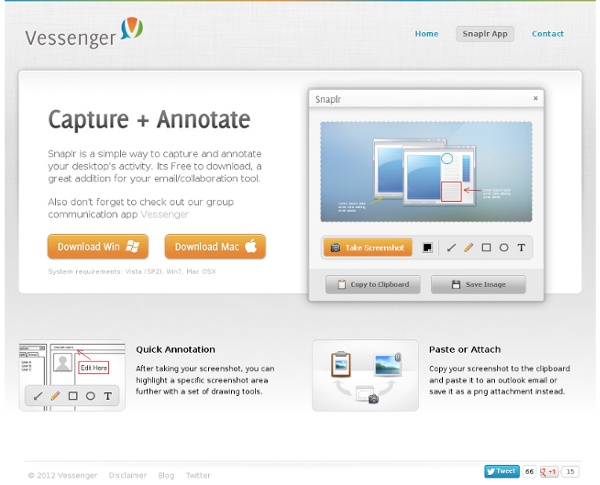
snag.gy - paste images! Tools for Creating Creating Screen Capture Images and Videos This evening I received a question from a reader who was wondering what I use to create the annotated screen capture images that you see in the guides that I produce. I create those images by using Jing which I have installed on my Mac and Windows computers. There are other services that I have tried from time to time. Those services along with Jing are described below. Vessenger, producers of a group messaging system, offers a free program for capturing and annotating images on your computer screen. Using the print screen key on your PC or "command+shift+4" on your Mac are easy ways to create a screen capture. Monosnap is a free screen capture tool for Mac and Windows. Szoter is a free online tool for annotating images that are stored on your computer. Explain and Send is a free Chrome extension that I have just installed in my browser. Pixlr offers a large set of image creation and editing tools. Screenr is a very simple, easy-to-use tool for creating screencast videos.
Bounce CoSpaces Description: A superb platform for creating 3D virtual reality environments to view on your mobile device. Choose from the bank of 3D models or upload/search for your own. You can create sequential scenes like a presentation which is great for story writing or even teaching. Website: cospaces.io/education.htmlApple App: itunes.apple.com/us/app/cospaces-virtual-reality-for/id1091239872? Martin Burrett is the editor of our popular UKEdMagazine, along with curating resources in the ICTMagic section, and free resources for teachers on UKEd.Directory Related Articles You must log in to post a comment. Quick Screen Share The Simple Power of a Screenshot Sometimes it's the little things that can prove to be powerful. The quick and easy action of taking a screenshot can transform how you use technology in your classroom. A screenshot is simply a picture of what is on the screen of your device. On the iPad, users press the home button and power button at the same time, and a snapshot of the screen is sent directly to the Camera Roll. Taking a screenshot is the perfect way to capture student work on mobile devices. Accountability Whether students are solving math problems on a virtual white board or drawing a story map of a book they've read, a screenshot can show you what they've accomplished during a class period. Portfolio Screenshots can also be used when displaying student work. Common Core Rigor One of my favorite ways to use screenshots in the classroom is as a starting point for writing. Screencasting For teachers, a screenshot can be a powerful tool to demonstrate best practices and review assignments with students. see more see less
8 herramientas gratis para grabar la pantalla de tu computador | IXOUSART La mayoría de las aplicaciones vienen con características útiles que te harán la vida más fácil. Una vez que termine de grabar el vídeo, puede publicarlo en cualquier sitio web de videos como Youtube.com, Dialymotion y Vimeo para obtener más exposición. También puede narrar su video que explica el proceso paso a paso de lo que usted está tratando de enseñar. Gracias a muchas opciones viables gratis, usted ya no tendrá que pagar por el software de captura de pantalla. BSR Soft BSR suave puede grabar sonido, imágenes o video de lo que está en la pantalla. Xvidcap Xvidcap no es tan robusto como BSR Soft. Ezvid Ezvid le permite tanto capturar la pantalla y editar el video. BB FlashBack expreso Este software está diseñado para tutoriales y demostraciones. Screenr Screenr es una gran herramienta, ya que permite crear vídeos rápido. Jing Jing fue hecho por TechSmith, que también hizo Camtasia. Rylstim CamStudio CamStudio es un software muy popular y potente pantalla de captura.
WriteReader - Collaborative Book Creation for Elementary School Classrooms WriteReader is a neat multimedia writing platform for elementary school teachers and students. The appeal of WriteReader is found in the collaboration between students and teachers. Students can create multimedia books that teachers log into to correct. As is seen the video below, each page of a book has a space for students to write in and a space for teachers to write in. Teachers use the space on the page to correct spelling errors and or make editing suggestions. WriteReader books can include text, pictures, and voice recordings. Applications for Education WriteReader's teacher edition lets you create online classrooms. Creating picture books in WriteReader could be a good way for students to develop their writing skills. WriteReader is a neat multimedia writing platform for elementary school teachers and students. WriteReader books can include text, pictures, and voice recordings. Applications for Education WriteReader's teacher edition lets you create online classrooms.
12 Screencasting Tools For Creating Video Tutorials Ever wondered how people show you so clearly what is happening on their computer, like in the Photoshop Video Tutorials we shared with you? Thanks to screencasting software, anyone can do it. So what's stopping you now from making your own how-to videos? Try out one of these 12 tools and get to making your first video! Free AviScreen - As the name would imply, this capture program records the video into AVI files, but can also do BMP photos. CamStudio.org - An open source program for capturing your on-screen video and audio as AVI files. Copernicus - A free program for Macs that focuses heavily on making quick and speedy films by recording the video to your RAM for quicker access. JingProject.com - Beyond recording video, Jing allows you to take a picture of any portion fo your desktop, draw on it, add a message, and immediately upload your media to a free hosting account. Wink - Screencasting software that focuses on making tutorials with audio and text annotation abilities. Commercial
20 электронных библиотек, где можно брать книги бесплатно и легально: philologist Сохраните себе этот полезный список, и вы всегда будете знать, где законно брать книги для чтения. 1. Библиотека Максима Мошкова (www.lib.ru) - одна из первых и самых популярных русскоязычных электронных библиотек, она открылась в 1994 году. Авторы и читатели ежедневно пополняют библиотеку на добровольной основе. 2. 3. 4. 5. 6. 7. 8. 9. 10. 11. 12. 13. 14. 15. 16. 17. 18. 19. 20. Отсюда
How Teachers Can Use Quicktime Video Screenshots to Help Students Learn Tutorial videos are a great way for teachers to provide extra learning resources for students. With these recorded videos, students are able to review the lessons learned in class and catch up from afar during an absence. Videos also provide an excellent resource for future reference. Screenshot videos are a great learning resource when used to teach computer-based lessons such as computer programming, typing, or learning various programs. But they can also be used in other creative ways to teach students. In this article, we go into detail with step-by-step instructions for how to record video screenshots, as well as how to upload them to video hosting websites. Before recording video, it is important to prepare your computer. Close all windows except the program being used. Remember that when recording a tutorial, students cannot see what you are typing (although they may be able to hear it). To use, open Quicktime. When you are happy with the recording, go to File > Save. 1.