

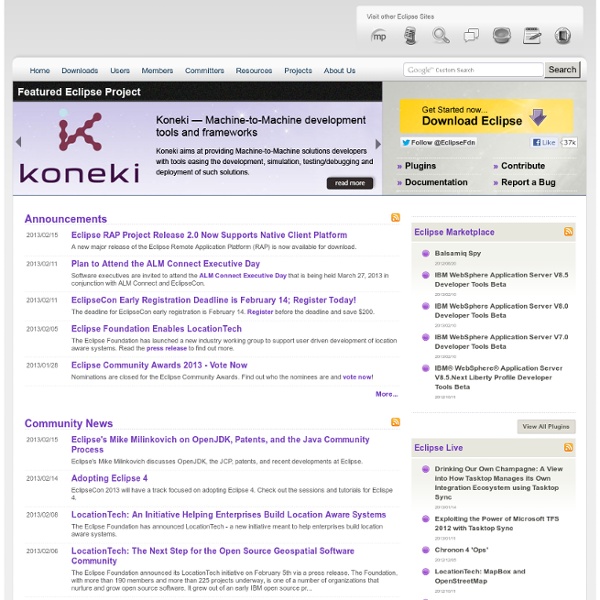
Main Page - FlashDevelop eclipse Eclipse est un IDE (environnement de développement intégré) écrit en Java, extensible par des greffons, multi-langages et multi-plates-formes, qui s'intègre particulièrement bien à GNOME. Il est d'abord conçu pour le langage Java mais ses nombreux greffons en font un environnement de développement pour de nombreux autres langages de programmation (C/C++, Python, PHP, Ruby, …). Toutes les fonctions qu'on peut attendre de ce genre de logiciel sont présentes ou existent sous forme de greffons (coloration syntaxique, complétion, debugger, gestion de projets, intégration aux gestionnaires de versions, …). Les versions 4.3 (Kepler) et supérieures autorisent soit l'utilisation de la bibliothèque Gnome GTK 2 soit celle de la bibliothèque GTK 3. Installation par le nouvel outil "Eclipse Installer" Cette solution est à privilégier pour avoir une version à jour Le lancement peut se faire ainsi cd eclipse-installer . Launcher (.desktop) pour eclipse-inst Pour installer en ligne de commande Par exemple: #!
Top 10 Programming Languages to Learn in 2014 Updated on May 5, 2014 Having spent more than 5 years in software development and the computer programming arena, one of the most common questions I am asked is: This is a question that is asked by beginners, as well as experts. As with many important questions, the answer is not simple. Technology evolves in matter of weeks and by the time you become expert in a particular software technology, it can already be considered obsolete. In addition to that, another interesting aspect of programming that I noticed is that not only programmers and software engineers are interested in learning new programming languages, but people from totally different walks of life are also into it. Now back to the top 10. 1. I vividly remember that the first programming language course that I had in my university was of C language. A bit of history: C language was developed by Dennis Ritchie in 1972, at Bell labs. 2. Though C language was performing extremely well, it lacked object orientation. 3. 5. 7. 8.
Siêu thị Điện - Ánh sáng Âu Á A unique, inspiring and fun event: - Flash Camp St. Louis FAQ Eclipse Depuis bien des versions, Eclipse sait nous prévenir, théoriquement, lorsque la limite de sa mémoire allouée est bientôt atteinte. Ceci a le grand avantage d'éviter de perdre ce qui n'a pas encore été sauvegardé (des suites d'un plantage sec), voire de libérer de la mémoire afin de revenir à un niveau moins critique. Pour libérer la mémoire, il y a une première astuce simple qui consiste à fermer des vues, éditeurs ou perspectives. Cependant, en procédant ainsi, on peut également perdre un certain contexte et donc cela peut être potentiellement gênant. Intervient alors la possibilité de provoquer le Garbage Collector (ramasse-miettes), lequel va bien souvent pouvoir nous dépanner, en évitant d'avoir à redémarrer Eclipse. Pour exécuter le Garbage Collector, il faut préalablement avoir activé le moniteur de mémoire, via le menu Window > Preferences > General, puis en cochant la case Show heap status. Voici à quoi ressemble le moniteur de mémoire
BeagleBoard.org - community supported open hardware computers for making David Ortinau :: Freelance Web Developer Eclipse IDE Installation Instructions Audience Individuals who wish to install the Eclipse IDE on their Windows workstations. Purpose To use the Eclipse IDE (Integrated Development Environment) to develop software. Eclipse (www.eclipse.org) bills itself as a "universal tool platform." Prerequisites These are the basics; if your machine isn't running these, please install or upgrade as appropriate: Hardware: a modern, well-equipped workstation; 1GB RAM is minimal; 2GB RAM is recommended where possible Operating System: Upgrade to latest stable, high-encryption releases of Windows Web Browser: It will be useful to have a current version of FireFox. Installing Eclipse on a Windows Box Following these instructions in the order presented should get you started using the Eclipse IDE in short order. Obtain Eclipse Note that these instructions are written for installation of version 3.3.x (Europa), but may be generalizable to other versions of the IDE. These alternatives may be available to obtain a copy of Eclipse for installation:
Beautifl - Flash Gallery of wonderfl Online Computer Glossary - A to C Applet A small Java application that is downloaded by an ActiveX or Java-enabled web browser. Once it has been downloaded, the applet will run on the user's computer. Common applets include financial calculators and web drawing programs. Application Computer software that performs a task or set of tasks, such as word processing or drawing. American Standard Code for Information Interchange, an encoding system for converting keyboard characters and instructions into the binary number code that the computer understands. Bandwidth The capacity of a networked connection. Binary code The most basic language a computer understands, it is composed of a series of 0s and 1s. Bit The smallest piece of computer information, either the number 0 or 1. Boot To start up a computer. Browser Software used to navigate the Internet. Bug A malfunction due to an error in the program or a defect in the equipment. Byte Cache Computer Aided Drawing - Computer Aided Manufacturing. Chat Chip Client Cookie Cracker Crash Cursor Disk
Flash and the HTML5 <video> tag There's been a lot of discussion lately about whether or not the HTML5 our HTML5 player. This work has shown us that, while the It's important to understand what a site like YouTube needs from the browser in order to provide a good experience for viewers as well as content creators. Standard Video Format First and foremost, we need all browsers to support a standard video format. Concerns about patents and licensing have prevented some browsers from supporting H.264; this in turn has prevented the HTML5 spec from requiring support for a standard format. Robust video streaming Closely related to the need for a standard format is the need for an effective and reliable means of delivering the video to the browser. Content Protection YouTube doesn't own the videos that you watch - they're owned by their respective creators, who control how those videos are distributed through YouTube. Encapsulation + Embedding Fullscreen Video Camera and Microphone access Video is not just a one-way medium.
Ruby on Rails Ruby on Rails emphasizes the use of well-known software engineering patterns and principles, such as active record pattern, convention over configuration (CoC), don't repeat yourself (DRY), and model–view–controller (MVC). History[edit] On December 23, 2008, Merb, another web application framework, was launched, and Ruby on Rails announced it would work with the Merb project to bring "the best ideas of Merb" into Rails 3, ending the "unnecessary duplication" across both communities.[7] Merb was merged with Rails as part of the Rails 3.0 release.[8][9] Rails 3.2 was released on January 20, 2012 with a faster development mode and routing engine (also known as Journey engine), Automatic Query Explain and Tagged Logging.[11] Rails 3.2.x is the last version that supports Ruby 1.8.7.[12] Rails 3.2.12 supports Ruby 2.0[13] Technical overview[edit] Like many web frameworks, Ruby on Rails uses the model–view–controller (MVC) pattern to organize application programming. Framework structure[edit]
More plugins that netbeans. IIRC gwt, android use eclipse has their primary development suite.Spring and a few others have their own customized versions -> personally from working at fundamo, people struggle when they have multiple workspaces. Code formatters are not persisted and the code becomes a mess easily.
If you are using maven or ant, eclipse has its own classpath to manage and things easily become a mess. IE: code is broken, eclipse can whack imports in src files depending on the editor configuration. by superunknown Apr 10