

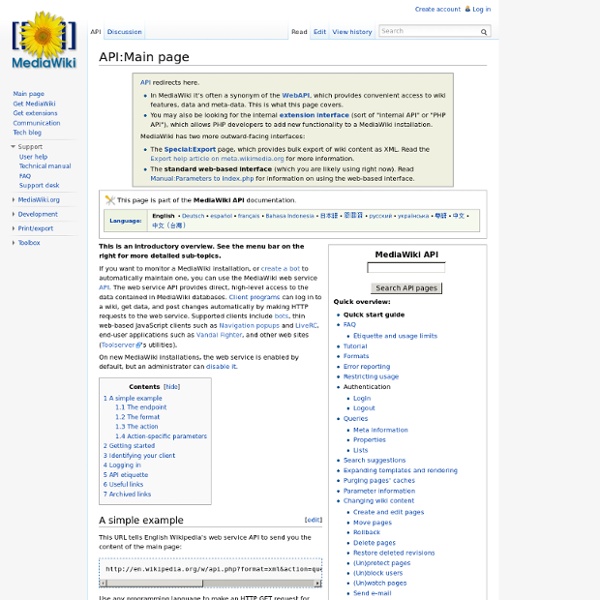
Hook into Wikipedia using Java and the MediaWiki API | Integrating Stuff The Mediawiki API makes it possible for web developers to access, search and integrate all Wikipedia content into their applications. Given that Wikipedia is the ultimate online encyclopedia, there are dozens of use cases in which this might be useful. I used to post a lot of articles about using the webservice APIS of third party sites on this blog. The Wikipedia API makes it possible to interact with Wikipedia/Mediawiki through a webservice instead of the normal browserbased web interface. We cover a basic use case: getting the contents of the “Web service” article. To fetch the contents for this article, the following url suffices: A request to this url will return an xml document which includes the current wiki markup for the page titled “Web service”. We are not going to construct these urls ourselves. If you are using Maven you need to add the following repository to your pom: together with the following dependency: <! and if you want the addons:
Working With the "One-Second" Rule What is the "One-Second Rule?" The following condition in the Amazon Web Services license agreement often causes confusion or concern: You may make calls at any time that the Amazon Web Services are available, provided that you [...] do not exceed 1 call per second per IP address [...] Without the "one-second rule," Amazon's servers would be overwhelmed and unable to keep up with the demand on them. What, Me Worry? Often developers worry about what will happen if they occasionally make more than one query per second so they design complicated systems to prevent their programs from every making two calls less than a second apart. What Happens When You Exceed One Call Per Second? What happens when you regularly exceed the "one call per second" limit? How can I Download Everything? Many affiliate programs provide data feeds. Caching A2S Results You can cache the information so it doesn't have to be downloaded as often. Simple Cache If there is a result in the database, it looks at the timestamp.
Database download Wikipedia offers free copies of all available content to interested users. These databases can be used for mirroring, personal use, informal backups, offline use or database queries (such as for Wikipedia:Maintenance). All text content is multi-licensed under the Creative Commons Attribution-ShareAlike 3.0 License (CC-BY-SA) and the GNU Free Documentation License (GFDL). Images and other files are available under different terms, as detailed on their description pages. Where do I get... English-language Wikipedia[edit] Dumps from any Wikimedia Foundation project: Wikipedia dumps in SQL and XML: – Current revisions only, no talk or user pages. Other languages[edit] In the directory you will find the latest SQL and XML dumps for the projects, not just English. Some other directories (e.g. simple, nostalgia) exist, with the same structure. Dealing with compressed files[edit]
Shahzad Bhatti » Blog Archive » Working with Amazon Web Services « Merveilles du web 2.0… mon « copier bloguer » du web I started at Amazon last year, but didn’t actually got chance to work with them until recently when we had to integrate with Amazon Ecommerce Service (ECS). Amazon Web Services come in two flavors: REST and SOAP. According to inside sources about 70% use REST. I also found that REST interface was more reliable and simple. Getting Access ID First, visit I will describe ECS here and it comes with 450 pages of documentation, though most of it just describes URLs and input/output fields. Other interesting links include: blog site for updates on AWS, a Forum #1, Forum #2 and FAQ. Services Inside ECS, you will find following services: ItemSearchBrowseNodeLookupCustomerContentLookupItemLookupListLookupSellerLookupSellerListingLookupSimilarityLookupTransactionLookup REST Approach The rest approach is pretty simple, in fact you can simply type in following URL to your browser (with your access key) and will see the results (in XML) right away: Find DVD cover art:
Ways to process and use Wikipedia dumps – Prashanth Ellina Wikipedia is a superb resource for reference (taken with a pinch of salt of course). I spend hours at a time spidering through its pages and always come away amazed at how much information it hosts. In my opinion this ranks amongst the defining milestones of mankind’s advancement. Apart from being available through the data is provided for download so that you can create a mirror locally for quicker access. Setting up a local copy of Wikipedia Windows If you have Windows installed, Webaroo is an easy way to get Wikipedia locally as a “web pack”. Linux This page has instructions to setup on Linux. Any operating system Wikipedia provides static wiki dumps for download which should work fine on any operating system that supports a decent web browser. Windows Mobile, iPhone and Blackberry To access Wikipedia from your mobile, check out vTap from Veveo. Other uses for Wikipedia data dumps Getting the dumps Wikipedia is huge and this reflects in the data dumps.
The unofficial homepage of Tim Dwyer I have a new position: Senior Lecturer and Larkins Fellow at Monash University, Australia. Dissertations Tim Dwyer (2005): "Two and a Half Dimensional Visualisation of Relational Networks", PhD Thesis, The University of Sydney. (23MB pdf) Tim Dwyer (2001): "Three Dimensional UML using Force Directed Layout", Honours Thesis, The University of Melbourne (TR download) Technical Reports T. T.
API:Query The action=query module allows you to get most of the data stored in a wiki, including tokens for editing. The query module has many submodules (called query modules), each with a different function. There are three types of query modules: Meta information about the wiki and the logged-in userProperties of pages, including page revisions and contentLists of pages that match certain criteria Multiple modules should be used together to get what you need in one request, e.g. prop=info|revisions&list=backlinks|embeddedin|imagelinks&meta=userinfo is a call to six modules in one request. Unlike meta and list modules, all property modules work on a set of pages provided with either titles, pageids, revids, or generator parameters. Use generator if you want to get data about pages that are the result of another api call. Lastly, you should always request the new "continue" syntax to iterate over results. Sample query[edit | edit source] api.php? Specifying pages[edit | edit source]
DataMachine - jwpl - Documentation of the JWPL DataMachine - Java-based Wikipedia Library -- An application programming interface for Wikipedia Back to overview page. Learn about the different ways to get JWPL and choose the one that is right for you! (You might want to get fatjars with built-in dependencies instead of the download package on Google Code) Download the Wikipedia data from the Wikimedia Download Site You need 3 files: [LANGCODE]wiki-[DATE]-pages-articles.xml.bz2 OR [LANGCODE]wiki-[DATE]-pages-meta-current.xml.bz2 [LANGCODE]wiki-[DATE]-pagelinks.sql.gz [LANGCODE]wiki-[DATE]-categorylinks.sql.gz Note: If you want to add discussion pages to the database, use [LANGCODE]wiki-[DATE]-pages-meta-current.xml.bz2, otherwise [LANGCODE]wiki-[DATE]-pages-articles.xml.bz2 suffices. Example Transformation Commands (Note: increase heap space for large Wikipedia versions with the -Xmx flag) Mind that the names of the main category or the category marking disambiguation pages may change over time. Discussion Pages Discussion pages can only be included if the source file contains these pages (see above).
Web scraping Web scraping, web harvesting, or web data extraction is data scraping used for extracting data from websites.[1] Web scraping software may access the World Wide Web directly using the Hypertext Transfer Protocol, or through a web browser. While web scraping can be done manually by a software user, the term typically refers to automated processes implemented using a bot or web crawler. It is a form of copying, in which specific data is gathered and copied from the web, typically into a central local database or spreadsheet, for later retrieval or analysis. Web scraping a web page involves fetching it and extracting from it.[1][2] Fetching is the downloading of a page (which a browser does when you view the page). Newer forms of web scraping involve listening to data feeds from web servers. There are methods that some websites use to prevent web scraping, such as detecting and disallowing bots from crawling (viewing) their pages. History[edit] Techniques[edit] Human copy-and-paste[edit]
Getting Started with HtmlUnit Introduction The dependencies page lists all the jars that you will need to have in your classpath. The class com.gargoylesoftware.htmlunit.WebClient is the main starting point. This simulates a web browser and will be used to execute all of the tests. Most unit testing will be done within a framework like JUnit so all the examples here will assume that we are using that. In the first sample, we create the web client and have it load the homepage from the HtmlUnit website. Imitating a specific browser Often you will want to simulate a specific browser. Specifying this BrowserVersion will change the user agent header that is sent up to the server and will change the behavior of some of the JavaScript. Finding a specific element Once you have a reference to an HtmlPage, you can search for a specific HtmlElement by one of 'get' methods, or by using XPath. Below is an example of finding a 'div' by an ID, and getting an anchor by name: Using a proxy server Submitting a form
Wikipedia crawler wikicrawler purpose wikicrawler is designed to crawl wikipedia pages. It crawls pages in the specified languages and stores them in local directory. Download This software is released under the terms of the GNU General Public License. Configuration: config.py wikicrawler.py is configured via "config.py". It considers only languages which codes are listed in "langs". wikicrawler use "queueFile" to store the next wikipedia pages to download. Multidocuments are stored in "multidocDir" and consists in directories named according to multidocument id. "sleepAfterDownload" specify an amount of time in seconds to wait between two downloads. # -*- coding: utf-8 -*- langs="en fr nl" workingDir="data" queueFile="queue.txt" multidocFile="multidoc.txt" multidocDir="multidoc" niceness=19 sleepAfterDownload=10 Typical Usage Download and decompress wikicrawler.Edit "config.py" and set "langs".Edit "queue.txt" and write some wikipedia page name to seed the crawl.
Wikidata