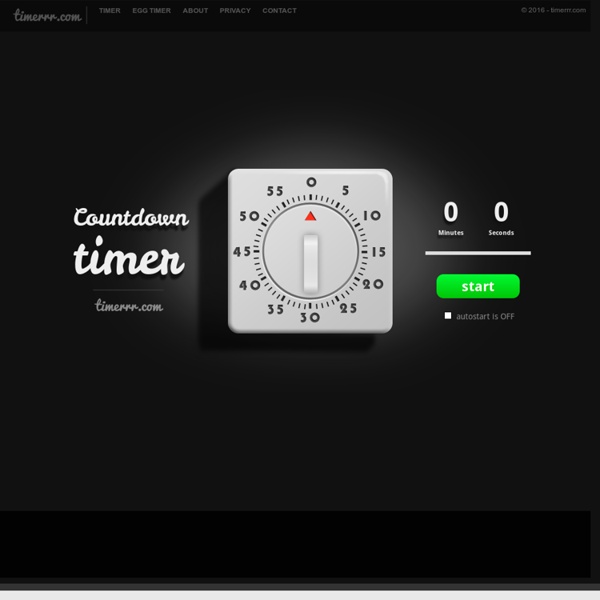
Countdown Timer
Even your Grandma will know how to use it... This online countdown timer is meant to be as easy to use as a regular kitchen timer. It is equally simple: all that you have to do to set it is to rotate the dial and point the red arrow at the desired number. It can take just one click - just grab the green dot that will appear to help you out and move it around. You will notice that the counter is updated every time you move the dial to make things even more clear. Let the countdown begin.
http://timerrr.com/
» (Increase your productivity with) Pomodoro time tracking on Ubuntu/Windows
In 1978, 5% of the population admitted to being chronic procrastinators compared to to roughly 26% of the population today (Steele, 2007). Surveys of student populations suggest that procrastination is pervasive with some surveys suggesting that 85-95% of students have problems associated with procrastination. - Quoted from here Pomodoro? I’ve been a fan of the Pomodoro style technique for quite a while now.
Class Charts - seating plans and behavior management software
Do I need to install this software? Nope – it runs on any internet enabled device such as a laptop or iPad. How much does it cost? Zip, nada, zero, zilch... this system is 100% free. But it would be nice if you could give us a tweet or like us on Facebook. Can I add student photos?
Equanimity Project: Online Meditation Timer
Classroom Timers - Fun Timers
Online-Stopwatch Classroom Timers - Fun Timers for classrooms and meetings :-)Holiday Timers - More Fun Timers - But these are Holiday Themed! :-)Random Name Pickers - Probably the BEST random Name Pickers online!
Keep Focused - an enhanced tool for Time Management using Pomodoro Technique
Too Noisy - Noise Meter Application
Use the link above to download Too Noisy on your iPad.The iOS version has many more features such as extra themes, alarm counter, noise presets and star awards. Too Noisy online has been developed using new API's that aren't supported in all browsers, only browsers with coloured icons are currently supported. When support for the API's become available we will update Too Noisy online accordingly.
Chronicle App: Confer, Collect Data & Collaborate
Chronicle is an iOS app for teachers that includes tons of features for busy educators. Perfect for Reading and Writing Workshop conferring notes, Chronicle can be used to capture multiple images, videos, and audio recordings within a note. This helps teachers easily provide meaningful feedback and document student growth. Chronicle can be used to share student achievements and intervene to meet the individual needs of students.
Two Ways to Visually Show Classroom Noise
Bouncy Balls is a free online noise meter that shows students the volume of the noise in your classroom. Bouncy Balls does this by displaying a set of colorful bouncing balls on your screen. The louder your students are, the higher and more frequently the balls on the screen bounce. To use Bouncy Balls simply go to the website, click "begin bouncing," and then click the microphone icon to allow the site to access your computer's microphone. Calmness Counter is similar to Bouncy Balls.
Popsicle Sticks: Teacher Picks by Neil Daly
Popsicle Sticks: Teacher Picks replaces your mug of popsicle sticks. Use it to randomly and effectively select and group students, to score responses during discussions, and to create classroom tournaments! Its features include:
ClassXP
Stick Pick
Related:
Related: