

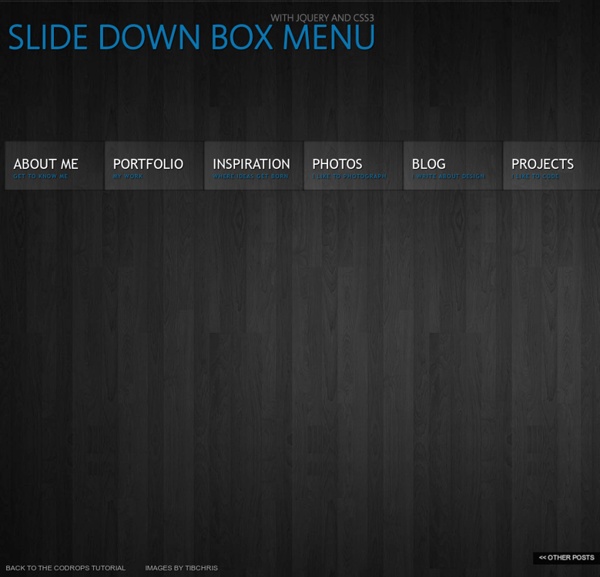
Web UI Components for Developers Beautiful Background Image Navigation with jQuery In this tutorial we are going to create a beautiful navigation that has a background image slide effect. The main idea is to have three list items that contain the same background image but with a different position. The background image for each item will be animated to slide into place in […] View demoDownload source In this tutorial we are going to create a beautiful navigation that has a background image slide effect. The main idea is to have three list items that contain the same background image but with a different position. On top of that we will have sub-menus that appear with their semi-transparent background sliding in. Note: There is a new version which let’s you customize things better:Sliding Background Image Menu with jQuery We will be using the amazing Background-Position Animation Plugin by Alexander Farkas. The photos that we will be using are from Pat’s beautiful B&W collection on Flickr. We tried to make this one cross-browser compatible and voilà! The Markup The CSS
JQuery WordPress Menu Plugins Search “WordPress menu plugins” in Google = Eeek! A quick search for WordPress menu plugins in Google will bring up over 32,000,000 results. Oh, dear Lord! Dozens, if not hundreds, of those results can be quite mouth-watering at first glance. But sifting through the mess of unappetizing stuff to find something satisfying can be frustrating to say the least. Even searching the WordPress plugin repository can be quite tedious. So, here’s a collection of 9 really cool jQuery-powered WordPress menu plugins to get you feeling more inspired than frustrated (and to enhance the user experience on your site, of course). 4 Free jQuery WordPress menu plugins from Design Chemical #1 – Mega Menu Widget – Download | Screenshots & Docs This is one of the best free WordPress menu plugins I’ve used. If you don’t have a widget area where you want to display the menu (for example, in your theme’s header), see How to Widgetize a Page, Post, Header or Any Other Template in WordPress. Bonus tutorial
20 ressources CSS pour vos sites web Pour booster votre créativité et votre productivité, je vous propose une petite sélection de nouvelles ressources CSS à utiliser dans vos futurs projets. Effets de survols, animations, effets d’images, bref de quoi avoir du style ! Ces dernières semaines, en arpentant le web à la recherche d’inspiration, j’ai sélectionné quelques snippets CSS qui vont faire plaisir aux développeurs front-end et aux webdesigners. Plutôt que de présenter des expériences inédites (à venir dans un prochain article), je vais vraiment mettre l’accent sur des snippets qui vous permettront de gagner du temps et d’apprendre les dernières techniques CSS. Même si c’est plutôt rare pour un snippet gratuit, pensez toujours à vérifier s’il est libre d’utilisation avant de l’implémenter dans votre projet. Effets de survol Flat UI Effet lumineux avec CSS et SVG Un bien gros menu déroulant Une horloge murale en pur CSS Formulaire de commande en CSS UI d’une fiche Twitter Une simple barre de progression Modal box en CSS Bonus :
jQuery Quicksand plugin Quicksand Reorder and filter items with a nice shuffling animation. Activity Monitor 348 KB Address Book1904 KB Finder 1337 KB Front Row 401 KB Google Pokémon 12875 KB iCal 5273 KB iChat 5437 KB Interface Builder 2764 KB iTuna 17612 KB Keychain Access 972 KB Network Utility 245 KB Sync 3788 KB TextEdit 1669 KB Demo seems sluggish? Disable CSS3 scaling and try again. Isn’t it cool? Download Version 1.4 Demos & Docs Fork on GitHub Powered by jQuery – Made by @razorjack from agilope, icons design by Artua Design by @riddle Flexible Lightbox | Web Argument WordPress has a simple way to handle images on your blogs: you can upload, organize and insert images on your post with just 2 or 3 clicks. The application also creates thumbnails and medium sizes images automatically and allows you to insert them as a simple gallery into your posts and pages. Integrate into your front-end nice javascript effects like Thickbox, Lightbox, Slimbox , Milkbox, Lightview is a plus, but would be better if you don’t need to touch the html code for it. That’s why the CMS technology exists. After developing the plugin Wp ThickBox Integration, I decided to extend this features to “Lightbox” a cool jquery plugin to overlay images on the current page. Single Image Example Installation 1. Screenshots In this case I’m using the native gallery tag “gallery columns=3″ with the default styles. Download (The plugin needs to be updated to the last 3.5 version of WordPress) DO NOT make a Donation: Otherwise, consider to share a small amount ;) Thanks!
ScrollMagic - Demo Contextual Slideout Tips With jQuery & CSS3 – Tutorialzine Martin Angelov By now, you’ve probably heard about Adobe’s new CS5 software pack. Also, you’ve probably seen their product pages, where they present the new features of the suite. Apart from the great design, they’ve also implemented an interesting solution for showcasing the new features their products are capable of – using contextual slideout tips. Knowing the importance of HTML standards, we are making a set of contextual slideout tips with jQuery & CSS3, which are ideal for product pages and online tours. The idea The main idea is to create an easily configurable set of contextual slideouts. To create a slideout element, you need to include a regular paragraph p tag to the page. Contextual Slideouts Step 1 – XHTML Now lets take a look at the structure of the paragraph tags you should add to the page, and how they are configured. demo.html As you can see, each of the tags contains a style, a class (optional) and a title attribute. slideout markup Structure of the Slideout Step 2 – CSS
Accordion Image Menu V 3.1 – Less Code More Flexibility | Web Argument This is a new release of the Accordion Image Menu Worpress plugin. The plugin allows to use the feature images or the images uploaded to the posts and pages galleries as background for the menu items. On the previews versions the accordion was based on mootools but its causes a lot of interaction with others popular plugins which use jquery. So, I decided to implement a jQuery Plugin that allows the same functionality and avoid including another javascript framework. Special Features The shortcode As the plugin is based on WordPress Shortcodes you can include some attributes in order to customize the menu and overwrite the Default Settings saved in the Plugin Option Page. Here you have the Shortcode attributes list: Examples Using the shortcode with these attributes: position, height, open Code Shortcode [a_image_menu position="horizontal" height="200" open=0] PHP Code <? Using the shortcode with these attributes: position, id, open, effect, closed_d, border Frequently Asked Questions Download
95+ Best Bootstrap Landing Page Templates 2014 | Designrazzi | Page 2 Sate App Landing Page – One Page Template Sate is the landing page for apps. Its have two feature section and creative design with caring about content and carefully crafted font. Font used Google web font. Icon used is awesome font. This landing page was designed with Responsive design, Bootstrap, HTML5 / CSS3 , App gallery Showcase, Newsletter subscribe form and much more… Flatland Responsive Landing Page Template Flatland is the perfect theme for your product or mobile app site. Flatone Sales and Marketing Landing Page Template Flexi Landing Page Template Flexi is my most adaptable, clean, useful and powerful landing page yet! Supernote One Page Landing Page Template Supernote is one page HTML5&CSS3 landing page. Misha – Bootstrap 3 Retina App Landing Page Template Misha is a trendy One Page HTML5 & CSS3 responsive template built on Bootstrap 3. Rocket – Landing Page Template Rocket is a clean flat landing page for business template. Greenmonster – Landing Page Template
Beginner Tutorials jQuery is the most popular JavaScript library that highlights the interaction between JavaScript and HTML. With jQuery you can write less and do more. jQuery has become an active trend and it’s features are growing rapidly. I have assembled 25 beginner level tutorials for you to start knowing and exploiting jQuery and it’s powerful tools. After reading these guides and tutorials you will be able to proceed and start testing jQuery’s limits. 1. jQuery for Complete Beginners: Part 1 This is the first part of our series walking you through the process of learning the hugely popular JavaScript library jQuery from scratch. 2. jQuery for Complete Beginners: Part 2 In this lesson you are going to learn how to select elements through their relationship with the element we are already interacting with. 3. jQuery for Complete Beginners: Part 3 In this part you are going to put the skills you’ve learned in two past parts into practice and create a basic accordion. 5. jQuery Tutorials for Designers 6.
RoyalSlider for WordPress - Touch-Based Image and Content Slider brand-new version of the most popular plugin on CodeCanyon 10+ templates, 5+ skins, 100+ options RoyalSlider plugin for WordPress uses same script as HTML version and supports everything that HTML version does. View all frontend featuresTemplates and skins are sets of options and CSS styles that can be applied in a one single click. View RoyalSlider demos RoyalSlider is perfect for everyone Photographers Bulk image uploading, option to connect to 500px, Flickr or Instagram.SEO friendly images, lazy-loading. Designers Edit slide markup directly in admin, WYSIWIG animated blocks editor, add your own skins. Developers Unminified version of script, access to build tool from HTML version, powerful API. short admin panel overview, video does not contain any sound Dynamic sources Posts of any type Populate data (image, content ...) from any post type and filter it by taxonomies (categories, tags...). Flickr, 500px, Instagram Default Post Gallery Override default WordPressin-post [gallery]. Images HTML text
Free Icon Sets, Social Media Icons, Web Icons, Toolbar Icons, Icon Tools - SoftIcons.com