

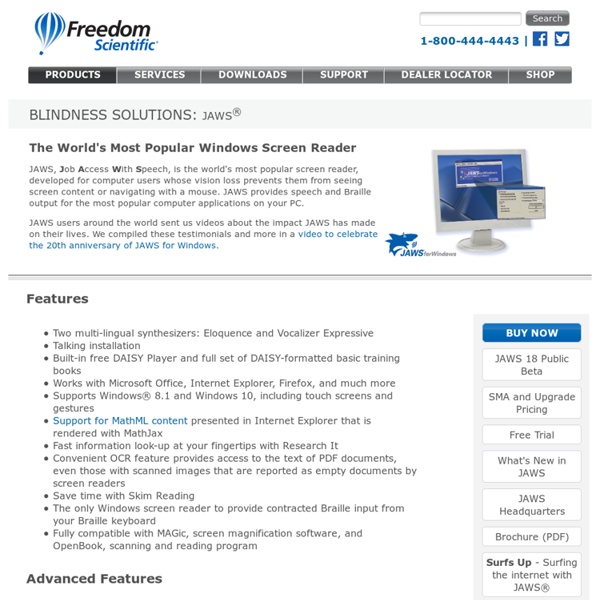
http://www.freedomscientific.com/Products/Blindness/JAWS
SOLO SOLO Literacy Suite Research & Case Studies Resources Pricing Request A Quote | SOLO Writing Coach SOLO is a literacy suite of the most popular assistive technology accommodations, including a text reader, graphic organizer, talking word processor, and word prediction. The new version (SOLO 6) was completely redesigned to be simple to use, yet powerful for students who struggle to read and write.
NVDA – a free, open source screen reader Testing your work with a screen reader, especially if you’re building something that is more advanced than a basic info website, is likely to help you create a more accessible website. The best thing is to have actual screen reader users test your work, but that isn’t always feasible to do on a day-to-day basis unless you happen to have a co-worker who uses a screen reader. So being able to do some testing on your own is pretty much a necessity. There are several screen readers to choose from, but one that is particularly appealing is NVDA. It is free, open source, works with Firefox, and has support for WAI-ARIA. The catch is that NVDA is Windows only, so Mac users like myself will need to use virtual machine software like Parallels Desktop or VMWare Fusion to run it.
Helicopter Parent A helicopter parent (also called a cosseting parent or simply a cosseter) is a parent who pays extremely close attention to a child's or children's experiences and problems, particularly at educational institutions. Helicopter parents are so named because, like helicopters, they hover overhead. Origins[edit] Setting up a screen reader test environment » iheni Back in the day when web pages were web pages and not web applications you could just about get away with not testing with a screen reader. Using a combination of text based browsers, accessibility testing tools such as the Web Accessibility Tools consortium Accessibility Toolbar and and browser tools such as Preferences settings in Opera (see Opera > Quick preferences or Preferences), you could more or less muddle your way through. This is not the case now though as browsers, screen readers, guidelines and technology has moved on and in many ways is catching up with one another.
Differentiated instruction Differentiated instruction and assessment (also known as differentiated learning or, in education, simply, differentiation) is a framework or philosophy for effective teaching that involves providing different students with different avenues to learning (often in the same classroom) in terms of: acquiring content; processing, constructing, or making sense of ideas; and developing teaching materials and assessment measures so that all students within a classroom can learn effectively, regardless of differences in ability.[1] Students vary in culture, socioeconomic status, language, gender, motivation, ability/disability, personal interests and more, and teachers need to be aware of these varieties as they are planning their curriculum. Brain-Based Learning[edit] Differentiation finds its roots and is supported in the literature and research about the brain. As Wolfe (2001) argues, information is acquired through the five senses: sight, smell, taste, touch and sound. Pre-assessment[edit]
Screenreader Visibility - css-discuss From CSS Discuss Summary: When you hide material from visual display on a PC screen, you almost always hide it from screen readers too. Special Education Special education programs in the United States were made mandatory in 1975 when the United States Congress passed the Education for All Handicapped Children Act (EHA) in response to discriminatory treatment by public educational agencies against students with disabilities. The EHA was later modified to strengthen protections to people with disabilities and renamed the Individuals with Disabilities Education Act (IDEA). The federal laws require states to provide special education consistent with federal standards as a condition of receiving federal funds. IDEA entitles every student to a free and appropriate public education (FAPE) in the least restrictive environment (LRE). Implementation through cooperative federalism[edit] Special education programs at the district level are structured upon a cooperative federalism model and therefore governed by both state and federal law.
Blog - Jaws, Window Eyes, Parallels, and Boot Camp Screen readers and my HP laptop have never been friends. JAWS causes major stability issues. Window Eyes stutters a lot. Now that I have an Intel-based Mac with Parallels and Boot Camp for running Windows, I have found the perfect screen reader testing system. Parallels is a program that allows Windows to run within a window under OSX. Boot Camp allows you to boot into Windows on a Mac computer.
Gifted education Gifted education (also known as Gifted and Talented Education (GATE), Talented and Gifted (TAG), or G/T) is a broad term for special practices, procedures, and theories used in the education of children who have been identified as gifted or talented. There is no standard global definition of what a gifted student is. In 2011, the National Association for Gifted Children published a position paper that defined what a gifted student is. The term "gifted," in that position paper, describes individuals who demonstrate outstanding aptitude or competence in one or more domains. An "aptitude" is there defined as an exceptional ability to learn or reason.