background preloader

How to create slick effects with CSS3 box-shadow – Red Team Design
How to create slick effects with CSS3 box-shadow – Red Team Design
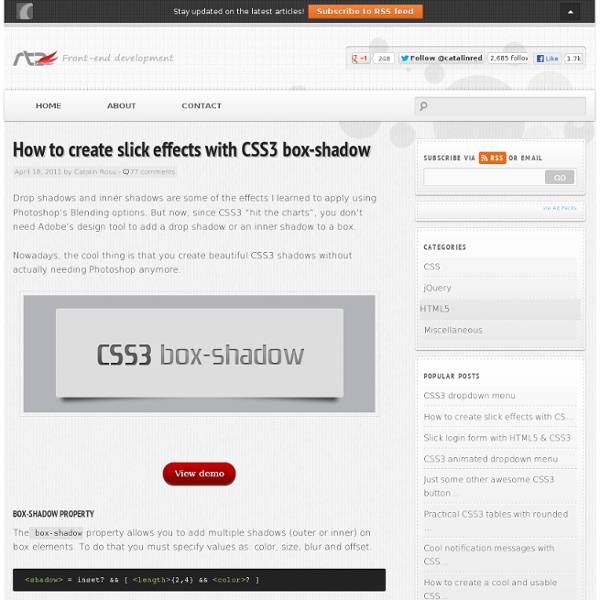
Drop shadows and inner shadows are some of the effects I learned to apply using Photoshop's Blending options. But now, since CSS3 "hit the charts", you don't need Adobe's design tool to add a drop shadow or an inner shadow to a box. Nowadays, the cool thing is that you create beautiful CSS3 shadows without actually needing Photoshop anymore. View demo box-shadow property Thebox-shadow property allows you to add multiple shadows (outer or inner) on box elements. <shadow> = inset? Rocket science? Not at all, here's an quick example: box-shadow: 3px 3px 10px 5px #000; This CSS declaration will generate the following shadow: A positive value for the horizontal offset draws a shadow that is offset to the right of the box, a negative length to the left.The second length is the vertical offset. The above theory it's just a small amount, if you want to read more, than be my guest and check the W3C specs. Enough theory, let's see some stuff! Add depth to your body Reference URL Drop shadows Quick tips

HTML5 Boilerplate - A rock-solid default template for HTML5 awesome. Sliding Image Panels with CSS3 Today we'll show you how to create some neat sliding image panels with CSS only. The idea is to use background images for the panels and animate them when clicking on a label. We'll use radio buttons with labels and target the respective panels with the general sibling selector. View demo Download source Today we’ll show you how to create some neat sliding image panels with CSS only. The beautiful images are by Joanna Kustra and they are licensed under the Attribution-NonCommercial 3.0 Unported Creative Commons License. You might as well be interested in Filter Functionality with CSS3 where we have used a similar technique for filtering elements based on their type. Please note: the result of this tutorial will only work as intended in browsers that support CSS transitions and animations. The Markup The HTML will consist of three major parts: the radio buttons and the labels, the container with the panels and their “slices” for each image, and the titles. Let’s style this baby. The CSS Demos

Créer un site d`entreprise de A à  Z 2/3 : Intégration HTML5 / CSS3 Design Spartan (Gaétan Weltzer) vous montre comment créer un site d’entreprise de A à Z en commençant par la phase de réflexion puis le webdesign. L’objectif de ce tutoriel assez long est d’offrir un cas pratique avec une réflexion derrière. En situation réelle pour une entreprise, comment se passe la réalisation d’un site Internet de présentation ? Par où commence-t-on et comment finit-on, voici ce que nous allons voir ensemble. Mais tout d’abord, une petite démo du rendu final : A lire avant de commencer Plutôt que de faire un simple tutoriel de webdesign, je souhaite vous emmener dans la création d’un site Internet pour une entreprise fictive de A à Z : de la phase de réflexion jusqu’à la mise en ligne du site en passant par le webdesign, l’intégration et le développement. Page du tutoriel – ce qui a été crée dans Photoshop dans la première partie et ce que nous allons maintenant intégrer en HTML5/CSS3 Ce tutoriel est découpé en 3 parties : – L’intégration HTML5/CSS3 Et c’est parti !

Top15 HTML5 Ebooks | Free Resources for Designers & Developers Every thing is now available on internet and i think internet provides huge relief to mankind. Now you can pay your bills online through internet and purchase any thing you want. Any ways HTML5 is the new and improved version of HTML. 1- 20 Things I learned about Browsers and the Web 2- Introducing HTML5 3- HTML5 Quick Learning Guide 4- HTML5 Mobile Web Development 5- Dive Into HTML5 6- Deploying HTML5 7- HTML Dog 8- Html5 Straight to the Point 9- Sams Teach Yourself HTML5 in 10 Minutes 10- The Essential Guide to HTML5 11- HTML5 For Web Designers 12- Smashing HTML5 13- HTML5 and CSS3 14- W3Schools 15- HTML5: Up and Running Another best html5 resources site

How To Create a Stylish Drop Cap Effect with CSS3 Drop caps have been around for years in the print industry, but they are still pretty rare in the web world despite the :first-letter selector having been around for a fair few years. Let’s take a look at how we can create a cool drop cap for our web designs and spice it up with some stylish CSS3 text-shadow effects. The design we’ll be creating features a large drop cap at the start of a block of text. The actual drop cap effect will be created with the :first-letter selector, while the extra effects are added with the help of CSS text-shadow. View the CSS drop cap demo <! Every web project begins with the basic HTML structure. The CSS demo file begins with a reset to remove any default browser styling, then the main font styling is added to the body. Now the slab-serif font is in place the size and line-height of the typography can be set. Now the main text is in place we can finally get around to styling up the drop cap.

HTML5-CSS3.fr - Tutoriels, exemples et démos HTML5 et CSS3 Trouver son code couleur HTML ! Les couleurs avec du CSS sont les mêmes que celles avec un code HTML. Pour faire référence à d'autres couleurs, vous devrez utiliser le code hexadécimal. C'est bien sûr un peu moins parlant mais universel. Vous pouvez choisir votre couleur en cliquant ici : <-- Cliquer ici Il existe des couleurs nommées normalisées : Les 16 couleurs de fondamentales ont un nom parlant (en anglais) normalisé : elles sont reconnus par tous les navigateurs : Il est possible d'avoir l'ensemble des couleurs de l'arc en ciel :) avec une sa valeur hexadecimal : Couleur HTML et CSS En CSS, est bien pratique de mettre en forme un contenu et le définir une seule fois dans sa feuille de style. color: Gestion de la couleur du texte letter-spacing: Espace entre les lettres text-align: Alignement d'un texte text-decoration: Habiblement d'un texte A savoir : Dans ce chapitre, la notion d'héritage est appliquée. Couleur d'un texte ou une phrase en CSS Espace entre les lettres

15 Handy HTML5/CSS3 Frameworks For Web Developers inShare49 HTML5 and CSS3 frameworks are becoming more and more popular every day. It really makes web developers’ lives easier, because there are so many benefits, e.g. Development time. It has reduced considerably, especially if you don’t have much experience with the framework and you use it in appropriate situations; Frameworks contain “hacks” for most common browsers. To solve the same problem with the positioning of elements in IE can make you bored very quickly; Simplifies support. Perkins Perkins is a pure HTML5/CSS3 Framework created with love. DemoDownload Inuit.css Inuit.CSS created by Harry Roberts. DemoDownload G5 Framework G5 Framework based on a F Layout. Download 52framework 52framework first HTML5/CSS3 framework created by enavu network. DemoDownload Less Framework 4 Less Framework is a CSS grid system for designing adaptive web­sites. Download Baseline Built with typographic standards in mind, Baseline makes it easy to develop a website with a pleasing grid and good typography.

Interactive Typography Effects with HTML5 With HTML5 gaining popularity, this tutorial outlines what is really just the tip of the iceberg that is interactive design. In this tutorial I will go over the development of dynamic, and generative banners to give your website that little extra wow! View demo Download source With HTML5 gaining popularity, this tutorial outlines what is really just the tip of the iceberg that is interactive design. I will go over the development of dynamic, and generative banners to give your website that little extra wow! If you are interested in reading more about the HTML5 spec, this is a great resource: Dive Into HTML5 by Mark Pilgrim Markup The HTML markup is very simple, since we will be doing all the work with JavaScript, on the canvas element: JavaScript As expected, it will be JavaScript doing all the heavy lifting here. Variables Let’s start defining some variables: A little explanation: The keyword here is going to be the word which you want to display on the banner. Setting up the banner

:hover - CSS Résumé La pseudo-classe CSS :hover permet de spécifier l'apparence d'un élément au moment où l'utilisateur passe la souris dessus, mais sans nécessairement l'activer. Ce style peut être écrasé par d'autres pseudo-classes liées aux liens, comme :link, :visited, et :active, apparaissant dans des règles subséquentes. Pour décorer les liens tel que souhaité, vous devez mettre la règle :hover après les règles :link et :visited mais avant la règle :active, comme défini par l'ordre LVHA. Les navigateurs visuels, comme Firefox, Internet Explorer, Safari, Opera ou Chrome, appliquent les décorations lorsque le curseur (le pointeur de la souris) passe au-dessus d'un élément. On rencontre principalement cette pseudo-classe avec l'élément HTML <a> mais cela fonctionne aussi avec d'autres éléments HTML. Note d'utilisation : sur les écrans tactiles, :hover est problématique voire impossible. Exemple Grâce à la pseudo-classe :hover vous pouvez créer des algorithmes de cascade complexes. Spécifications

9 Seriously Useful Online CSS Code Generators | DesignModo Nowadays CSS is one of the most important and most used style sheet languages for web development. It might however seem not really user-friendly for a person who is new to it and decided to build a website on his own, but he has never heard of it or worked with it. Now of course a professional would be able to write a CSS code even on the palm of his hand if he didn’t have a computer in front of him, but this doesn’t really sound so easy for a newbie in this subject. And what would make his life easier for all those who want to learn it fast and efficiently? – an online CSS code generator of course! CSS code generators help you create the desired code automatically; therefore there is no need for you to be an experienced CSS programmer, plus it will help you get to know CSS better and soon you will even be able to write it on your own. CSS3.0 Maker CSS Type Set CSSMate CSSportal CSS Frame Generator Telerik Visual Style Builder Typetester Grid Designer CleanCSS

scrollorama Disclaimer: This is an experimental, just-for-fun sort of project and hasn’t been thoroughly tested. Design and build your site, dividing your content into blocks. Embed scrollorama.js after jQuery and initialize the plugin, passing the blocks class selector as a parameter. Target an element and animate its properties. The animation parameters you can use are: Hook into the onBlockChange event. scrollorama.onBlockChange(function() { alert('You just scrolled to block#'+scrollorama.blockIndex); }); Note: If you are not using the pinning feature, it is recommended you disable it.

Related:
