

Cross Browser HTML5 Progress Bars In Depth Update (March 9, 2012): I have updated this document to include styling information for Internet Explorer 10. Screenshots of HTML5 progress bars with different styles applied. Details given below. As a web application developer, progress bars are great when you want to show the user that some action is happening, especially when it can take a long time. The HTML: Simple The HTML for a Progress bar is dead simple: <progress max="100" value="60"><strong>Progress: 60% done. Note that the HTML inside the <progress> tag is the fallback for browsers that do not support it. Note that: Firefox and Chrome will render the progress bar the same way that the host operating system would … except for Chrome for Linux, which uses it’s own custom style (thanks to Mounir Lamouri for correcting me on this exception).The color of the Opera progress value is always green (more on this later).The browsers that use the polyfill all render the progress bar with a nice bluish gradient effect It even works in Opera!
Build a HTML5/CSS3 Website Layout Without Images – Part 1 Ever since all the articles showcasing the new features in HTML5 and CSS3 started appearing around the web, I have had the idea of building a website layout without any images. With all the advancements in HTML5 & CSS3 (compared to previous respectable specs) it wouldn’t be too hard to create a decent-looking website that wouldn’t have to rely on images for the layout elements. Here is the layout that we will be building: The Contents of our Demo Folder In the image above, you can see the contents of the folder containing our finished demo page – as promised: no images. As always, I recommend laying down the entire website’s content in the index.html file before you even think of touching CSS, so let’s jump right into it. HTML5 – Making Your Coding Faster and Your Code Leaner In addition to introducing new semantic elements, HTML5 also makes our code much shorter. Doctype Declaration and The Head Tag Let’s take a look at the doctype declaration and the head section of our HTML page:
CSS3 Facebook Buttons Buttons To create the default "button" add a class of uibutton to any appropriate element. To create the blue variant include an additional class confirm. To create the green variant include an additional class special. <a class="uibutton" href="#">Button</a><button class="uibutton" type="submit">Button</button><input class="uibutton" type="submit" value="Button"> Larger buttons To create larger buttons inclue an additional class of large. Grouped buttons To created grouped buttons wrap them in an element, or use a list, given the class uibutton-group. <div class="uibutton-group"><a class="uibutton" href="#">Dashboard</a><a class="uibutton" href="#">Inbox</a><a class="uibutton" href="#">Account</a><a class="uibutton" href="#">Logout</a></div><ul class="uibutton-group"><li><a class="uibutton" href="#">Dashboard</a></li><li><a class="uibutton" href="#">Inbox</a></li><li><a class="uibutton" href="#">Account</a></li><li><a class="uibutton" href="#">Logout</a></li></ul> Mixed groups New message
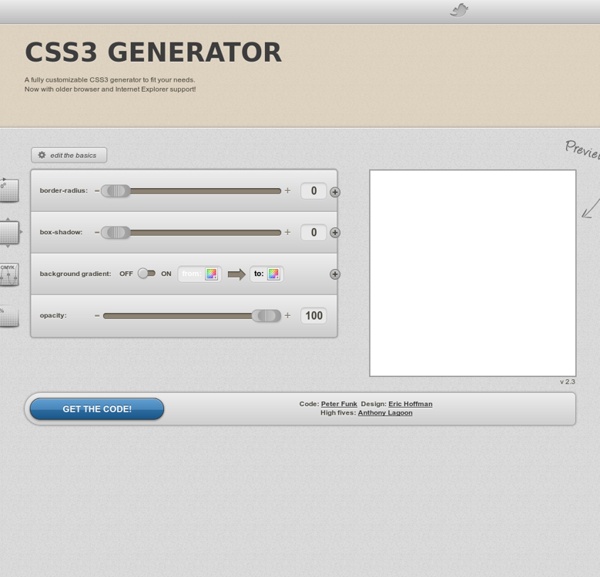
InstaCSS | Instant CSS Documentation Search 30 Excellent CSS Generators To Make Development Faster Web designing and developing is not an easy task, so web designers and developers are always keen to get as much help as they can from tools of any kind. These handy tools can help them reduce the time needed to complete a task and ameliorate their productivity — as by using these web design tools developers and designers can create elegant, functional and highly optimized websites. So today we have a list of 30 Amazing CSS Tools And Generators for Developers. Check it out! Typetester Advertisement Typetester is an online app that allows comparability of the fonts for the screen. List-O-Matic List-O-Matic is a popular tool that lets you choose the content, layout and demonstration of your list-based navigation menus. Csstxt This one is an online app that allows exemplifying the many ways of inserting a style to a text with a p or div tag. CSS Colors CSS Colors lets you find the combination of RGB from 0 to 255 with ease, thus providing you with a total of 16 million+ colors. CSS font style
Textarea Auto Resize On a current project, I was trying to find a way to auto-resize a textarea according to some content that would be loaded in dynamically via Ajax. I didn’t know the height of the content and the textarea element doesn’t resize naturally like other HTML elements, so I needed to update the height of the element with JavaScript each time the content changed. It seemed like a simple task. After doing a search to see what types of plugins and scripts were floating around to do this, the examples I found seemed a little overly complex. While most solutions seemed to incorporate some complex math calculations, I thought of a better way. Using a Hidden Clone Element A <div> element will naturally stretch to fit the height of its content (assuming no floats or absolutely positioned elements are involved). The Code One of the keys to this solution is the CSS. First here’s the CSS for the textarea: Take note that I’ve added a separate class with overflow: hidden, to prevent scrollbars from appearing.
Google's 174 web fonts in one convenient downloadable tarball for your Photoshopping enjoyment - Axon Flux // A Ruby on Rails Blog Google’s Font Directory and API for web fonts could have a transformative effect on how we read the web. The only problem is, Google has made it very difficult to download all of the actual font files.Web designers must be free to experiment with these new fonts, to sketch, comp and get to know these typefaces in browser and non-browser applications. This is why I’m providing this archive. You can use it in web pages, but until I found this, I couldn't design with it. I found the packaging still vaguely annoying since each ttf file was in a separate directory, so I ran this on the command line (cd to the untarballed directory first): mkdir all; find . Then I had all the ttf files in one directory at the root (.
CSS3 Box Shadow Generator - CSS3gen Use this CSS3 box shadow generator to quickly generate box shadow CSS for your project. Your browser does not support the CSS3 box-shadow property. You can still use this tool to generate the CSS3 rule, but you won't be able to see the results. <div class="error_msg">Please enable Javascript to use this page.</div> Box Shadow Explained The CSS3 box-shadow property allows you to add depth to your website's design without the need for images or extra container elements. While the syntax is easy to understand, it is hard to visualise the style using just code. The box-shadow syntax works as follows: The first value defines the distance of the box shadow in the x (horizontal) direction and the second value defines the distance in the y (vertical) direction. Optionally you can include an additional parameter after the blur distance: This defines the spread distance of the shadow. Supporting Browsers
An Introduction To Object Oriented CSS (OOCSS) - Smashing Coding Responsive Web CSS: Un générateur WYSIWYG de layout responsive Responsive Web CSS est un outil web gratuit permettant de concevoir visuellement et générer des layouts responsive. Si vous avez déjà conçu des sites web responsive, vous savez qu'il peut être laborieux de bien manipuler les medias queries pour placer votre sidebar, menu, blocs correctement sur tous les périphériques. Grâce à Responsive Web CSS, vous aurez la possibilité de disposer tous vos éléments visuellement pour qu'ils soient parfaitement placés quelque soit la taille du navigateur. Ajoutez les blocs, donnez leur un nom, et configurez leur largeur en % ou spécifiez le ratio qu'ils doivent occuper (Exemple 1/3, 1/2...). Les blocs vont se positionner automatiquement en fonction des caractéristiques spécifiées. Il est possible de créer plusieurs layouts / pages HTML puis les exporter avec le CSS qui va bien: Encore une bonne raison de rendre vos sites compatibles multi device ! Voici une démo du service gratuit: Site Officiel
Simulate Realism with CSS3 16th February, 2010 Tom Kenny Tutorials CSS3 is here to make our lives easier as web designers and developers. While it’s not something we can always rely on heavily for layout purposes just yet, we can use it to enhance certain aspects of our designs by spending a considerably less amount of time doing so. However, CSS3 has not been created for the sole purpose of making it easier and quicker to create a website but also so we can create much better sites than we ever could with CSS before. Here are a few examples of how CSS3 can improve the web. Polaroids – View Demo Despite not being around today, polaroid images are still iconic and because of this is still a great way to display photos. A subtle shadow gives the impression that is sitting on a flat surface and by scaling and increasing the size and positioning of the shadow on a hover state we can create the illusion that it has been raised slightly from the surface. Buttons – View Demo Why do buttons exist in web design?