

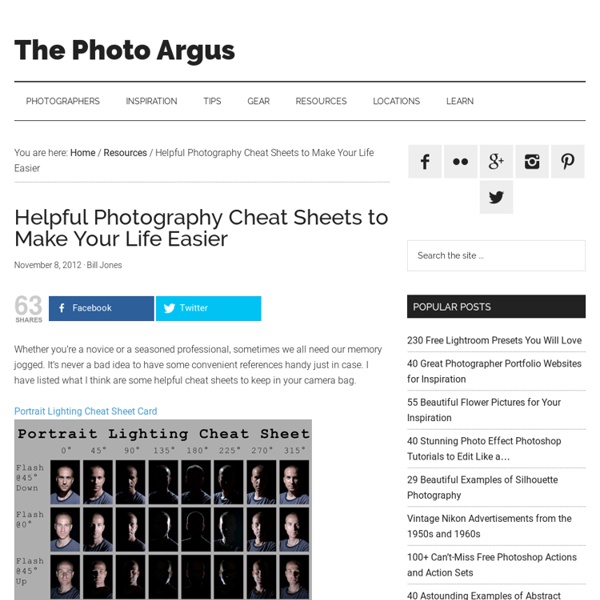
http://www.thephotoargus.com/helpful-photography-cheat-sheets-to-make-you-life-easier/
How To Look Like A UNIX Guru Terence Parr Last updated: August 30, 2006 Translations: UNIX is an extremely popular platform for deploying server software partly because of its security and stability, but also because it has a rich set of command line and scripting tools. Programmers use these tools for manipulating the file system, processing log files, and generally automating as much as possible. Slow Sync Flash One camera function that can be a lot of fun to play with (and that can get you some interesting results) is slow sync flash. Low Light Photography Options When shooting with a subject in low light situations you generally have two options; either to shoot with a flash or to shoot with a slow shutter speed. 1. Flash – When shooting in low light with a flash in auto mode your camera will choose a relatively fast shutter speed. This means that your subject will be well lit and that if it is moving it will be frozen and as a result will be sharp.
How to Get the Best Color Out of Your Photos @bigbill25: Yes I know, that ergs me as well, but the idea that those are "primary" colors seems to be embedded in a persons mind by those darn 3rd grade art teachers. I guess we will just have to accept the fact that the general populace is mis-informed. @bigbill25: Actually, thats not entirely true.
10 Ways to Take Stunning Portraits How do you take Portraits that have the ‘Wow’ factor? Today and tomorrow I want to talk about taking Portraits that are a little out of the box. You see it’s all very well and good to have a portrait that follows all the rules – but it hit me as I was surfing on Flickr today that often the most striking portraits are those that break all the rules. I want to look at some ways to break out of the mold and take striking portraits by breaking (or at least bending) the rules and adding a little randomness into your portrait photography.
How To Give Your Photos a Dark Processed Lomo Effect This post was originally published in 2010 The tips and techniques explained may be outdated. Follow this step by step post processing guide to give your photos a dark lomo style effect with high contrast, blue tones and vignette burns. The effect is based on the popular lomographic technique and is similar to the processing effect used in many fashion shots and advertisement designs. Overall this effect does a great job of adding impact to a plain photography with cool colour casts and unusual saturation. View full size photo effect Begin by opening your photograph of choice into Adobe Photoshop.
Slow Shutter Shoot-Out - 3 Slow Shutter Speed Techniques A Post By: Chas Elliott Experimenting with Slow Shutter Speeds can be a lot of fun. Today Charles Clawson from blog.chaselliot.com sums up three types of slow shutter techniques and invites you show off your attempts at doing them. There have been some great articles and interest lately on long exposures so I thought I would put together a hodgepodge of techniques and then turn it over to DPS readers to see what they can come up with. I’ve broken this slow shutter shoot-out into 3 categories.
21 Settings, Techniques and Rules All New Camera Owners Should K Some are very basic while others go a little deeper – but all have been selected from our archives specifically for beginners and new camera owners. Enjoy. Introductions to Useful Modes and Settings on Your Digital Camera 1. Digital Camera Modes Explained – I spoke with a family friend recently who had just bought a new point and shoot camera. She came up to me with her camera when no one was watching and embarrassedly asked me if I could tell her what all the little icons on the dial on top of her camera meant.
Learning about Exposure – The Exposure Triangle A Post By: Darren Rowse Bryan Peterson has written a book titled Understanding Exposure which is a highly recommended read if you’re wanting to venture out of the Auto mode on your digital camera and experiment with it’s manual settings. In it Bryan illustrates the three main elements that need to be considered when playing around with exposure by calling them ‘the exposure triangle’. Each of the three aspects of the triangle relate to light and how it enters and interacts with the camera. The three elements are:
Discussing MASTERING YOUR D80 - TUTORIAL THREAD (4/25- 5/12) A.Joki says: Nels: On sunny days, the shutter speed is going to be very high anyway. Especially considering that I'm shooting fairly wide open for portraiture, typically F/1.4 to F/2.8. For multiple subjects, I do have to close down, sure, and that will bring the shutter speeds lower.