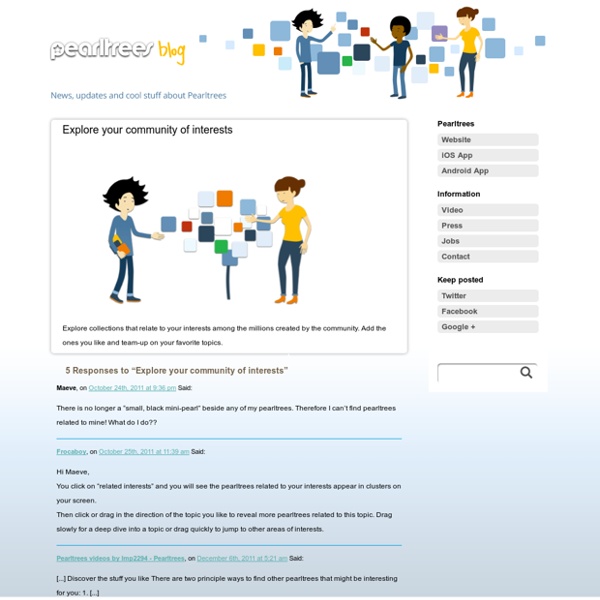
Discover the stuff you like
There are two principle ways to find other pearltrees that might be interesting for you: 1. By affinity! Pearltrees is a network of interests and also relies on an “interest graph”. The logic is very straightforward: the more common pearls two pearltrees have, the closer they are. To make it easy to find great content that is likely to be related to things you already find interesting just click on the small, black mini-pearl of any pearltree.
http://blog.pearltrees.com/?page_id=11276
Intuit: Pain and pleasure in the cloud
Financial software company, Intuit, is a significant provider of services to the small business market. With total revenues around $4 billion, the company offers products such as check processing, payroll services, personal and professional tax preparation tools, and accounting software. It's a big business that automates important financial functions for small and mid-sized organizations.
Pearl the stuff you like
Pearls can be created in several ways: Pearltrees has extensions for Firefox, Chrome and Internet Explorer that make it easy to create pearls while you are browsing the web. Using the extension for your browser you can put any content you wish to keep directly into your dropzone or anywhere else in your account with only two clicks. The extensions for Firefox or Internet Explorer: They have 3 buttons: Pearl: It turns the web page you are reading into a pearl In:
What's a team?
A team within Pearltrees is a group of people who have come together to collaboratively curate a common interest. When you want to join a team, just click on the “team up” button to send a request. As soon as your request has been accepted, you’ll be able to curate the pearltree with the other team members.
Logging in from a Mobile Device
Pearltrees wants you to broadcast web content
A new version of Pearltrees is now live for eager social curators on the 'Net. As TG Daily previously reported, Pearltrees embeds a significant amount of supplemental information related to a post in a way that is easy to navigate, while giving users a chance to preview content in a more comprehensive manner. "Obviously, it would be pretty difficult to find all of this content in any reasonable amount of time using Google or another search tool," Pearltrees rep Oliver Starr told TG Daily.
Qu'est-ce qu'une équipe ?
Une équipe c’est un groupe de personnes qui éditent ensemble un intérêt commun. Pour rejoindre une équipe, cliquez sur “faire équipe” pour envoyer votre demande. Dès que votre demande aura été acceptée vous pourrez éditer le pearltrees avec les autres membres de l’équipe! Chaque membre ajoute et organise les perles et les pearltrees de l’équipe comme sur un pearltree classique. Chaque membre peut aussi décider d’accepter ou d’inviter d’autres membres pour faire croître l’équipe.
pearltrees » Pearltrees goes to “the Next Web” in Amsterdam
Today, tomorow and the day after Tomorow, Patrice Lamothe, pearltrees’ CEO will attend the “next web conference”. Such conferences are always interesting to get the big picture of what is happening on the world-wide-web, to meet some great people that lead ideas, thoughts, start-ups… to sum up it is a meeting with the web industry. It is now really important for pearltrees to take its sits in the industry. To take a wider look over this conference, let’s just update some backgrounds facts. The world is facing a financial crisis, basically speaking it means that money is missing.
Pearltrees: the best way to collect and organize everything in one place.
Save bookmarks, documents, files, ebooks, photos, videos, notes and more. Organize them into meaningful collections. Discover and share millions of contents on your favorite topics. With Pearltrees, organize all your interests anywhere, anytime! Dedicated versions of Pearltrees also exist for schools and entreprises.
Ali at the Top of the World
At first I thought, “Great, another site to sign up for!” boy was I wrong. This site is great. I have to admit I was lost at first but once I got the hang of working the site I was hooked. This is like a virtual concept map of bookmarks.
Related:
Related: