
Review: Fuel mileage trackers for iPhone Review. iPhone gas application roundup. On 18 June 2008 I published my iPhone app wishlist and I'm happy that most of my most requested applications have been released (Thank you Texas Hold'Em!).

Two my most request applications dealt with fuel, specifically a fuel economy tracker and a cheap gas finder. Several iterations of the first are now available from the App Store and I've got a little preview of the second below. On the fuel economy front there are several options available now, including: My Pick -> AccuFuel 1.1 (US$0.99) – Monitors vehicle fuel economy for multiple vehicles with a large display showing MPG of your last fillup and the average to date. AccuFuel's strength is its beautiful white on black interface and its clean line graph that tracks fuel efficiency over months and years. AccuFuel allows you to enter fill up information by either odometer (my preference) or trip but not both, you have to pick one or the other at first run.
More after the jump... CarStat (US$1.99) – Tracks MPG and service items. The Best Mileage Apps for Your iPhone. While everyone is talking about the bigger iPad these days, the iPhone is perfectly suited for a few tasks — namely, killing time while you wait in line somewhere.

And where is one place you just can’t avoid a wait? The gas pump. Mileage applications actually make those fill-up stops productive by tracking your mileage and, as we discovered, quite a bit more. Having bought five of the top-rated iPhone mileage apps to see how well they work, I was surprised. Surprised at all the thinking I had to do to set them up. OK, I'm over it. Gas Cubby ($6.99) This app has the most straightforward page for entering mileage data. Car Minder ($2.99) This is a good middle ground when it comes to mileage apps. MPG ($3.99)Not to be confused with MPG Calcu-Saver, MPG is a robust application for true road warriors. MPG Calcu-Saver (99 cents) This is not your millennial co-worker’s traditional mileage app.
5 iPhone Apps to Help Save Gas — Cleantech News and Analysis. 40 Awesome iPhone Application Websites. iPhone applications are hotter than ever.
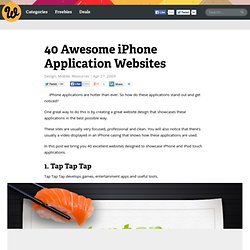
So how do these applications stand out and get noticed? One great way to do this is by creating a great website design that showcases these applications in the best possible way. These sites are usually very focused, professional and clean. You will also notice that there’s usually a video displayed in an iPhone casing that shows how these applications are used. In this post we bring you 40 excellent websites designed to showcase iPhone and iPod touch applications. 1. Tap Tap Tap develops games, entertainment apps and useful tools. 2. Weightbots helps you keep track of your weight. 3. Sourcebits is a software development company that has created several iPhone apps. 4. AirPhones allows you to wirelessly listen to audio from your computer on an iPhone or iPod touch using Wi-Fi, making it work like wireless headphones. 5. WordPress, the popular blogging platform, also has an iPhone app.
iPhone Items. Google Translate.